
Head-to-head comparison
Bambu Lab A1 mini vs P1S: open frame or enclosed chassis?
The short answer
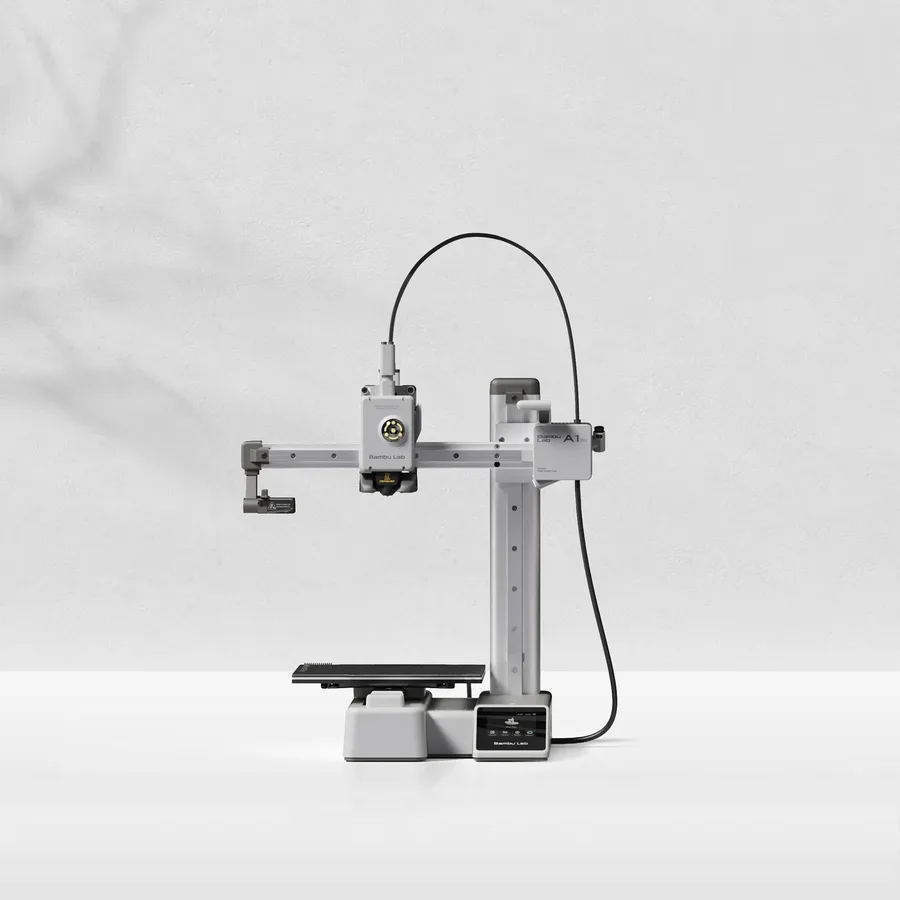
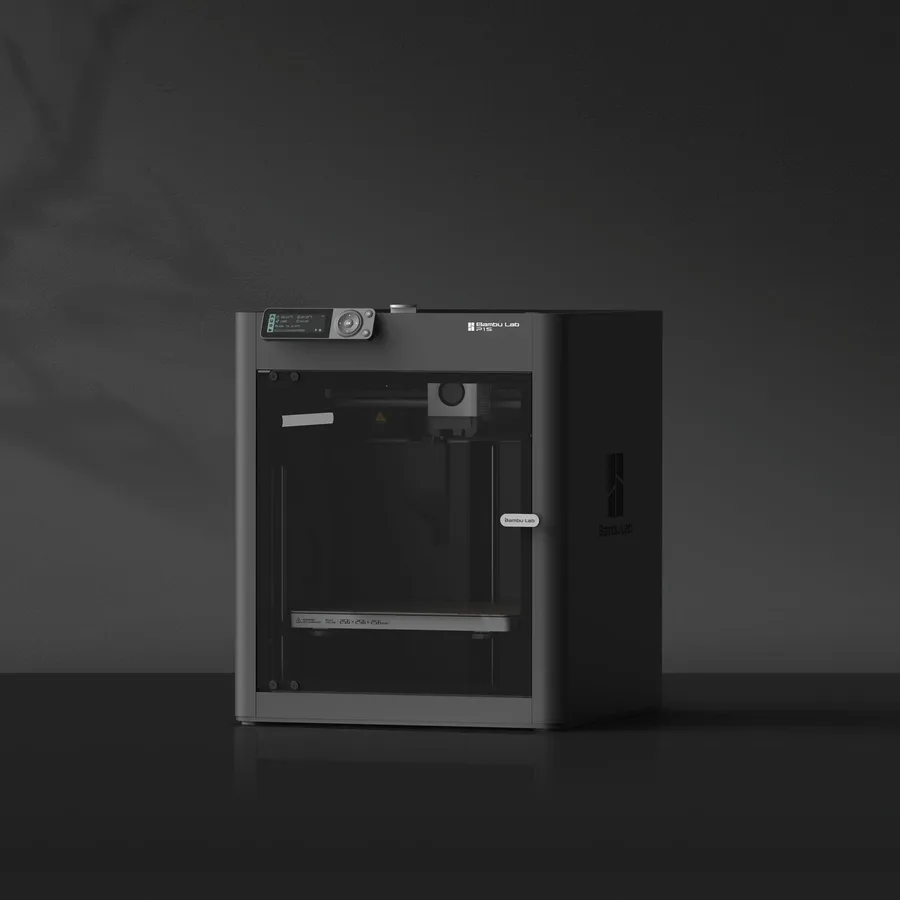
Pick the A1 mini for a compact, affordable first printer: a 180 × 180 × 180 mm volume, 5.5 kg, and an open frame suited to PLA and PETG. Pick the P1S if you're after ABS, ASA, or heavier regular use: a 256 × 256 × 256 mm enclosed chassis, a bed heated to 100°C versus 80°C, and AMS compatibility for up to 16 colors with 4 units per Bambu Lab.
Documentary comparison of manufacturer specifications. Not personally tested.
Choose the Bambu Lab A1 mini if…
- A noticeably lighter, more compact machine (5.5 kg, 347 × 315 × 365 mm) than the P1S (12.95 kg, 389 × 389 × 458 mm), easier to fit on a desk.
- A smaller volume (180 × 180 × 180 mm) but enough for accessories and compact parts, without the constraints of an enclosed chassis.
- A bed heated to 80°C and a nozzle up to 300°C per Bambu Lab, plenty for the PLA and PETG this machine targets.
Choose the Bambu Lab P1S if…
- An enclosed chassis that stabilizes temperature around the part, with PLA, PETG, TPU, PVA, PET, ABS, and ASA listed as 'Ideal' per Bambu Lab.
- A bed heated up to 100°C versus 80°C on the A1 mini, and a top acceleration advertised at 20,000 mm/s² versus 10,000 mm/s², for the same 500 mm/s top speed.
- AMS compatibility documented for up to 16 colors with 4 units per Bambu Lab, versus an optional AMS lite on the A1 mini.
- An activated carbon filter advertised by Bambu Lab, useful in an enclosed chassis for regular use across several materials.
Specifications side by side
| Specification | Bambu Lab A1 mini | Bambu Lab P1S |
|---|---|---|
| Technology | Filament (FDM) | Filament (FDM) |
| Build volume | 180 × 180 × 180 mm (7.1 × 7.1 × 7.1 in) | 256 × 256 × 256 mm (10.1 × 10.1 × 10.1 in) |
| Printer dimensions | 347 × 315 × 365 mm (13.7 × 12.4 × 14.4 in) | 389 × 389 × 458 mm (15.3 × 15.3 × 18 in) |
| Weight | 5.5 kg (12.1 lb) | 13 kg (28.5 lb) |
| Enclosure | Open frame | Enclosed |
| Claimed top speed | 500 mm/s | 500 mm/s |
| Claimed acceleration | 10,000 mm/s² | 20,000 mm/s² |
| Max nozzle temperature | 300 °C (572 °F) | 300 °C (572 °F) |
| Max bed temperature | 80 °C (176 °F) | 100 °C (212 °F) |
| Multicolor | AMS lite; check whether the selected bundle includes it. | AMS compatible; AMS 2 Pro configurations require the appropriate accessories. |
| Materials | PLA and PETG with manufacturer profiles. | PLA, PETG, ABS and ASA, subject to manufacturer profiles and setup requirements. |
| Screen | 2.4-inch touchscreen | — |
| Built-in camera | Yes | Yes |
| Connectivity | Wi-Fi, microSD card | — |
| Listed features | Filament runout sensor, filament cutter | Auto bed leveling, filament runout sensor, built-in air filtration |
— : not listed by the manufacturer on the pages we reviewed.
Build volume and footprint
The A1 mini advertises a 180 × 180 × 180 mm nominal volume, the most compact format in the Bambu Lab lineup, versus 256 × 256 × 256 mm for the P1S. An object larger than about 18 cm on one axis generally needs splitting and assembly on the A1 mini, while the P1S keeps more room for single mid-size parts.
Footprint and weight follow the same gap: 347 × 315 × 365 mm and 5.5 kg for the A1 mini, versus 389 × 389 × 458 mm and 12.95 kg for the P1S per both Bambu Lab sheets. The A1 mini fits on a desk corner, while the P1S needs a more stable, dedicated spot.
Speed and motion
Both machines advertise the same top speed of 500 mm/s per Bambu Lab, but maximum acceleration differs sharply: 10,000 mm/s² for the A1 mini versus 20,000 mm/s² for the P1S. That gap matters most on small parts with frequent direction changes, where acceleration counts as much as top speed.
The nozzle reaches 300°C on both machines per their respective sheets, a shared point that's a reminder the advertised top speed stays a manufacturer ceiling: actual print time depends mostly on the slicer profile and part geometry.
Materials, temperatures and enclosure
The A1 mini prints PLA and PETG per manufacturer profiles, with a bed heated to 80°C: its open frame doesn't offer the same thermal conditions as an enclosed machine and isn't the documented choice for regular ABS or ASA use.
The P1S goes further thanks to its enclosed chassis and 100°C bed: Bambu Lab lists PLA, PETG, TPU, PVA, PET, ABS, and ASA as 'Ideal', and PA and PC as 'Capable'. The enclosed chassis stabilizes temperature around the part, which mainly helps materials that shrink while cooling rather than PLA, which doesn't need it.
Multicolor
The A1 mini is limited to an optional AMS lite per Bambu Lab: whether it's included in your chosen bundle should be checked before buying rather than assumed from the product name. It's an entry-level system for adding a few colors, not the lineup's most complete option.
The P1S is documented as AMS compatible for up to 16 advertised colors through 4 connected units per Bambu Lab, a clearly larger capacity. The multicolor buying guide covers the real gap between an AMS lite and a full AMS setup before you choose a configuration.
Everyday features
The A1 mini has a 2.4-inch touchscreen, a camera, a filament sensor, and a built-in filament cutter per its sheet, with Wi-Fi and microSD connectivity and no USB port listed. It's built for simple use, with nothing extra to add to get started.
Both machines list automatic leveling and a filament sensor; the P1S adds an activated carbon filter tied to its enclosed chassis per Bambu Lab, with a low-rate camera (1280 × 720 at 0.5 fps, for monitoring and timelapses) documented by the official store; its other features are less detailed on its sheet. For a format between the two, the A1 keeps an open frame with a larger volume than the A1 mini.
Sources
- Bambu Lab — fiche technique A1 mini (bambulab.com)
- Bambu Lab — fiche technique P1S (eu.store.bambulab.com)
- How we compare printers
Published 2026-09-28, updated 2026-09-28.