
Head-to-head comparison
Bambu Lab P1S vs P2S: which enclosed printer fits your projects?
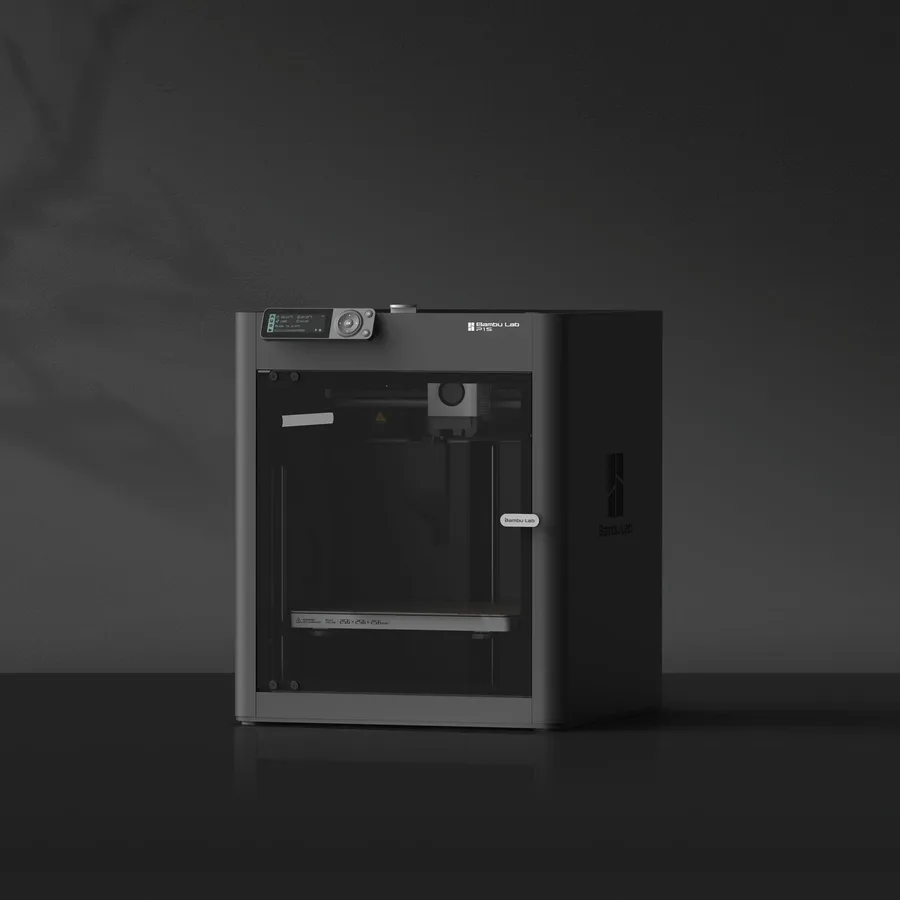
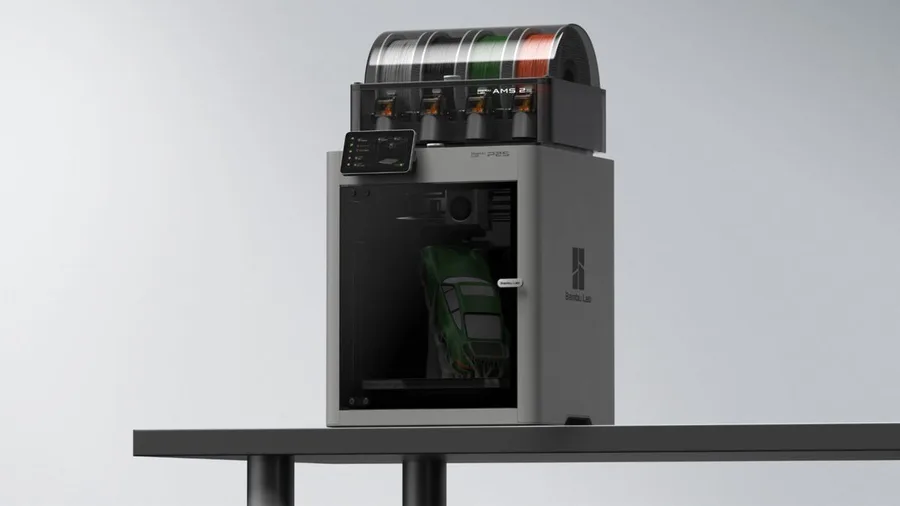
The short answer
Pick the P1S for a first enclosed printer with simpler documented equipment: a bed advertised at 100°C and a top speed of 500 mm/s. Pick the P2S if you're targeting more demanding filaments or advanced multicolor: a 110°C bed, a speed advertised at 600 mm/s, camera-based error detection, and AMS 2 Pro compatibility per Bambu Lab.
Documentary comparison of manufacturer specifications. Not personally tested.
Choose the Bambu Lab P1S if…
- The same 256 × 256 × 256 mm enclosed volume as the P2S, an entry point into Bambu Lab's closed-frame lineup.
- A lighter advertised weight, 12.95 kg versus 14.9 kg for the P2S, slightly easier to move between rooms.
- Generic AMS compatibility, enough if advanced multicolor isn't the project's priority.
Choose the Bambu Lab P2S if…
- A bed heated up to 110°C versus 100°C on the P1S, for tighter PETG and ABS profiles.
- A top speed advertised at 600 mm/s versus 500 mm/s on the P1S per Bambu Lab.
- A 1080p camera for monitoring and error detection (the P1S has a low-rate 720p camera), plus a quick-swap nozzle.
- AMS 2 Pro compatibility with a drying function, useful for moisture-sensitive filaments.
Specifications side by side
| Specification | Bambu Lab P1S | Bambu Lab P2S |
|---|---|---|
| Technology | Filament (FDM) | Filament (FDM) |
| Build volume | 256 × 256 × 256 mm (10.1 × 10.1 × 10.1 in) | 256 × 256 × 256 mm (10.1 × 10.1 × 10.1 in) |
| Printer dimensions | 389 × 389 × 458 mm (15.3 × 15.3 × 18 in) | 392 × 406 × 478 mm (15.4 × 16 × 18.8 in) |
| Weight | 13 kg (28.5 lb) | 14.9 kg (32.8 lb) |
| Enclosure | Enclosed | Enclosed |
| Claimed top speed | 500 mm/s | 600 mm/s |
| Claimed acceleration | 20,000 mm/s² | 20,000 mm/s² |
| Max nozzle temperature | 300 °C (572 °F) | 300 °C (572 °F) |
| Max bed temperature | 100 °C (212 °F) | 110 °C (230 °F) |
| Multicolor | AMS compatible; AMS 2 Pro configurations require the appropriate accessories. | AMS 2 Pro compatible; check the Combo contents. |
| Materials | PLA, PETG, ABS and ASA, subject to manufacturer profiles and setup requirements. | PLA, PETG, ABS, ASA, TPU, PET, PA, PC, PVA and composites (PLA-CF, PETG-CF, ABS-GF, ASA-CF, PA6-CF, PPA-CF, PET-CF…) per Bambu Lab's spec sheet; check the right profile and nozzle for each material. |
| Built-in camera | Yes | Yes |
| Listed features | Auto bed leveling, filament runout sensor, built-in air filtration | Filament runout sensor, filament cutter, built-in air filtration |
| Screen | — | 5-inch touchscreen |
| Connectivity | — | Wi-Fi, USB |
— : not listed by the manufacturer on the pages we reviewed.
Build volume and footprint
Both machines share a 256 × 256 × 256 mm nominal build volume and an enclosed CoreXY frame, so size isn't what separates them. The floor footprint is close too, 389 × 389 × 458 mm for the P1S versus 392 × 406 × 478 mm for the P2S per the Bambu Lab spec sheets, a few centimeters deeper and taller rather than a real size jump.
Advertised weight differs more: 12.95 kg for the P1S versus 14.9 kg for the P2S. On a shelf or cart that's already loaded, that gap can matter if the printer needs to be moved around regularly.
Speed and motion
Bambu Lab advertises a top speed of 500 mm/s for the P1S versus 600 mm/s for the P2S, with the same maximum acceleration on both. These are manufacturer ceilings: actual print time depends mostly on the slicer profile, part geometry, and material used, not on the headline number alone.
The P2S also adds a nozzle advertised as quick-swap, a point the P1S sheet doesn't mention. For occasional use, this mechanical gap matters less than the heated bed or AMS compatibility.
Materials, temperatures and enclosure
Both hotends reach 300°C per Bambu Lab and cover PLA, PETG, ABS, and ASA in their respective profiles. The gap is the bed: 100°C advertised for the P1S versus 110°C for the P2S, a useful margin for tighter PETG or ABS profiles where first-layer adhesion can be an issue.
Both machines' enclosed frames stabilize temperature around the part, which mainly helps materials that shrink while cooling rather than base PLA. Neither spec sheet documents active chamber heating the way the X2D or the H2 lineup do.
Multicolor
The P1S lists generic AMS compatibility without specifying the exact version, worth checking on the chosen listing before comparing two configurations. The P2S is documented as AMS 2 Pro compatible, with a Combo version that includes it on some listings.
Neither machine requires an AMS to print: it's an add-on for automating spool changes or combining several colors. The multicolor buying guide explains what the AMS 2 Pro genuinely adds over a generic AMS, including its drying function, useful for nylon or certain TPUs.
Everyday features
The P2S sheet documents a 5-inch touchscreen, a camera for error detection, Wi-Fi and USB connectivity, a filament sensor, and a built-in filament cutter. The P1S has a filament sensor and a low-rate monitoring camera (1280 × 720 at 0.5 fps, for monitoring and timelapses) per the official store; its other features are less detailed on its sheet.
Before deciding, compare the full spec sheets of the P1S and the P2S rather than the product photo alone, since exact bundle contents vary by retailer.
Sources
- Bambu Lab — fiche technique P1S (eu.store.bambulab.com)
- Bambu Lab — fiche technique P2S (bambulab.com)
- How we compare printers
Published 2026-09-28, updated 2026-09-28.