
Head-to-head comparison
Anycubic Kobra S1 vs Bambu Lab P1S: Which Enclosed Printer?
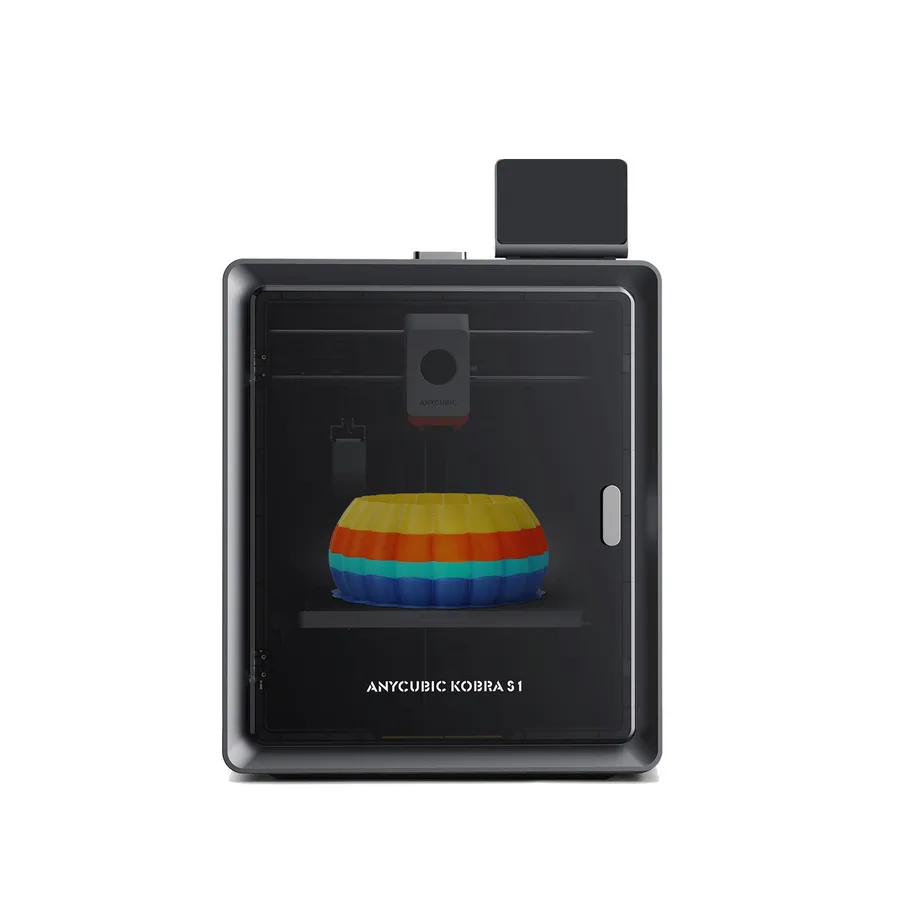
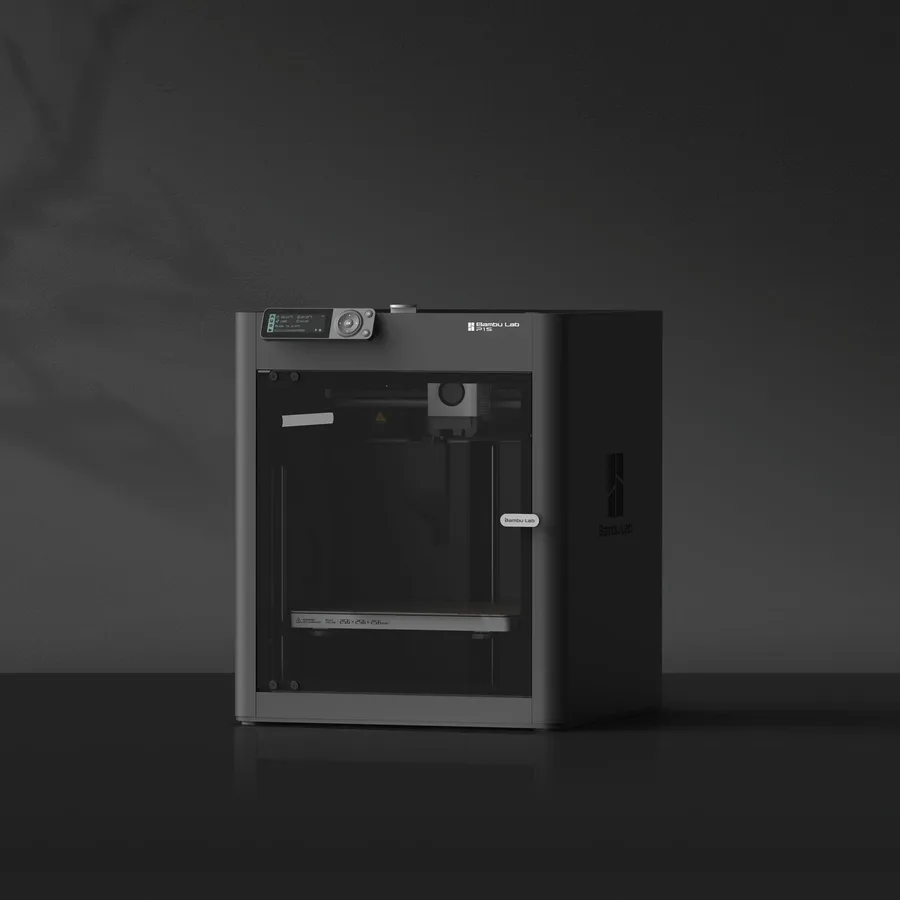
The short answer
Pick the Kobra S1 if you want a hotter nozzle and bed (320°C and 120°C advertised), documented TPU 95A compatibility, and a built-in touchscreen with a monitoring camera. Pick the P1S if Bambu Lab's AMS ecosystem and a slightly larger advertised volume, 256mm versus 250mm, matter more than maximum nozzle temperature.
Documentary comparison of manufacturer specifications. Not personally tested.
Choose the Anycubic Kobra S1 if…
- A hotend advertised up to 320°C and a bed up to 120°C, above the 300°C and 100°C advertised for the P1S.
- TPU 95A compatibility documented by Anycubic, alongside PLA, PETG, ABS, and ASA.
- A 4.3-inch touchscreen and a monitoring camera built into the base machine per Anycubic.
- A lighter, more compact machine, 9.37 kg advertised, with LeviQ 3.0 auto-leveling and automatic vibration compensation.
Choose the Bambu Lab P1S if…
- A slightly larger advertised volume, 256 × 256 × 256 mm versus 250 × 250 × 250 mm for the Kobra S1.
- AMS compatible, with several possible versions including AMS 2 Pro depending on the accessories chosen, for multicolor printing.
- PLA, PETG, ABS, and ASA documented per manufacturer profiles, inside an enclosed chassis by default.
- A quick-swap nozzle, a feature shared with the P2S in the same Bambu Lab lineup.
Specifications side by side
| Specification | Anycubic Kobra S1 | Bambu Lab P1S |
|---|---|---|
| Technology | Filament (FDM) | Filament (FDM) |
| Build volume | 250 × 250 × 250 mm (9.8 × 9.8 × 9.8 in) | 256 × 256 × 256 mm (10.1 × 10.1 × 10.1 in) |
| Printer dimensions | 400 × 410 × 490 mm (15.7 × 16.1 × 19.3 in) | 389 × 389 × 458 mm (15.3 × 15.3 × 18 in) |
| Weight | 9.4 kg (20.7 lb) | 13 kg (28.5 lb) |
| Enclosure | Enclosed | Enclosed |
| Claimed top speed | 600 mm/s | 500 mm/s |
| Claimed acceleration | 20,000 mm/s² | 20,000 mm/s² |
| Max nozzle temperature | 320 °C (608 °F) | 300 °C (572 °F) |
| Max bed temperature | 120 °C (248 °F) | 100 °C (212 °F) |
| Multicolor | ACE Pro required for multicolor; up to eight colors with two compatible units. | AMS compatible; AMS 2 Pro configurations require the appropriate accessories. |
| Materials | PLA, PETG, TPU 95A, ABS and ASA, following manufacturer instructions. | PLA, PETG, ABS and ASA, subject to manufacturer profiles and setup requirements. |
| Screen | 4.3-inch touchscreen | — |
| Built-in camera | Yes | Yes |
| Connectivity | USB | — |
| Listed features | Auto bed leveling, filament runout sensor | Auto bed leveling, filament runout sensor, built-in air filtration |
— : not listed by the manufacturer on the pages we reviewed.
Build volume and footprint
The P1S advertises a very slightly larger nominal volume than the Kobra S1, 256 × 256 × 256 mm versus 250 × 250 × 250 mm per both manufacturers. That 6mm-per-axis gap stays marginal for most projects, rarely decisive on its own.
The Kobra S1, by contrast, is advertised as lighter, 9.37 kg versus 12.95 kg for the P1S, for an enclosed chassis of a similar size. Worth weighing if the printer needs moving between rooms or put away after use.
Materials, temperatures and enclosure
The Kobra S1 advertises a hotend up to 320°C and a bed up to 120°C per Anycubic, above the 300°C and 100°C advertised for the P1S. Both benefit from an enclosed chassis, which stabilizes temperature around the part for materials like ABS or ASA.
Anycubic additionally documents TPU 95A compatibility for the Kobra S1, alongside PLA, PETG, ABS, and ASA. For the P1S, Bambu Lab documents PLA, PETG, ABS, and ASA per manufacturer profiles, with no TPU mentioned on its listing.
Multicolor: ACE Pro or AMS
The Kobra S1 on its own prints single-color per Anycubic: the ACE Pro, sold separately, is needed for multicolor printing, with up to eight colors advertised by combining two units. TPU 95A, though, isn't compatible with the ACE Pro for multicolor use.
The P1S stays AMS compatible, with several possible versions depending on the accessories chosen, including AMS 2 Pro. In both cases, the multicolor system remains an accessory to check precisely on the listing rather than assume included.
Everyday features
The Kobra S1 advertises a 4.3-inch touchscreen and a monitoring camera built into the base machine, with LeviQ 3.0 auto-leveling and automatic flow and vibration compensation per Anycubic. Connectivity listed on its official spec sheet is limited to USB.
The P1S spec sheet stays sparser on screen, camera, and connectivity: check these details precisely on the retailer's listing before buying, along with the exact bundle contents. The Kobra S1 page covers the rest of its equipment.
Sources
- Anycubic — Kobra S1 tech specs (store.anycubic.com)
- Bambu Lab — P1S tech specs (eu.store.bambulab.com)
- How we compare printers
Published 2026-09-28, updated 2026-09-28.