
Head-to-head comparison
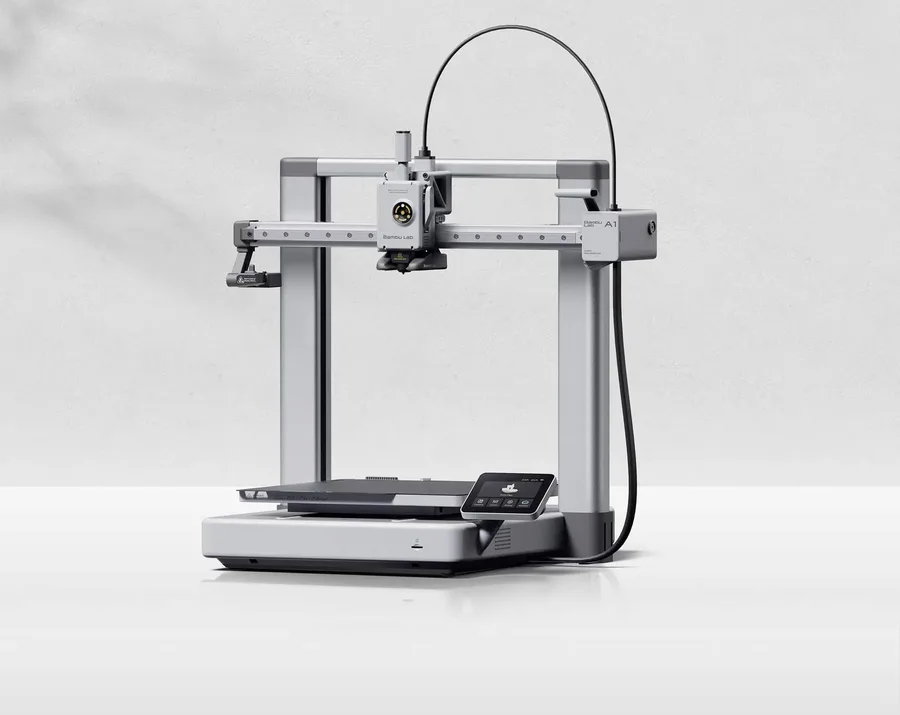
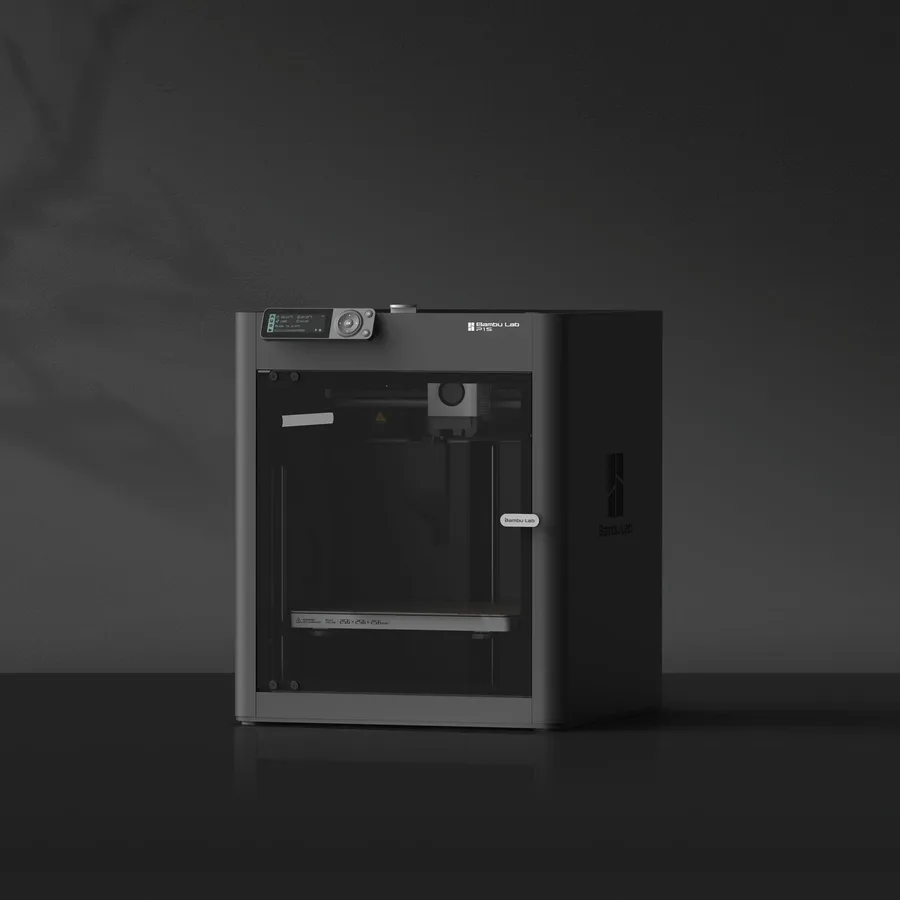
Bambu Lab A1 vs P1S: open frame or enclosed chassis?
The short answer
Pick the A1 for a lighter machine (8.3 kg) at a lower entry cost, with a documented touchscreen and camera, as long as PLA and PETG cover your projects. Pick the P1S if you're targeting ABS or ASA in regular use: its enclosed chassis and advertised acceleration, twice as high (20,000 mm/s² versus 10,000 mm/s²), make it more versatile on materials that shrink while cooling.
Documentary comparison of manufacturer specifications. Not personally tested.
Choose the Bambu Lab A1 if…
- A lighter machine, 8.3 kg versus 12.95 kg for the P1S, easier to move around or store.
- A 3.5-inch touchscreen and a camera documented on its sheet, two features not specified on the P1S sheet.
- An optional AMS lite, enough for simple multicolor without investing in a fuller system.
- An open frame: direct access to the bed and nozzle mid-print, handy for monitoring or intervening.
Choose the Bambu Lab P1S if…
- An enclosed chassis: PLA, PETG, ABS, and ASA documented compatible, versus PLA and PETG only for the A1.
- A top acceleration advertised twice as high, 20,000 mm/s² versus 10,000 mm/s² for the A1 per Bambu Lab.
- A tighter floor footprint, 389 × 389 mm versus 465 × 410 mm for the A1, despite standing taller.
Specifications side by side
| Specification | Bambu Lab A1 | Bambu Lab P1S |
|---|---|---|
| Technology | Filament (FDM) | Filament (FDM) |
| Build volume | 256 × 256 × 256 mm (10.1 × 10.1 × 10.1 in) | 256 × 256 × 256 mm (10.1 × 10.1 × 10.1 in) |
| Printer dimensions | 465 × 410 × 430 mm (18.3 × 16.1 × 16.9 in) | 389 × 389 × 458 mm (15.3 × 15.3 × 18 in) |
| Weight | 8.3 kg (18.3 lb) | 13 kg (28.5 lb) |
| Enclosure | Open frame | Enclosed |
| Claimed top speed | 500 mm/s | 500 mm/s |
| Claimed acceleration | 10,000 mm/s² | 20,000 mm/s² |
| Max nozzle temperature | 300 °C (572 °F) | 300 °C (572 °F) |
| Max bed temperature | 100 °C (212 °F) | 100 °C (212 °F) |
| Multicolor | AMS lite; check the exact bundle. | AMS compatible; AMS 2 Pro configurations require the appropriate accessories. |
| Materials | PLA and PETG with manufacturer profiles. | PLA, PETG, ABS and ASA, subject to manufacturer profiles and setup requirements. |
| Screen | 3.5-inch touchscreen | — |
| Built-in camera | Yes | Yes |
| Connectivity | Wi-Fi, microSD card | — |
| Listed features | Filament runout sensor, filament cutter | Auto bed leveling, filament runout sensor, built-in air filtration |
— : not listed by the manufacturer on the pages we reviewed.
Build volume and footprint
Both machines share the same 256 × 256 × 256 mm nominal build volume, but not the same floor footprint. Bambu Lab advertises 465 × 410 × 430 mm for the open-frame A1, wider than the P1S's 389 × 389 × 458 mm: the P1S's enclosure makes it more compact on the floor, while standing taller.
Advertised weight differs more: 8.3 kg for the A1 versus 12.95 kg for the P1S. On a shared desk or shelf, the A1 stays easier to move around; the P1S needs a more stable, dedicated spot.
Speed and motion
Bambu Lab advertises the same 500 mm/s top speed for both machines, but not the same acceleration: 10,000 mm/s² for the A1 versus 20,000 mm/s² for the P1S, double. That figure matters most on parts with many direction changes, where the higher-acceleration machine stays closer to its cruising speed.
On a simple part with few details, the acceleration gap shows less than on a highly detailed model. The slicer profile you pick still has the biggest influence on actual print time.
Materials and enclosure
The A1 prints PLA and PETG per Bambu Lab profiles, with neither ABS nor ASA among the materials documented for this open frame. The P1S adds ABS and ASA to that list thanks to its enclosed chassis, which stabilizes temperature around the part being printed.
That's not a minor detail: ABS and ASA shrink while cooling, which causes more warping or cracking issues on an open frame exposed to drafts. The enclosed 3D printer guide explains what an enclosure genuinely adds depending on the materials you're targeting.
Multicolor
On both the A1 and the P1S, multicolor printing stays a separate accessory from the base machine. The A1 offers an optional AMS lite, built for simpler use; the P1S lists generic AMS compatibility without specifying the exact version on its sheet.
Either way, the exact bundle contents (with or without an AMS) should be checked precisely on the chosen listing rather than assumed from the product name.
Everyday features
The A1 sheet documents a 3.5-inch touchscreen, a camera, Wi-Fi and microSD connectivity, a filament sensor, and a filament cutter. The P1S sheet only specifies a filament sensor: the other features aren't detailed there, which doesn't prove they're missing on the actual machine.
Before buying, compare the full spec sheets of both machines rather than the product photo alone, especially if the screen, camera, or connectivity matter to your choice.
Sources
- Bambu Lab — fiche technique A1 (bambulab.com)
- Bambu Lab — fiche technique P1S (eu.store.bambulab.com)
- How we compare printers
Published 2026-09-28, updated 2026-09-28.