
Head-to-head comparison
Anycubic Kobra S1 vs Elegoo Centauri Carbon: which enclosed printer wins?
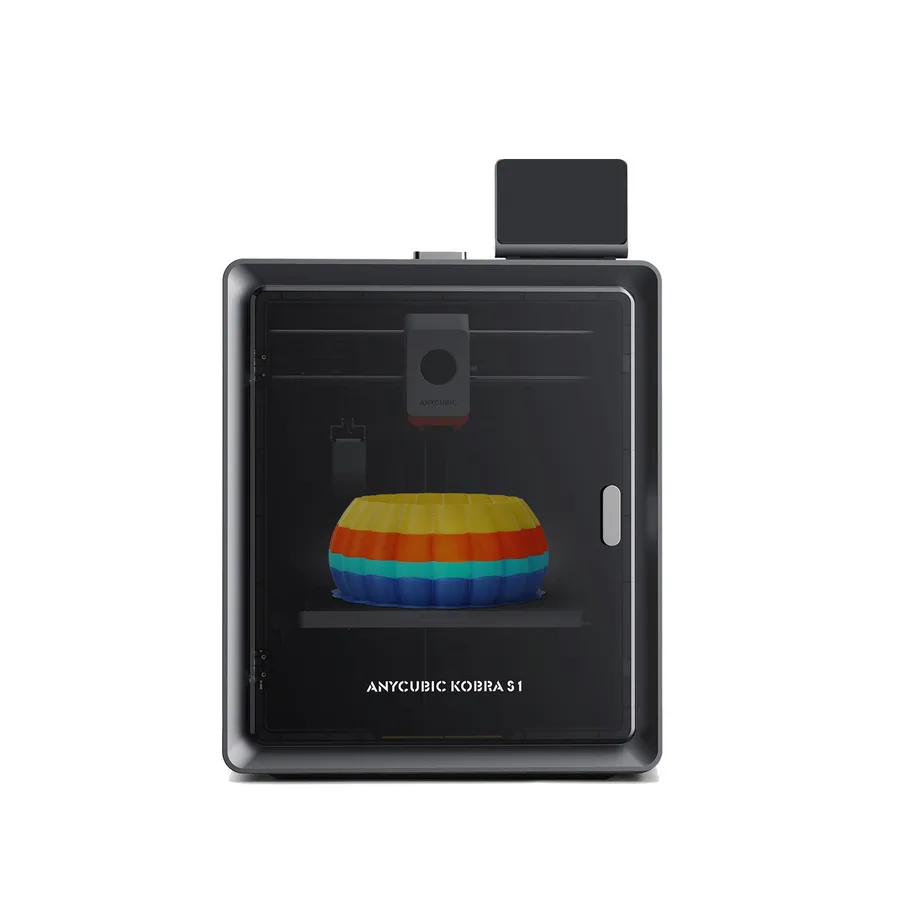
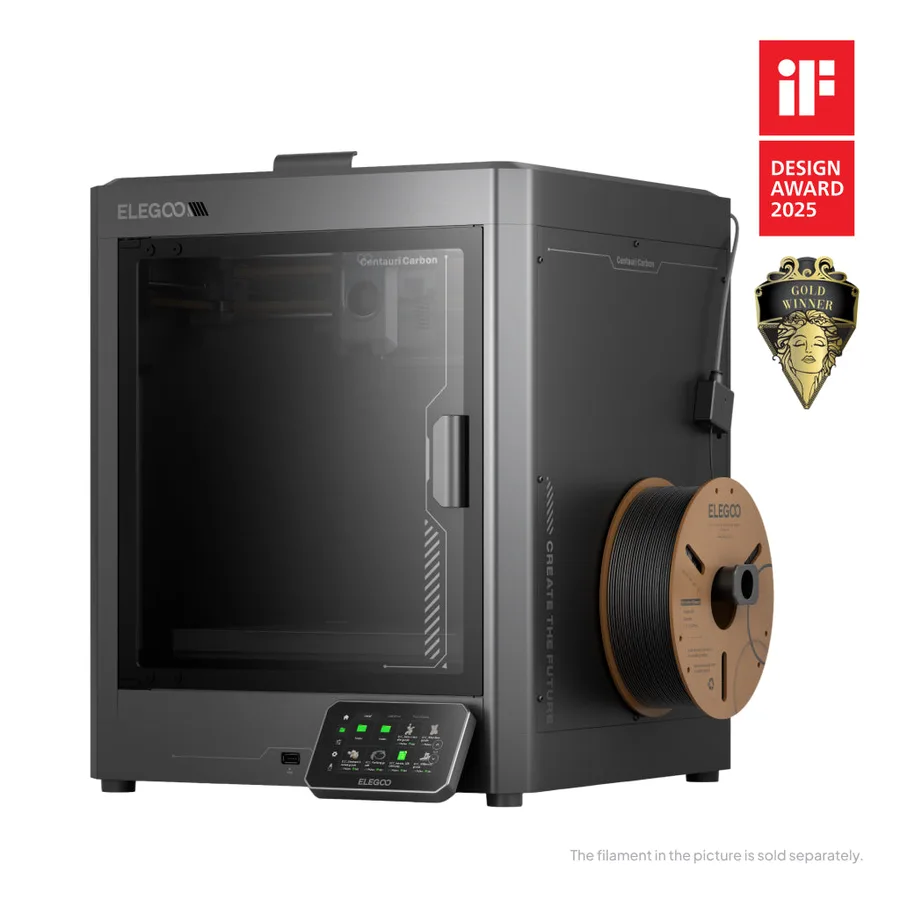
The short answer
Pick the Kobra S1 for a noticeably lighter machine (9.37 kg versus 17.5 kg), a higher advertised speed (600 mm/s versus 500 mm/s), and compatibility with ABS, ASA, and TPU 95A per Anycubic. Pick the Centauri Carbon for its hardened-steel nozzle built for carbon-fiber-filled filaments and a slightly larger nominal volume per Elegoo.
Documentary comparison of manufacturer specifications. Not personally tested.
Choose the Anycubic Kobra S1 if…
- An advertised weight of 9.37 kg versus 17.5 kg for the Centauri Carbon, with an almost identical floor footprint.
- A top speed advertised at 600 mm/s versus 500 mm/s for the Centauri Carbon per both manufacturers.
- A bed heated up to 120°C versus 110°C on the Centauri Carbon.
- An advertised materials list including ABS, ASA, and TPU 95A, different from the one published for the Centauri Carbon.
- Up to eight colors possible with two optional ACE Pro units per Anycubic.
Choose the Elegoo Centauri Carbon if…
- A hardened-steel nozzle built to resist the abrasion of carbon-fiber-filled filaments per Elegoo.
- A slightly larger nominal volume, 256 mm per side versus 250 mm for the Kobra S1.
Specifications side by side
| Specification | Anycubic Kobra S1 | Elegoo Centauri Carbon |
|---|---|---|
| Technology | Filament (FDM) | Filament (FDM) |
| Build volume | 250 × 250 × 250 mm (9.8 × 9.8 × 9.8 in) | 256 × 256 × 256 mm (10.1 × 10.1 × 10.1 in) |
| Printer dimensions | 400 × 410 × 490 mm (15.7 × 16.1 × 19.3 in) | 398 × 404 × 490 mm (15.7 × 15.9 × 19.3 in) |
| Weight | 9.4 kg (20.7 lb) | 17.5 kg (38.6 lb) |
| Enclosure | Enclosed | Enclosed |
| Claimed top speed | 600 mm/s | 500 mm/s |
| Claimed acceleration | 20,000 mm/s² | 20,000 mm/s² |
| Max nozzle temperature | 320 °C (608 °F) | 320 °C (608 °F) |
| Max bed temperature | 120 °C (248 °F) | 110 °C (230 °F) |
| Multicolor | ACE Pro required for multicolor; up to eight colors with two compatible units. | Single-color machine; confirm any separate multicolor package and its compatibility. |
| Materials | PLA, PETG, TPU 95A, ABS and ASA, following manufacturer instructions. | PLA, PETG and selected reinforced filaments according to the exact nozzle and material profile. |
| Screen | 4.3-inch touchscreen | 4.3-inch touchscreen |
| Built-in camera | Yes | Yes |
| Connectivity | USB | Wi-Fi, USB |
| Listed features | Auto bed leveling, filament runout sensor | Auto bed leveling, filament runout sensor, built-in air filtration |
— : not listed by the manufacturer on the pages we reviewed.
Build volume and footprint
The Kobra S1 advertises a 250 × 250 × 250 mm nominal volume versus 256 × 256 × 256 mm for the Centauri Carbon per both manufacturers, a gap of a few millimeters per axis that changes nothing in practice for part size. Both frames stay enclosed: the enclosed 3D printer guide covers what that means day to day. The floor footprint stays close too, 400 × 410 × 490 mm for the Kobra S1 versus 398 × 404 × 490 mm for the Centauri Carbon.
Advertised weight differs far more than footprint: 9.37 kg for the Kobra S1 versus 17.5 kg for the Centauri Carbon, nearly double. On an already loaded shelf or cart, that weight gap can matter more to your choice than the few extra millimeters of volume.
Speed and motion
Anycubic advertises a top speed of 600 mm/s for the Kobra S1 versus 500 mm/s for the Centauri Carbon per Elegoo, with the same maximum acceleration of 20,000 mm/s² on both machines. On paper, the Kobra S1 posts a higher speed ceiling.
That figure stays a manufacturer ceiling: actual print time depends mostly on the slicer profile, part geometry, and material used, on both machines. Both hotends reach 320°C per their respective sheets, a shared spec despite the advertised speed gap.
Materials, temperatures and enclosure
The Kobra S1 heats its bed up to 120°C per Anycubic, with advertised compatibility for PLA, PETG, TPU 95A, ABS, and ASA. The ABS and ASA guide covers the settings for these two materials, which shrink while cooling, an area where the Kobra S1's enclosed frame helps directly.
The Centauri Carbon heats its bed up to 110°C and features a hardened-steel nozzle built to resist the abrasion of carbon-fiber-filled filaments per Elegoo, which frames the machine around PLA, PETG, and these reinforced filaments. Both hotends advertise 320°C, but their intended use differs: broad versatility for the Kobra S1, abrasion resistance for the Centauri Carbon.
Multicolor
The Kobra S1 prints single-color out of the box: the ACE Pro, sold separately per Anycubic, enables up to eight colors by combining two units, except for TPU 95A, which isn't compatible with the ACE Pro in multicolor mode.
The Centauri Carbon also stays single-color with no accessory: the CANVAS package, needed for any multicolor use, is sold separately per Elegoo, which doesn't specify a maximum color count or the package's exact contents. Either way, check precisely what the multicolor add-on covers before adding it to your budget.
Everyday features
The two sheets overlap heavily: a 4.3-inch touchscreen, a monitoring camera, a filament sensor, and auto-leveling per Anycubic and Elegoo. The Centauri Carbon also adds a documented air filter per Elegoo, meant to help limit particles released while printing.
On connectivity, Elegoo lists Wi-Fi and USB for the Centauri Carbon; Anycubic highlights app-based remote control and monitoring for the Kobra S1, on top of USB. For a newer Elegoo model, the Centauri Carbon 2 shares a similar volume with differences worth checking.
Sources
- Anycubic — Kobra S1 tech specs (store.anycubic.com)
- Elegoo — Centauri Carbon tech specs (fr.elegoo.com)
- How we compare printers
Published 2026-09-28, updated 2026-09-28.