
Head-to-head comparison
Anycubic Kobra S1 vs Flashforge AD5X: which multicolor printer wins?
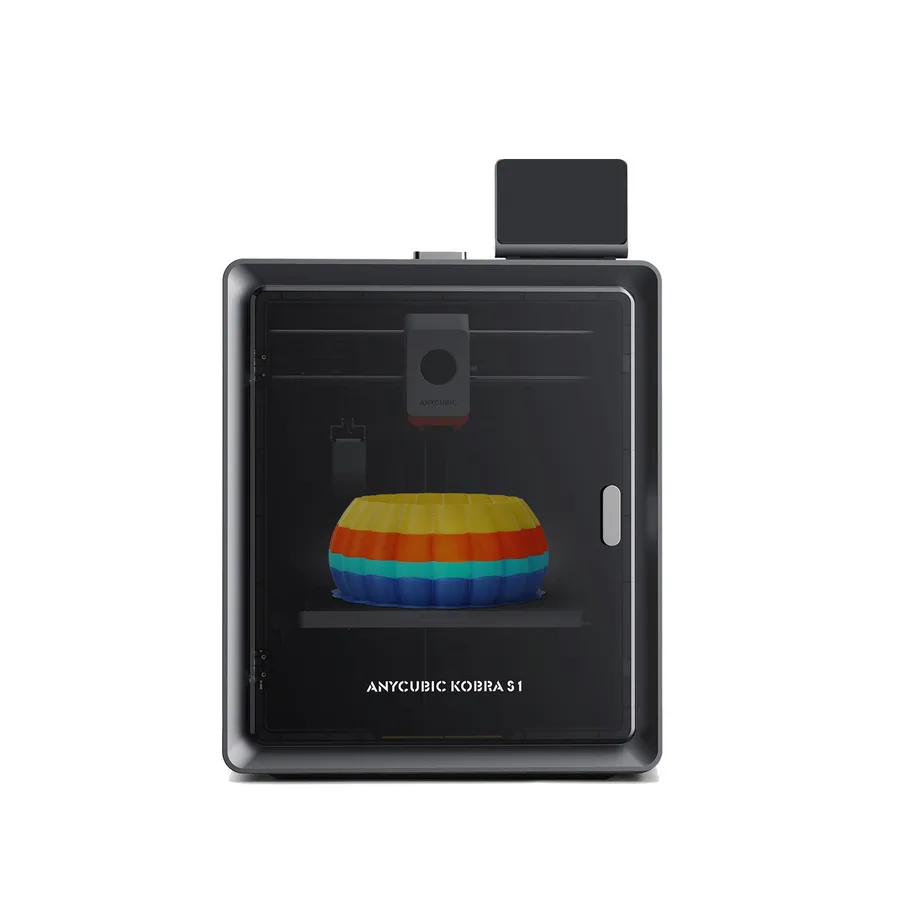
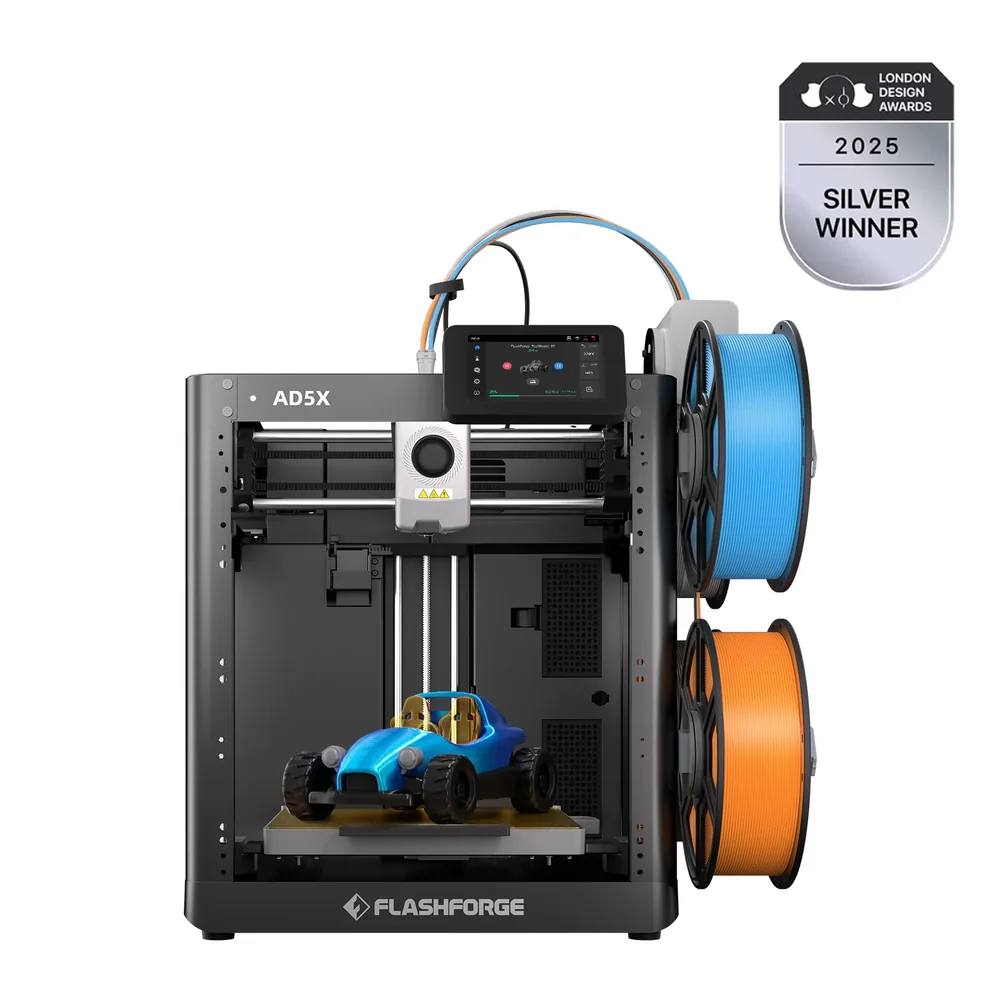
The short answer
Pick the Kobra S1 for an enclosed frame built around ABS and ASA, with a hotend advertised up to 320°C and up to eight colors through two optional ACE Pro units per Anycubic. Pick the AD5X for its built-in IFS multicolor system right out of the box, no separate box to buy, with Wi-Fi and Ethernet included per Flashforge.
Documentary comparison of manufacturer specifications. Not personally tested.
Choose the Anycubic Kobra S1 if…
- An enclosed 250 mm frame versus the AD5X's open 220 mm frame, targeting materials like ABS and ASA per Anycubic.
- A hotend advertised up to 320°C and a bed heated to 120°C, above the AD5X's advertised 300°C and 110°C.
- A monitoring camera and LeviQ 3.0 auto-leveling built in per Anycubic's spec sheet.
- Up to eight colors possible with two optional ACE Pro units, versus four colors max for the AD5X's built-in system.
Choose the Flashforge AD5X if…
- A built-in IFS multicolor system right out of the box, no external box to add, for up to four colors or materials per Flashforge.
- Wi-Fi and Ethernet on top of USB per Flashforge.
- A built-in filament cutter per Flashforge.
- A materials list that includes TPU64D-75D, PLA-CF, and PETG-CF, without ABS or ASA unlike the Kobra S1.
Specifications side by side
| Specification | Anycubic Kobra S1 | Flashforge AD5X |
|---|---|---|
| Technology | Filament (FDM) | Filament (FDM) |
| Build volume | 250 × 250 × 250 mm (9.8 × 9.8 × 9.8 in) | 220 × 220 × 220 mm (8.7 × 8.7 × 8.7 in) |
| Printer dimensions | 400 × 410 × 490 mm (15.7 × 16.1 × 19.3 in) | — |
| Weight | 9.4 kg (20.7 lb) | — |
| Enclosure | Enclosed | Open frame |
| Claimed top speed | 600 mm/s | 600 mm/s |
| Claimed acceleration | 20,000 mm/s² | 20,000 mm/s² |
| Max nozzle temperature | 320 °C (608 °F) | 300 °C (572 °F) |
| Max bed temperature | 120 °C (248 °F) | 110 °C (230 °F) |
| Multicolor | ACE Pro required for multicolor; up to eight colors with two compatible units. | Built-in IFS (Intelligent Filament System), no external box, for up to 4 colors or materials per Flashforge. |
| Materials | PLA, PETG, TPU 95A, ABS and ASA, following manufacturer instructions. | PLA, PETG, TPU95A, TPU64D-75D, PLA-CF, and PETG-CF per Flashforge. |
| Screen | 4.3-inch touchscreen | 4.3-inch touchscreen |
| Built-in camera | Yes | — |
| Connectivity | USB | Wi-Fi, Ethernet, USB |
| Listed features | Auto bed leveling, filament runout sensor | Auto bed leveling, filament runout sensor, filament cutter |
— : not listed by the manufacturer on the pages we reviewed.
Build volume and footprint
The Kobra S1 advertises a 250 × 250 × 250 mm nominal volume in an enclosed frame, versus 220 × 220 × 220 mm for the AD5X, whose frame stays open per Flashforge. That frame gap matters more than the few extra centimeters of volume: an enclosed chassis stabilizes temperature around the part, which mainly helps materials that shrink while cooling. The enclosed 3D printer guide covers what an enclosure adds depending on the material you're targeting.
Anycubic advertises a 9.37 kg weight for the Kobra S1, with a 400 × 410 × 490 mm footprint. Flashforge doesn't publish either figure for the AD5X on its official pages: worth checking directly on the listing you're considering if transport or available space matters to your choice. For an even larger frame in the same enclosed lineup, the Kobra S1 Max is another alternative to compare.
Speed and motion
Anycubic advertises a top speed of 600 mm/s for the Kobra S1, with a maximum acceleration of 20,000 mm/s². Flashforge advertises the same top travel speed for the AD5X, but separately lists a typical print speed of 300 mm/s, a benchmark the Kobra S1 sheet doesn't give.
These manufacturer numbers stay theoretical ceilings: actual print time depends mostly on the slicer profile, part geometry, and material used, on both machines. The advertised maximum acceleration is identical, which narrows the real-world gap between the two printers on this specific point.
Materials, temperatures and enclosure
The Kobra S1's hotend reaches up to 320°C and its bed up to 120°C per Anycubic, with advertised compatibility for PLA, PETG, TPU 95A, ABS, and ASA. The enclosed frame mainly helps the last two materials, which shrink and warp more without a stable chamber.
The AD5X heats its nozzle to 300°C and its bed to 110°C per Flashforge, with a different advertised list: PLA, PETG, TPU95A, TPU64D-75D, PLA-CF, and PETG-CF, without ABS or ASA. The AD5X's open frame partly explains that gap, since an enclosure mainly helps materials sensitive to warping.
Multicolor
The Kobra S1 prints single-color out of the box: multicolor goes through the ACE Pro, sold separately per Anycubic, with up to eight colors possible by combining two units. TPU 95A isn't compatible with the ACE Pro for multicolor use, though, worth checking before planning a project around this flexible filament.
The AD5X builds its IFS system directly into the chassis, with no external box to set up alongside it, driving up to four colors or materials at once per Flashforge. The multicolor buying guide covers what a built-in system like this changes compared with an add-on box. Each filament change consumes and purges some material, a tradeoff common to both systems worth factoring in on highly detailed parts.
Everyday features
The Kobra S1 sheet confirms a 4.3-inch touchscreen, a monitoring camera, a filament sensor, and LeviQ 3.0 auto-leveling per Anycubic. The documented connection is USB; Anycubic also mentions a remote control and monitoring app in its official specs.
The AD5X adds a 4.3-inch touchscreen, a filament sensor, a built-in filament cutter, and auto-leveling, with Wi-Fi, Ethernet, and USB connectivity per Flashforge. Before buying, compare the exact box contents each manufacturer advertises rather than the product photo alone.
Sources
- Anycubic — Kobra S1 tech specs (store.anycubic.com)
- Flashforge — AD5X tech specs (flashforge.com)
- How we compare printers
Published 2026-09-28, updated 2026-09-28.