
Head-to-head comparison
Centauri Carbon vs Centauri Carbon 2: What Elegoo Changed
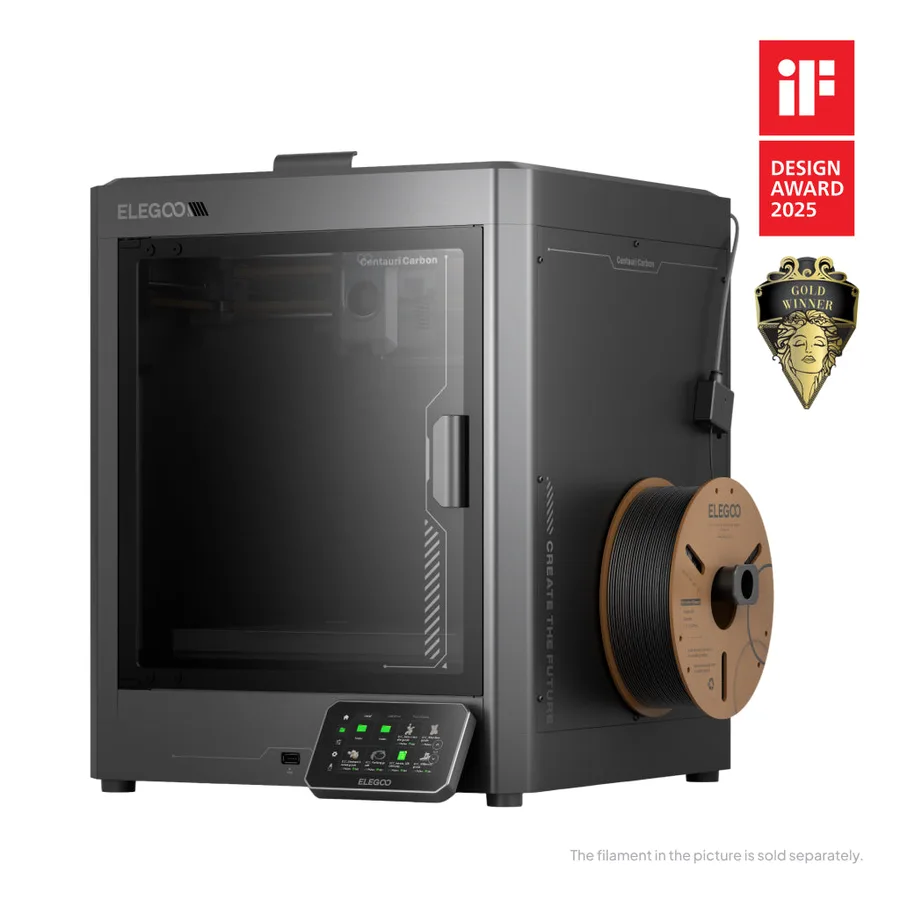
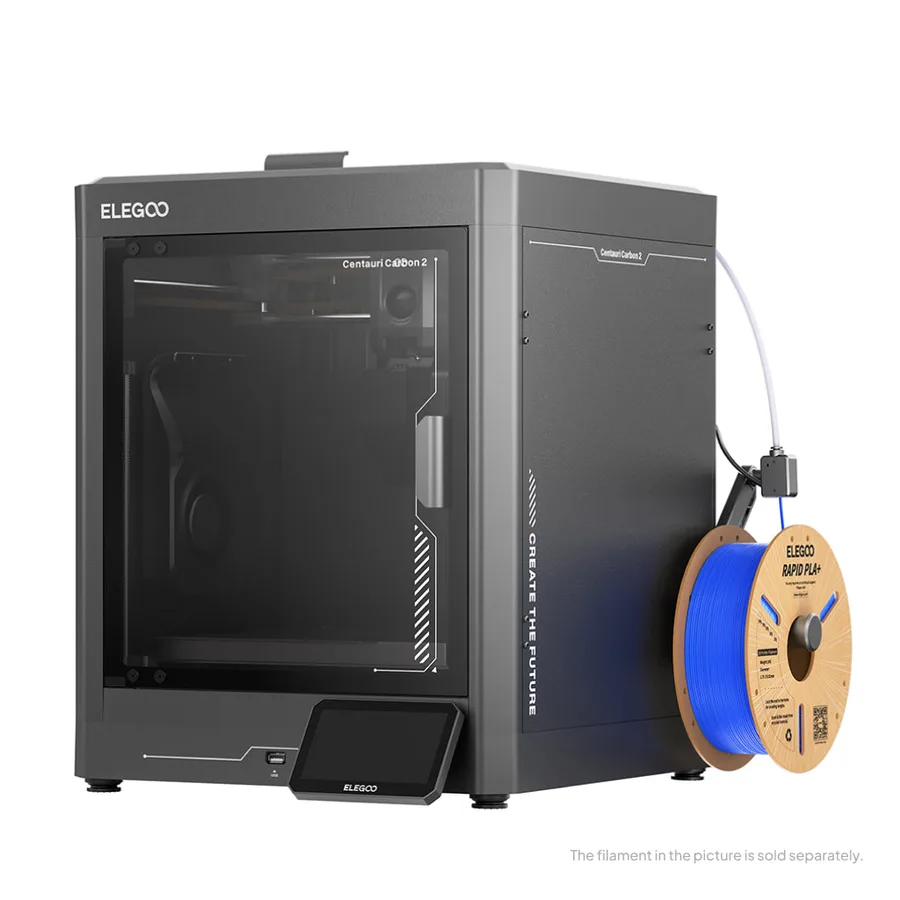
The short answer
Pick the Centauri Carbon 2 for its hotend advertised up to 350°C versus 320°C, its 5-inch touchscreen, and a built-in filament cutter, inside the same chassis and volume as the original. Stick with the Centauri Carbon if the hardened-steel nozzle for carbon fiber, explicitly documented on its listing, stays your priority.
Documentary comparison of manufacturer specifications. Not personally tested.
Choose the Elegoo Centauri Carbon if…
- A hardened-steel nozzle explicitly documented by Elegoo for carbon-fiber-filled filaments.
- The same volume, 256 × 256 × 256 mm, and the same footprint as the Carbon 2, for an identical footprint.
- A bed advertised up to 110°C, a temperature shared with the Centauri Carbon 2.
- A chamber camera, power-loss recovery, and automatic calibration already present per Elegoo.
Choose the Elegoo Centauri Carbon 2 if…
- A hotend advertised up to 350°C versus 320°C on the original, for extra headroom on technical filaments.
- A 5-inch touchscreen versus 4.3 inches, larger for controlling the printer directly.
- A built-in filament cutter, absent from the original Centauri Carbon's listing.
- The same chassis and volume as the original: the upgrade needs no extra space per Elegoo.
Specifications side by side
| Specification | Elegoo Centauri Carbon | Elegoo Centauri Carbon 2 |
|---|---|---|
| Technology | Filament (FDM) | Filament (FDM) |
| Build volume | 256 × 256 × 256 mm (10.1 × 10.1 × 10.1 in) | 256 × 256 × 256 mm (10.1 × 10.1 × 10.1 in) |
| Printer dimensions | 398 × 404 × 490 mm (15.7 × 15.9 × 19.3 in) | 398 × 404 × 490 mm (15.7 × 15.9 × 19.3 in) |
| Weight | 17.5 kg (38.6 lb) | 17.5 kg (38.6 lb) |
| Enclosure | Enclosed | Enclosed |
| Claimed top speed | 500 mm/s | 500 mm/s |
| Claimed acceleration | 20,000 mm/s² | 20,000 mm/s² |
| Max nozzle temperature | 320 °C (608 °F) | 350 °C (662 °F) |
| Max bed temperature | 110 °C (230 °F) | 110 °C (230 °F) |
| Multicolor | Single-color machine; confirm any separate multicolor package and its compatibility. | CANVAS: verify the selected machine or Combo package. |
| Materials | PLA, PETG and selected reinforced filaments according to the exact nozzle and material profile. | Use the materials and profiles approved for the exact Elegoo configuration. |
| Screen | 4.3-inch touchscreen | 5-inch touchscreen |
| Built-in camera | Yes | Yes |
| Connectivity | Wi-Fi, USB | Wi-Fi, USB |
| Listed features | Auto bed leveling, filament runout sensor, built-in air filtration | Auto bed leveling, filament runout sensor, filament cutter, built-in air filtration |
— : not listed by the manufacturer on the pages we reviewed.
Build volume and footprint
Both machines share the exact same nominal volume, 256 × 256 × 256 mm, and the same 398 × 404 × 490 mm footprint per Elegoo. The advertised weight is identical, 17.5 kg, which simplifies the comparison: here, there's no footprint trade-off between the two versions.
That shared footprint sets this pair apart from a typical generation change: moving from the Centauri Carbon to the Centauri Carbon 2 doesn't require rethinking the space available on your desk or shelf.
Speed and motion
Both advertise a top speed of 500 mm/s and acceleration up to 20,000 mm/s² per Elegoo, with no measurable gap on this specific point between the two listings. Auto-leveling and auxiliary cooling are documented on both models.
The difference shows up more in everyday convenience: the Centauri Carbon 2 adds a built-in filament cutter, absent from the original's listing, useful for spool or color changes without manual intervention.
Materials, temperatures and enclosure
The Centauri Carbon 2 advertises a hotend up to 350°C, versus 320°C for the original, a 30°C gap that potentially opens the door to more demanding technical filaments. The bed stays the same, up to 110°C on both machines per Elegoo.
The original Centauri Carbon's listing explicitly documents a hardened-steel nozzle and compatibility with carbon-fiber-filled filaments; that specific mention doesn't appear the same way on the Centauri Carbon 2's listing, worth checking directly with Elegoo if that use case is a priority.
What to check before buying
Don't confuse the Centauri Carbon, the Centauri Carbon 2, and any Combo bundle: listing contents change from one to another per Elegoo, especially for the CANVAS multicolor extension, sold separately in both cases.
Check the exact model on the retailer's product page before comparing one price with another. The multicolor buying guide and the ABS and ASA page help place both machines among other enclosed chassis on the market.
Sources
- Elegoo — Centauri Carbon tech specs (fr.elegoo.com)
- Elegoo — Centauri Carbon 2 tech specs (fr.elegoo.com)
- How we compare printers
Published 2026-09-28, updated 2026-09-28.