
Head-to-head comparison
Creality K2 vs Bambu Lab P2S: which enclosed printer fits your shop?
The short answer
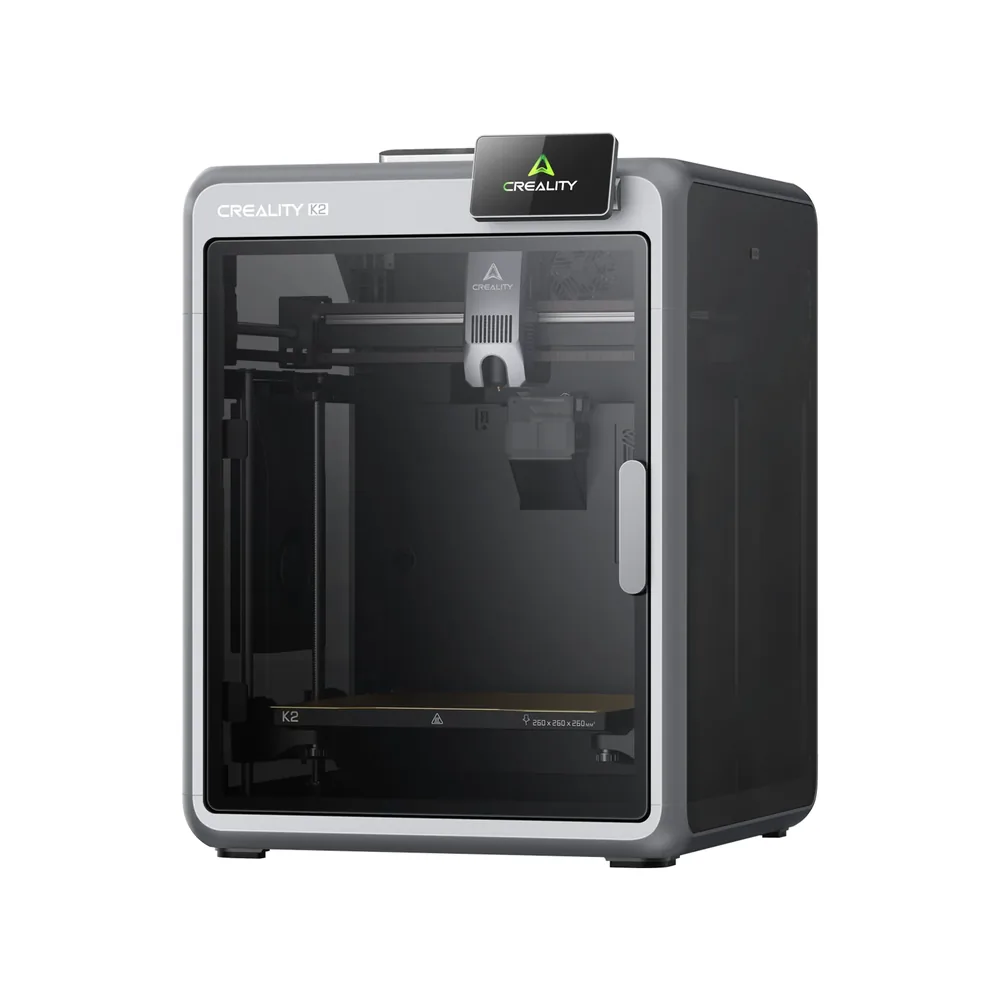
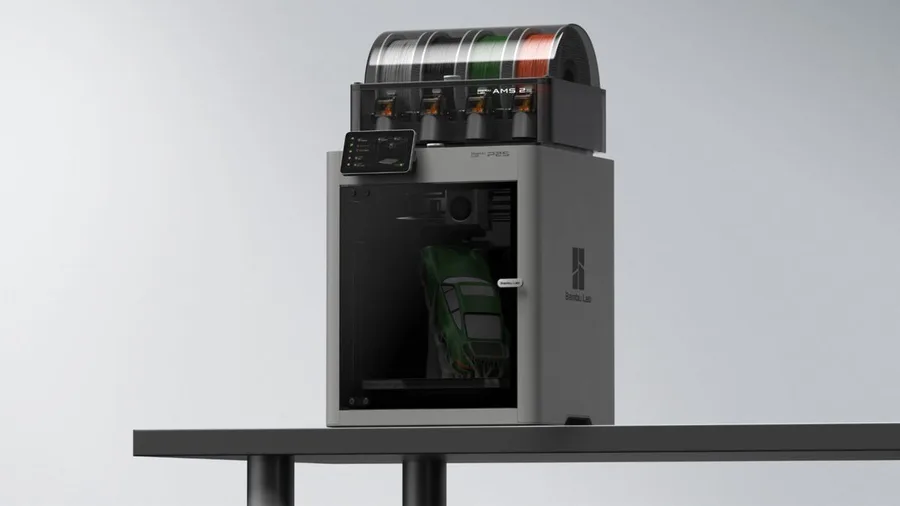
Pick the P2S for its 1920 × 1080 camera at 30 frames per second, its 110°C bed, a longer official material list (ASA, TPU, PA, PC and composites), and a lighter, more compact machine. Pick the K2 for Creality's ecosystem and its CFS, step-servo motors on the X/Y axes and extruder, and a slightly larger nominal volume (260 mm per side).
Documentary comparison of manufacturer specifications. Not personally tested.
Choose the Creality K2 if…
- A 260 × 260 × 260 mm nominal volume, slightly more than the P2S's 256 mm per side.
- Step-servo motors on the X/Y axes and the extruder per Creality.
- CFS advertised for up to 4 units and 16 colors, with a Combo version that bundles it, much like AMS 2 Pro at Bambu Lab.
Choose the Bambu Lab P2S if…
- A built-in 1920 × 1080 camera at 30 frames per second, versus 1280 × 720 on the K2.
- A bed heated up to 110°C versus 100°C, and a longer official material list: ASA, TPU, PA, PC, and several composites (ASA-CF, PA6-CF, PPA-CF…) per Bambu Lab.
- A lighter machine (14.9 kg versus 18.3 kg) and a smaller footprint, including 67 mm less height than the K2.
- AMS 2 Pro compatibility with a documented drying function, a quick-swap nozzle, and a 5-inch touchscreen (4 inches on the K2).
Specifications side by side
| Specification | Creality K2 | Bambu Lab P2S |
|---|---|---|
| Technology | Filament (FDM) | Filament (FDM) |
| Build volume | 260 × 260 × 260 mm (10.2 × 10.2 × 10.2 in) | 256 × 256 × 256 mm (10.1 × 10.1 × 10.1 in) |
| Printer dimensions | 404 × 436 × 545 mm (15.9 × 17.2 × 21.5 in) | 392 × 406 × 478 mm (15.4 × 16 × 18.8 in) |
| Weight | 18.3 kg (40.3 lb) | 14.9 kg (32.8 lb) |
| Enclosure | Enclosed | Enclosed |
| Claimed top speed | 600 mm/s | 600 mm/s |
| Claimed acceleration | 20,000 mm/s² | 20,000 mm/s² |
| Max nozzle temperature | 300 °C (572 °F) | 300 °C (572 °F) |
| Max bed temperature | 100 °C (212 °F) | 110 °C (230 °F) |
| Multicolor | Optional CFS, not included on the standalone K2: up to 4 units for an advertised 16 colors, same as the rest of the K2 lineup. | AMS 2 Pro compatible; check the Combo contents. |
| Materials | PLA, PETG, PET, ABS, and PLA-CF per Creality; no ASA or PPA-CF, reserved for the actively heated K2 Pro and K2 Plus. | PLA, PETG, ABS, ASA, TPU, PET, PA, PC, PVA and composites (PLA-CF, PETG-CF, ABS-GF, ASA-CF, PA6-CF, PPA-CF, PET-CF…) per Bambu Lab's spec sheet; check the right profile and nozzle for each material. |
| Screen | 4-inch touchscreen | 5-inch touchscreen |
| Built-in camera | Yes | Yes |
| Connectivity | Wi-Fi, USB | Wi-Fi, USB |
| Listed features | Auto bed leveling, filament runout sensor, filament cutter, built-in air filtration | Filament runout sensor, filament cutter, built-in air filtration |
— : not listed by the manufacturer on the pages we reviewed.
Build volume and footprint
The K2 advertises a 260 × 260 × 260 mm nominal volume versus 256 × 256 × 256 mm for the P2S per both manufacturers, a 4 mm gap per axis that changes nothing in practice for part size. For a notably larger volume in the same lineup, the K2 Plus reaches 350 × 350 × 350 mm. The floor footprint diverges more: 404 × 436 × 545 mm for the K2 versus 392 × 406 × 478 mm for the P2S, 67 mm less in height on the Bambu Lab side.
Weight follows the same pattern: 18.3 kg advertised for the K2 versus 14.9 kg for the P2S, a 3.4 kg gap that can matter if the printer needs to change rooms or shelves regularly. On an already loaded cart, that difference weighs as much as the few centimeters saved on footprint.
Speed and motion
Creality and Bambu Lab both advertise a top speed of 600 mm/s for the K2 and the P2S, with the same maximum acceleration of 20,000 mm/s² per both sheets: on paper, neither machine leads the other on this specific point. Creality does add a 'typical' speed of 300 mm/s for the K2, a benchmark the P2S sheet doesn't give.
That figure is a reminder that top speed stays a manufacturer ceiling: actual print time depends mostly on the slicer profile, part geometry, and material used, on both machines. The P2S also adds a nozzle advertised as quick-swap, a point the K2 sheet doesn't mention.
Materials, temperatures and enclosure
Both hotends reach 300°C per the manufacturers, but the bed differs: 100°C advertised for the K2 versus 110°C for the P2S, useful margin for tighter PETG or ABS profiles where first-layer adhesion can be an issue. Neither documents active chamber heating, a feature reserved for higher-tier models in both lineups. The enclosed 3D printer guide explains what an enclosure genuinely adds depending on the materials you're targeting.
On materials, the base K2 stays precise but limited: PLA, PETG, PET, ABS, and PLA-CF per Creality, no ASA or PPA-CF, reserved for the K2 Pro and K2 Plus with active chamber heating. The P2S spec sheet goes further: PLA, PETG, ABS, ASA, TPU, PET, PA, PC, PVA, and a range of composites (PLA-CF, PETG-CF, ABS-GF, ASA-CF, PA6-CF, PPA-CF…) per Bambu Lab, still without active chamber heating.
Multicolor and everyday features
The K2 is offered with or without CFS on the same product page per Creality: the 'without CFS' option is the standalone machine, with up to 4 units connecting for an advertised 16 colors. The P2S relies on AMS 2 Pro, compatible in the Combo version, which adds a drying function documented by Bambu Lab for moisture-sensitive filaments. The multicolor buying guide covers what these two systems genuinely change before you choose.
Elsewhere, the two sheets overlap heavily: a touchscreen (4 inches on the K2, 5 inches on the P2S), a filament sensor and cutter, air filtration (an activated carbon filter listed for the P2S), Wi-Fi and USB with no Ethernet. The camera sets them apart: 1920 × 1080 at 30 frames per second on the P2S, 1280 × 720 at 30 frames per second on the K2.
Sources
- Creality — K2 tech specs (creality.com)
- Bambu Lab — P2S tech specs (bambulab.com)
- How we compare printers
Published 2026-09-28, updated 2026-09-28.