
Head-to-head comparison
Prusa CORE One+ vs Bambu Lab P2S: which enclosed printer wins?
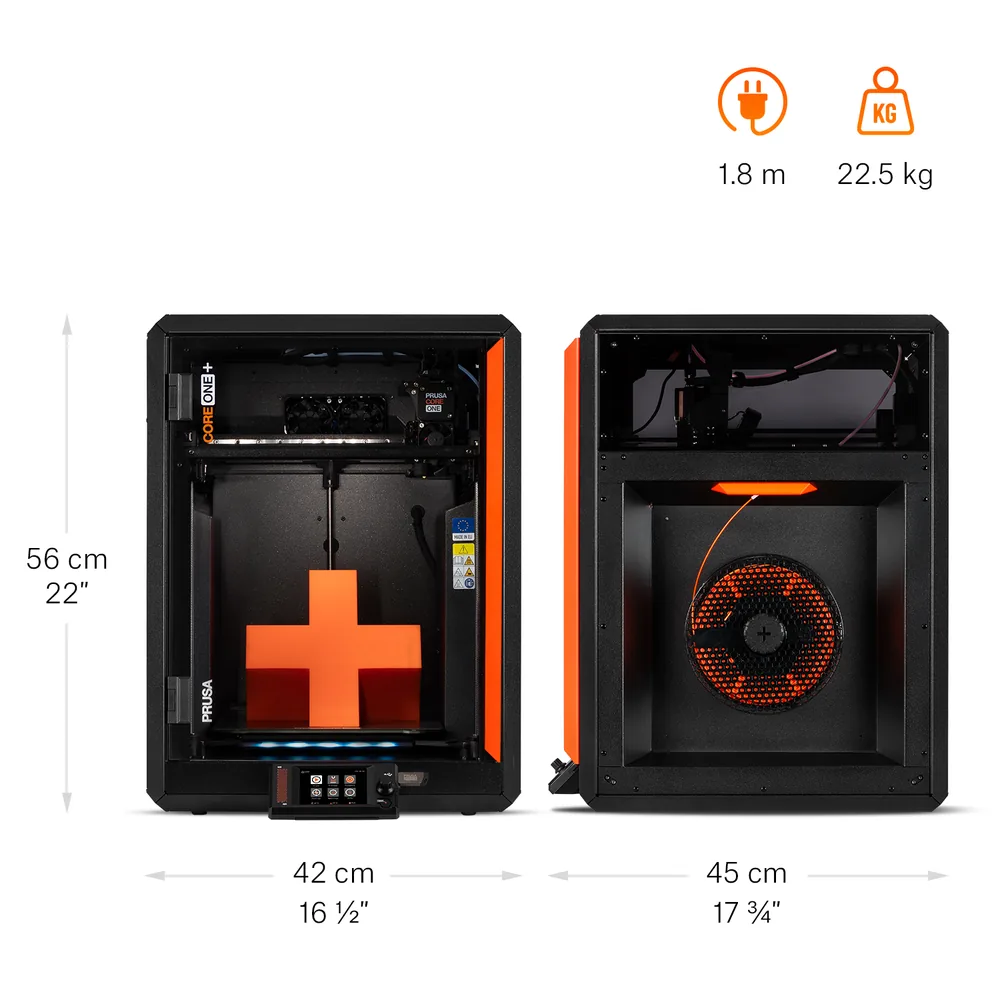
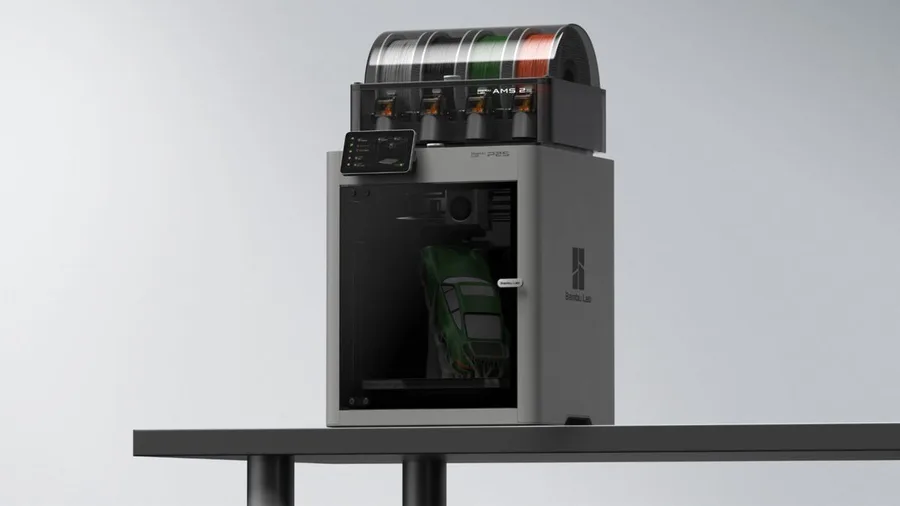
The short answer
Pick the CORE One+ for a chamber actively heated up to 55°C right on the base machine and INDX compatibility (8 materials) per Prusa Research. Pick the P2S for its 1920 × 1080 camera at 30 frames per second, its already-included activated carbon filter, a 110°C bed, and a broader material list (ASA, TPU, PA, PC, PVA) with no filtration accessory to add per Bambu Lab.
Documentary comparison of manufacturer specifications. Not personally tested.
Choose the Prusa CORE One+ if…
- A chamber actively heated up to 55°C right on the base machine, no separate accessory needed to stabilize ambient temperature, per Prusa Research.
- A heatbed advertised up to 120°C versus 110°C on the P2S, plus a hotend extendable to 400°C with the optional HT hotend.
- INDX compatibility (8 materials) alongside MMU3, two multicolor systems to choose from per Prusa Research.
- Ethernet connectivity on top of Wi-Fi, useful for a workshop that already runs a wired network.
Choose the Bambu Lab P2S if…
- A built-in 1920 × 1080 camera at 30 frames per second and an activated carbon filter already included on the base machine per Bambu Lab.
- A broader material list right out of the box: PLA, PETG, ABS, ASA, TPU, PET, PA, PC, PVA and composites, with no filtration accessory to add.
- A lighter machine (14.9 kg versus 22.5 kg) and a smaller footprint than the CORE One+ per both manufacturers' spec sheets.
- A top speed advertised at 600 mm/s and a 5-inch touchscreen, versus 3.5 inches on the CORE One+.
Specifications side by side
| Specification | Prusa CORE One+ | Bambu Lab P2S |
|---|---|---|
| Technology | Filament (FDM) | Filament (FDM) |
| Build volume | 250 × 220 × 270 mm (9.8 × 8.7 × 10.6 in) | 256 × 256 × 256 mm (10.1 × 10.1 × 10.1 in) |
| Printer dimensions | 415 × 444 × 555 mm (16.3 × 17.5 × 21.9 in) | 392 × 406 × 478 mm (15.4 × 16 × 18.8 in) |
| Weight | 22.5 kg (49.6 lb) | 14.9 kg (32.8 lb) |
| Enclosure | Enclosed, active heating up to 55 °C (131 °F) | Enclosed |
| Max nozzle temperature | 290 °C (554 °F) | 300 °C (572 °F) |
| Max bed temperature | 120 °C (248 °F) | 110 °C (230 °F) |
| Multicolor | Optional MMU3 (5 materials) or INDX (up to 8 materials), both sold separately; no stock multicolor system on the base machine. | AMS 2 Pro compatible; check the Combo contents. |
| Materials | PLA, PETG, Flex, PVA, PC, PP, CPE, and PVB in standard configuration; ABS, ASA, HIPS, and PA with the optional HEPA filtration module per Prusa Research. | PLA, PETG, ABS, ASA, TPU, PET, PA, PC, PVA and composites (PLA-CF, PETG-CF, ABS-GF, ASA-CF, PA6-CF, PPA-CF, PET-CF…) per Bambu Lab's spec sheet; check the right profile and nozzle for each material. |
| Screen | 3.5-inch touchscreen | 5-inch touchscreen |
| Connectivity | Wi-Fi, Ethernet, USB | Wi-Fi, USB |
| Listed features | Auto bed leveling, filament runout sensor | Filament runout sensor, filament cutter, built-in air filtration |
| Claimed top speed | — | 600 mm/s |
| Claimed acceleration | — | 20,000 mm/s² |
| Built-in camera | — | Yes |
— : not listed by the manufacturer on the pages we reviewed.
Build volume and footprint
The CORE One+ advertises a 250 × 220 × 270 mm build volume versus 256 × 256 × 256 mm for the P2S per both manufacturers: the P2S wins on width and depth, the CORE One+ on height. The gap stays modest for most parts, except for objects noticeably wider than deep or the reverse.
Weight and footprint clearly favor the P2S: 14.9 kg and 392 × 406 × 478 mm versus 22.5 kg and 415 × 444 × 555 mm for the CORE One+, whose panel enclosure adds both weight and floor space.
Enclosure and temperatures
The CORE One+ actively heats its chamber up to 55°C right on the base machine per Prusa Research, a feature the P2S sheet doesn't document: per its own catalog, Bambu Lab reserves that for models like the X2D or the H2 lineup. The P2S's enclosed frame still stabilizes ambient temperature around the part.
On the hot end, the P2S climbs a bit higher, 300°C versus 290°C (extendable to 400°C on the CORE One+ with the optional HT hotend), but the CORE One+ wins on the bed, 120°C versus 110°C per both sheets. That gap mostly helps with tighter PETG or ABS profiles.
Materials and filtration
The P2S lists a broad material range right on the base machine per Bambu Lab: PLA, PETG, ABS, ASA, TPU, PET, PA, PC, PVA, and a range of composites, with an activated carbon filter already built in for VOCs and particles. The CORE One+ covers PLA, PETG, Flex, PVA, PC, PP, CPE, and PVB in standard configuration; ABS, ASA, HIPS, and PA need the optional HEPA filtration module per Prusa Research.
That HEPA module stays a targeted add-on for the CORE One+, which already has the enclosure and active heating: unlike an open-frame machine, it's not about buying a whole cover.
Multicolor
The CORE One+ offers two separate accessories per Prusa Research: MMU3 (5 materials) and INDX (8 materials), both sold apart from the base machine. The P2S relies on the AMS 2 Pro, compatible in the Combo version, which per Bambu Lab adds a drying function useful for moisture-sensitive filaments like nylon.
Neither machine prints multiple colors out of the box. The multicolor buying guide helps compare what an MMU3, an INDX, or an AMS 2 Pro actually adds before budgeting for one.
Everyday features
The P2S documents a built-in 1920 × 1080 camera at 30 frames per second, a filament sensor, and a quick-swap nozzle per Bambu Lab. The CORE One+ offers a filament sensor and fully automatic load-cell leveling, with an internal camera offered as an option rather than standard equipment per Prusa Research.
The touchscreen differs too: 5 inches on the P2S versus 3.5 inches on the CORE One+. The CORE One+ adds Ethernet on top of Wi-Fi, while the P2S sticks to Wi-Fi and USB per its spec sheet. To compare the P2S against the P1S, Bambu Lab's entry point into the same enclosed lineup, the P1S vs P2S comparison covers the exact gaps between the two machines.
Sources
- Prusa Research — CORE One+ tech specs (prusa3d.com)
- Bambu Lab — P2S tech specs (bambulab.com)
- How we compare printers
Published 2026-09-28, updated 2026-09-28.