
Head-to-head comparison
Creality K1C vs K2: which enclosed Creality should you pick?
The short answer
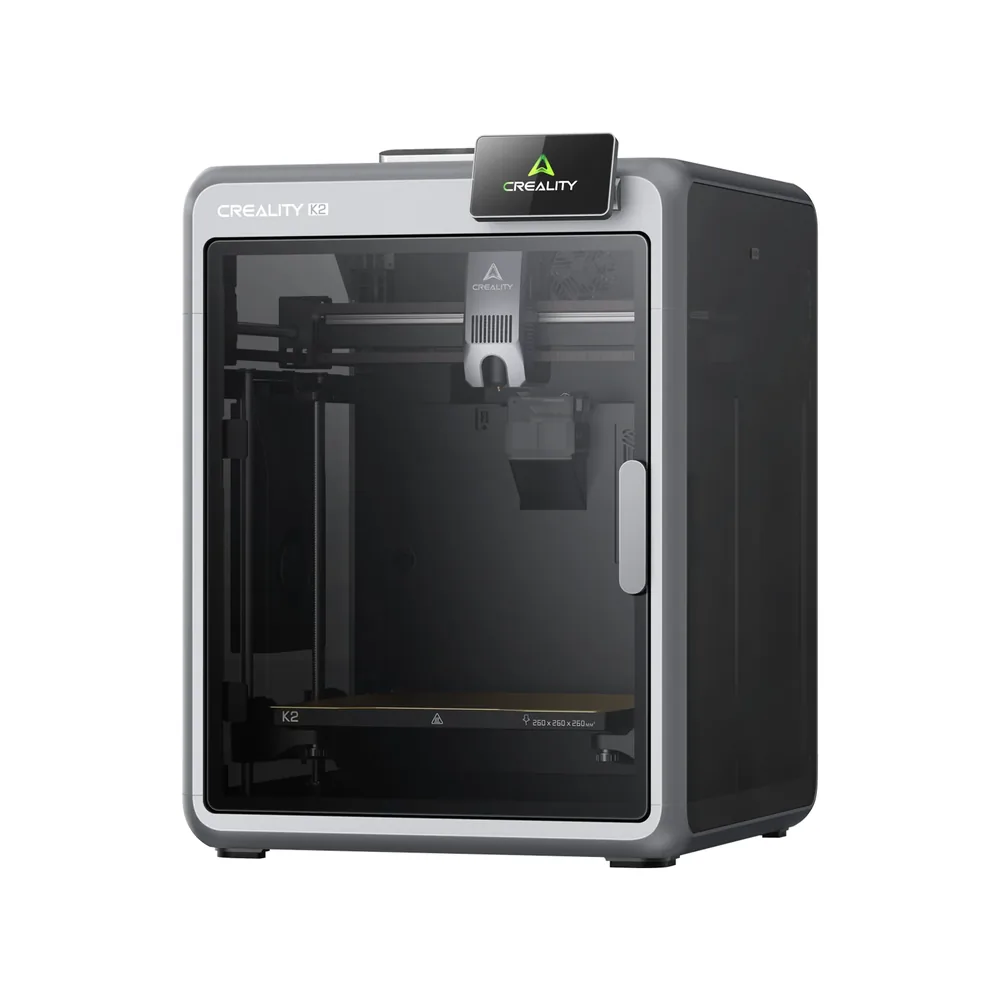
Pick the K1C 2025 for a more compact enclosed chassis and an already broad material list per its manual: PLA, TPU, PETG, ASA, ABS, PET, PLA-CF, and PA-CF, at 12.4 kg. Pick the K2 for a larger volume (260 × 260 × 260 mm versus 220 × 220 × 250 mm) and Creality's CFS ecosystem, with up to 4 units for an advertised 16 colors and a possible upgrade path to the K2 Pro or K2 Plus.
Documentary comparison of manufacturer specifications. Not personally tested.
Choose the Creality K1C 2025 if…
- A lighter, more compact machine (12.4 kg, 355 × 355 × 482 mm) than the K2 (18.3 kg, 404 × 436 × 545 mm).
- An already broad material list per the 2025 manual: PLA, TPU, PETG, ASA, ABS, PET, PLA-CF, and PA-CF, with a nozzle advertised up to 300°C.
Choose the Creality K2 if…
- A larger nominal volume (260 × 260 × 260 mm versus 220 × 220 × 250 mm), for bulkier single parts.
- Documented multicolor CFS per Creality, with up to 4 units connecting for an advertised 16 colors, not verified the same way on the K1C 2025.
- Part of an upgradeable lineup (K2 Pro, K2 Plus) that keeps the same CoreXY chassis if you want an actively heated chamber later.
Specifications side by side
| Specification | Creality K1C 2025 | Creality K2 |
|---|---|---|
| Technology | Filament (FDM) | Filament (FDM) |
| Build volume | 220 × 220 × 250 mm (8.7 × 8.7 × 9.8 in) | 260 × 260 × 260 mm (10.2 × 10.2 × 10.2 in) |
| Printer dimensions | 355 × 355 × 482 mm (14 × 14 × 19 in) | 404 × 436 × 545 mm (15.9 × 17.2 × 21.5 in) |
| Weight | 12.4 kg (27.3 lb) | 18.3 kg (40.3 lb) |
| Enclosure | Enclosed | Enclosed |
| Claimed top speed | 600 mm/s | 600 mm/s |
| Claimed acceleration | 20,000 mm/s² | 20,000 mm/s² |
| Max nozzle temperature | 300 °C (572 °F) | 300 °C (572 °F) |
| Max bed temperature | 100 °C (212 °F) | 100 °C (212 °F) |
| Multicolor | Single-color base machine; verify any CFS setup and required accessories separately. | Optional CFS, not included on the standalone K2: up to 4 units for an advertised 16 colors, same as the rest of the K2 lineup. |
| Materials | PLA, TPU, PETG, ASA, ABS, PET, PLA-CF and PA-CF subject to the 2025 manual and exact profiles. | PLA, PETG, PET, ABS, and PLA-CF per Creality; no ASA or PPA-CF, reserved for the actively heated K2 Pro and K2 Plus. |
| Screen | 4.3-inch touchscreen | 4-inch touchscreen |
| Built-in camera | Yes | Yes |
| Connectivity | Wi-Fi, USB | Wi-Fi, USB |
| Listed features | Auto bed leveling, filament runout sensor, built-in air filtration | Auto bed leveling, filament runout sensor, filament cutter, built-in air filtration |
— : not listed by the manufacturer on the pages we reviewed.
Build volume and footprint
The K1C 2025 advertises a 220 × 220 × 250 mm nominal volume per its manual, a format taller than it is wide, versus a cubic 260 × 260 × 260 mm for the K2 per Creality. The gap stays modest in width and depth, clearer in the extra height available on the K2.
Footprint and weight follow a similar gap: 355 × 355 × 482 mm and 12.4 kg for the K1C 2025, versus 404 × 436 × 545 mm and 18.3 kg for the K2. The K1C 2025 stays easier to move around or fit on an already loaded shelf.
Speed and motion
Both machines advertise the same top speed of 600 mm/s and the same maximum acceleration of 20,000 mm/s² per their respective sheets: on paper, neither leads the other on this specific point. The K2 lists a 'typical' speed of 300 mm/s per Creality, a benchmark the K1C 2025 sheet doesn't give.
That figure is a reminder that advertised top speed stays a manufacturer ceiling: actual print time depends mostly on the slicer profile, part geometry, and material used, on both machines.
Materials, temperatures and enclosure
The nozzle reaches 300°C and the bed 100°C on both machines per their respective sheets, identical figures despite the size difference. The K1C 2025 is enclosed just like the K2: both closed chassis stabilize temperature around the part, which mainly helps materials that shrink while cooling.
The material list still diverges: the K1C's 2025 manual lists PLA, TPU, PETG, ASA, ABS, PET, PLA-CF, and PA-CF, while the base K2's sheet is limited to PLA, PETG, PET, ABS, and PLA-CF, with no ASA or PA-CF per Creality (both reserved for the actively heated K2 Pro and K2 Plus). Always check the recommended profile for a fiber-filled filament like PLA-CF or PA-CF, more abrasive than plain PLA.
Multicolor
The K2 is offered with or without CFS on the same product page per Creality: up to 4 units can connect for an advertised 16-color use, the accessory staying separate from the base machine. It's a documented system proven across the whole K2 lineup.
The K1C 2025 remains a single-color base machine per its manual: any CFS setup for multicolor printing needs to be checked and added separately depending on available accessories, without the same directly documented compatibility as the K2. The multicolor buying guide helps you judge whether this accessory matters before comparing two machines on that point alone.
Everyday features
Both machines share a touchscreen (4.3 inches on the K1C 2025, 4 inches on the K2), a filament sensor, air filtration, and automatic bed leveling per their respective sheets, with Wi-Fi and USB connectivity and no Ethernet on either.
On the camera side, the K2 advertises 1280 × 720 at 30 frames per second for its chamber camera per Creality; the K1C 2025 also has a built-in camera, whose resolution we have not recorded. Before buying, compare the P1S too if an enclosed chassis from another brand at a similar 256 mm volume also interests you.
Sources
- Creality — fiche technique K1C 2025 (creality.com)
- Creality — fiche technique K2 (creality.com)
- How we compare printers
Published 2026-09-28, updated 2026-09-28.