
Head-to-head comparison
Snapmaker U1 vs Bambu Lab P2S: Tool Changer or AMS for Multicolor?
The short answer
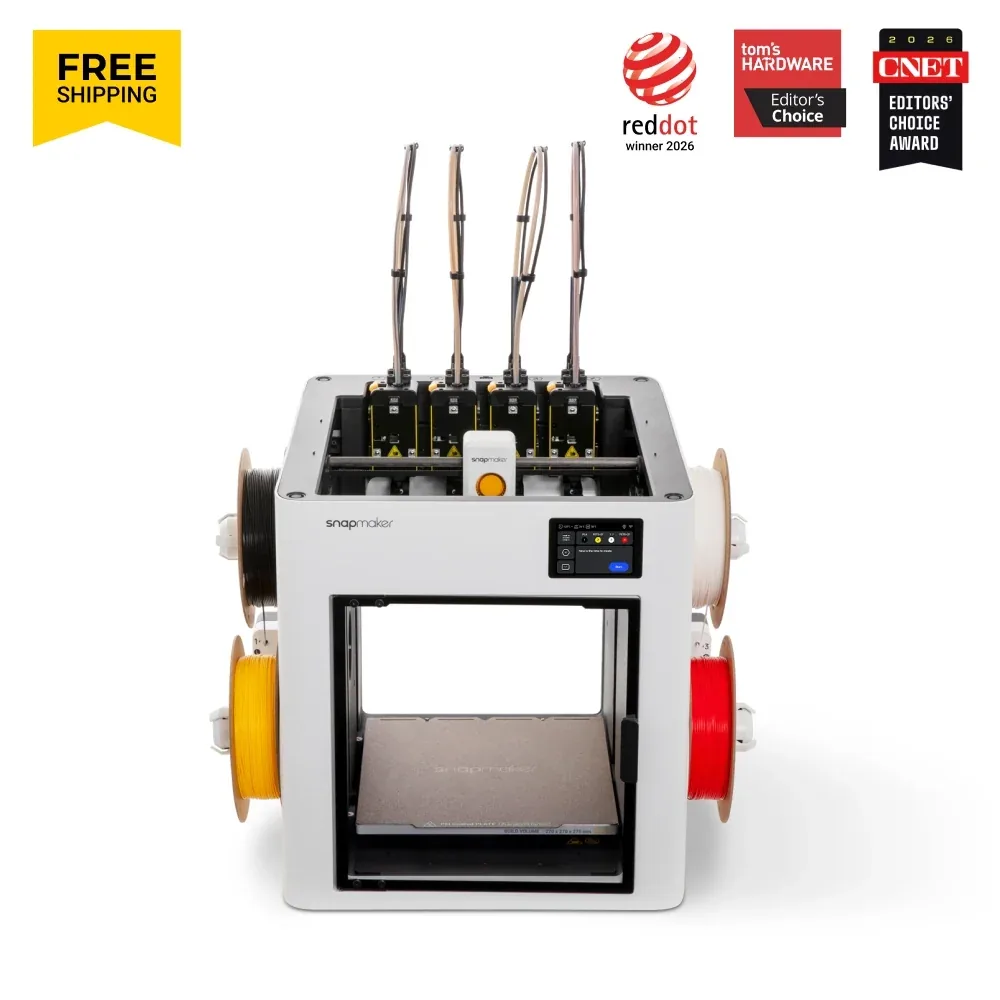
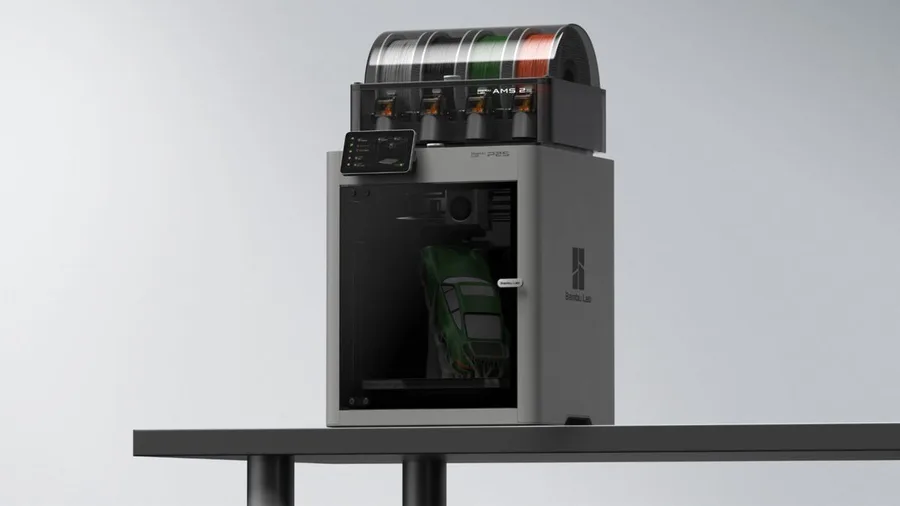
Pick the U1 if you want multicolor printing out of the box, with 4 toolheads included and no extra system to buy, even with an open frame by default. Pick the P2S if you'd rather have an enclosed CoreXY chassis from the start, a bed advertised up to 110°C, and speeds up to 600 mm/s, with AMS 2 Pro as a separate multicolor add-on.
Documentary comparison of manufacturer specifications. Not personally tested.
Choose the Snapmaker U1 if…
- 4 print toolheads included in the base configuration: multicolor printing needs no extra accessory like an AMS system.
- A slightly larger advertised volume, 270 × 270 × 270 mm versus 256 × 256 × 256 mm for the P2S.
- The tool changer can also combine different nozzle diameters or a support material on the same part.
- A 3.5-inch touchscreen and a monitoring camera built into the base machine per Snapmaker.
Choose the Bambu Lab P2S if…
- An enclosed CoreXY chassis from the base configuration, no separate cover to add like on the open-frame U1.
- A bed advertised up to 110°C versus 100°C on the U1, and a top speed advertised at 600 mm/s versus 500 mm/s.
- A 5-inch touchscreen, larger than the U1's, plus a quick-swap nozzle with a built-in filament cutter per Bambu Lab.
- AMS 2 Pro compatible in the Combo version, with a drying function useful for moisture-sensitive filaments.
Specifications side by side
| Specification | Snapmaker U1 | Bambu Lab P2S |
|---|---|---|
| Technology | Filament (FDM) | Filament (FDM) |
| Build volume | 270 × 270 × 270 mm (10.6 × 10.6 × 10.6 in) | 256 × 256 × 256 mm (10.1 × 10.1 × 10.1 in) |
| Printer dimensions | 584 × 499 × 730 mm (23 × 19.6 × 28.7 in) | 392 × 406 × 478 mm (15.4 × 16 × 18.8 in) |
| Weight | 18.2 kg (40.1 lb) | 14.9 kg (32.8 lb) |
| Enclosure | Open frame | Enclosed |
| Claimed top speed | 500 mm/s | 600 mm/s |
| Claimed acceleration | 20,000 mm/s² | 20,000 mm/s² |
| Max nozzle temperature | 300 °C (572 °F) | 300 °C (572 °F) |
| Max bed temperature | 100 °C (212 °F) | 110 °C (230 °F) |
| Nozzles | 4 (multi-nozzle) | — |
| Multicolor | 4 print toolheads included, automatic tool changer for up to 4 colors or materials. | AMS 2 Pro compatible; check the Combo contents. |
| Materials | PLA, PETG, TPU, PVA, and PCTG in standard use per Snapmaker; ABS, ASA, PA, PC, PET with the optional cover; CF/GF composites with a hardened nozzle. | PLA, PETG, ABS, ASA, TPU, PET, PA, PC, PVA and composites (PLA-CF, PETG-CF, ABS-GF, ASA-CF, PA6-CF, PPA-CF, PET-CF…) per Bambu Lab's spec sheet; check the right profile and nozzle for each material. |
| Screen | 3.5-inch touchscreen | 5-inch touchscreen |
| Built-in camera | Yes | Yes |
| Connectivity | Wi-Fi, USB | Wi-Fi, USB |
| Listed features | Auto bed leveling, filament runout sensor | Filament runout sensor, filament cutter, built-in air filtration |
— : not listed by the manufacturer on the pages we reviewed.
Build volume and footprint
The U1 advertises a slightly larger volume than the P2S, 270 × 270 × 270 mm versus 256 × 256 × 256 mm per the U1 page and the P2S page. On parts close to the plate's limit, that 14mm-per-axis gap can be enough to fit an object that wouldn't clear the P2S.
Footprint tells a different story: the U1 lists a weight of 18.2 kg for a wider open frame with its optional cover, while the P2S stays more compact at 14.9 kg inside its enclosed chassis. On a desk or shelf, the P2S takes up less space around the print area.
Multicolor: tool changer or AMS
The U1 ships with 4 automatically interchangeable toolheads in its base configuration per Snapmaker, a direct alternative to a spool-based AMS system: each head can load a different color or material, without the usual purge waste of a single-nozzle filament changer.
The P2S relies on AMS 2 Pro, compatible with the machine but dependent on the package or accessories chosen per Bambu Lab. The Combo version includes it, adding a drying function useful for nylon or certain TPUs; outside the Combo, AMS 2 Pro remains a separate add-on to check on the listing.
Materials, temperatures and enclosure
Snapmaker lists a hotend up to 300°C for the U1 in standard configuration (PLA, PETG, TPU, PVA, PCTG), with ABS, ASA, PA, PC, and PET requiring the optional cover, sold separately. The bed heats up to 100°C.
The P2S lists the same 300°C hotend but a hotter bed, up to 110°C, inside an enclosed chassis by default. Bambu Lab recommends checking P2S-specific profiles rather than reusing another model's settings.
What to check before buying
On the U1, check whether your listing includes the technical-material cover: without it, ABS, ASA, and PA aren't within Snapmaker's advertised range for this machine, despite a nozzle rated up to 300°C.
On the P2S, check whether the listing is a Combo version with AMS 2 Pro or the standalone machine: multicolor printing and drying depend entirely on that per Bambu Lab. Also compare the multicolor buying guide and the enclosed 3D printer guide before deciding between a tool changer and an AMS.
Sources
- Snapmaker — U1 tech specs (snapmaker.com)
- Bambu Lab — P2S tech specs (bambulab.com)
- How we compare printers
Published 2026-09-28, updated 2026-09-28.