
TPU Filament: Hardness, Settings, and AMS Compatibility
TPU (thermoplastic polyurethane) lets you print flexible parts: phone cases, soles, gaskets, shock absorbers. It calls for different settings than PLA or PETG, and its compatibility with automatic multicolor systems like the AMS is not universal.
Find My 3D Printer editorial team·Published September 10, 2026·Updated September 16, 2026·Manufacturer documentation, no hands-on tests claimed

The short answer
TPU is chosen first by its Shore hardness (85A to 95A for everyday use), which determines print stability and which nozzle you can use. According to Bambu Lab's documentation, A1-series printers do not support TPU 85A, and only the AMS HT handles TPU natively among AMS modules; the other AMS units are not compatible. Reduced speed, increased retraction, and a short filament path remain the main levers against stringing.
What is TPU actually for?
TPU is a highly elastic flexible filament: a printed part can stretch and then return to its original shape, which makes it a common choice for phone cases, soles, gaskets, or parts meant to absorb an impact rather than transmit it. Unlike PLA or PETG, the difficulty is not so much temperature as the mechanical handling of a filament that deforms easily before it even reaches the nozzle.
That behavior explains most of the specific settings covered on this page: lower speed, a shortened filament path, and close attention to retraction.
Typical projects include a drop-resistant phone case, a custom gasket for an enclosure, a hinge that needs to flex thousands of times, or a shoe sole prototype. None of these are impossible on a standard FDM printer, but each benefits from starting with a TPU-specific profile rather than reusing PLA or PETG settings with the temperature simply raised.
Which Shore hardness should you pick?
TPU hardness is read on the Shore scale, generally A for softer formulations and D for harder ones, written for example as 85A, 90A, or 70D. The higher the number, the harder the filament and the easier it feeds through the drive system.
According to Bambu Lab's documentation, a hardness of 85A or higher is recommended for stable printing: softer TPU (83A, 80A) bends easily during feeding, causing jams or unstable extrusion, and their printers do not support TPU rated below 85A hardness.
As a rough guide, a harder TPU around 90A to 95A behaves closer to PETG in terms of feeding reliability while still flexing noticeably, whereas anything softer trades that reliability for a squishier feel that is harder to print consistently on a typical FDM setup.
If a project needs the softest possible feel, such as a wearable strap or a cushioning insert, it is worth checking whether the target printer and its feeder even support that hardness before buying a spool, since a filament rated below the machine's supported range will jam or feed unpredictably regardless of how carefully the rest of the settings are tuned.
Direct drive, speed, and retraction
Users and manufacturer guides almost unanimously recommend starting from a dedicated TPU profile rather than a tweaked PLA or PETG one: the Prusa Knowledge Base for Prusament TPU 95A places the nozzle between 220 and 240 °C and the bed between 55 and 75 °C, with pre-configured profiles offered for printers fitted with a direct extruder such as the Nextruder. A direct extruder shortens the path between the drive gear and the nozzle, which reduces the risk of flexible filament buckling or coiling before it gets pushed through.
On bowden-extruder machines, a shorter tube or a reinforced filament path helps limit this; either way, reducing print speed remains the single most effective setting for a first TPU attempt.
Filament path and nozzle preparation
Bambu Lab's TPU guide stresses nozzle history: a nozzle previously used with carbon or glass fiber filament retains residue that increases resistance when feeding TPU, which is why a cold pull before starting, or even a fresh nozzle for demanding prints, pays off. It also recommends turning off dynamic flow calibration before printing TPU, since that calibration is not reliable on such a soft filament.
TPU is also highly moisture-sensitive per the same documentation: drying before printing and storing with desiccant limit bubbles, stringing, and reduced layer adhesion, much like PETG filament.
TPU and the AMS: what Bambu Lab's documentation says
Automatic multicolor compatibility is the most misunderstood part of TPU. According to Bambu Lab's documentation, only the AMS HT supports printing with TPU among AMS modules: when used for TPU, it works only as a sealed enclosure, without its automatic feeding, and the filament must run through a dedicated outlet. Other AMS units (AMS, AMS Lite, AMS 2 Pro) are not compatible with TPU.
Bambu Lab's published hardware compatibility table further states that A1-series printers do not support TPU 85A, while remaining compatible with TPU 90A, TPU 95A HF, or TPU built specifically for the AMS. A dedicated "TPU for AMS" filament exists, formulated to work with the standard automatic feeding across the whole AMS lineup: checking this exact detail on the filament's listing before buying avoids a bad surprise when loading it.
Is TPU as Moisture-Sensitive as Nylon?
Bambu Lab's documentation, cited above, treats TPU as highly moisture-sensitive, right alongside nylon or PETG. Prusa's guide for its own Prusament TPU 95A spool adds a nuance for that specific material: drying is usually not necessary, except after prolonged poor storage, in which case Prusa recommends at least 4 hours at 60 °C (140 °F) before printing, then storage in a sealed box with desiccant.
That gap is a reminder that a drying recommendation applies to one specific filament, not to every TPU spool on the market: Shore hardness, the manufacturer's formulation, and the quality of the original packaging all change how moisture-sensitive a given spool actually is. When in doubt about a spool that has been open for weeks, drying it as a precaution is faster than troubleshooting stringing that might have a different underlying cause.
Infill pattern choice also plays a TPU-specific role: per Prusa's infill pattern documentation, the perceived flexibility of the finished part is one of the criteria to weigh when picking a pattern, alongside print speed and top-layer support, which sets TPU apart from rigid filaments like PLA or PETG on this particular setting. The infill guide covers those pattern trade-offs in more detail.
Fixing stringing and oozing on TPU
Bambu Lab's guide lays out a multi-step approach to TPU stringing: limit idle travel moves by printing one object at a time rather than several side by side, lower the nozzle temperature slightly by about 5 °C while also reducing speed, then increase retraction distance in small 0.2 mm steps if oozing persists. Poorly dried filament often produces the same symptoms, so it is worth checking that first before readjusting everything else.
For removable support material, this documentation still recommends PLA over using TPU as its own support, which is harder to remove cleanly.
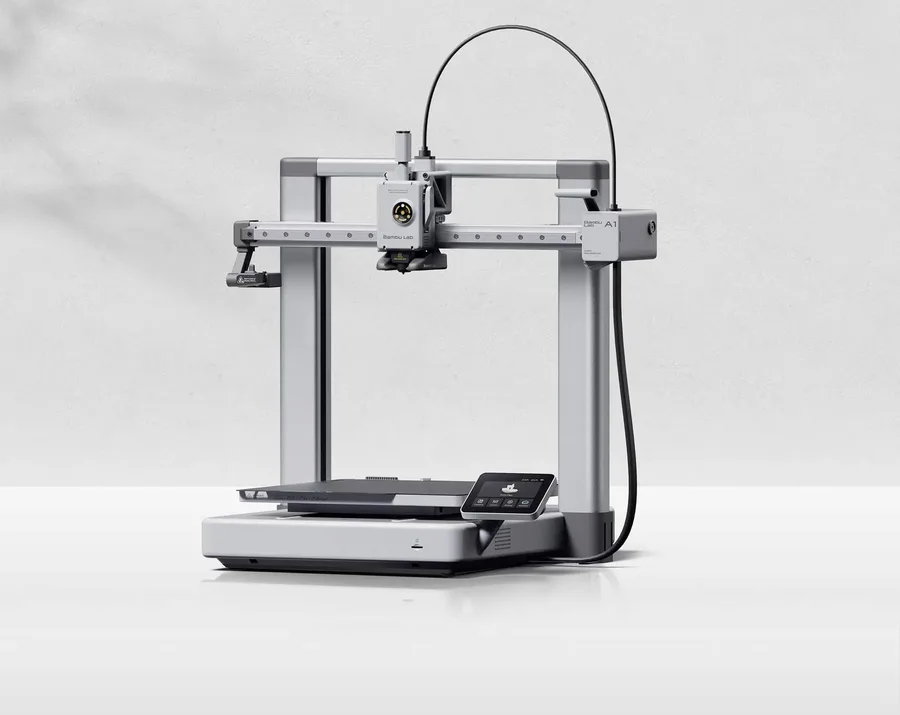
Bambu Lab A1
256 × 256 × 256 mm
More space on every axis than the A1 mini, while keeping the A1 family workflow.
An open frame does not provide the same thermal conditions as an enclosed printer. Choose materials accordingly.
Specifications and sellerSources and limits
- Bambu Lab Wiki — TPU Printing Guide
- Prusa Knowledge Base — Prusament TPU 95A material guide
- Prusa Knowledge Base — Infill patterns
We organize manufacturer and community documentation; we have not measured these products ourselves. The manual for your exact model takes precedence over general guidance.
A clearer shortlist starts with your projects.
Use the free buying checklist and budget worksheet before comparing offers.