
PETG Filament: Uses, Settings, and Pitfalls to Know
PETG is usually the second filament people try after PLA, once a part needs to survive an impact, live outdoors, or get wet regularly. It prints almost as easily, but two problems come up again and again: bed adhesion that is too strong and stubborn stringing once the filament picks up moisture.
Find My 3D Printer editorial team·Published September 10, 2026·Updated September 16, 2026·Manufacturer documentation, no hands-on tests claimed

The short answer
PETG generally prints between 220 and 260 °C at the nozzle and 70 to 90 °C on the bed depending on the brand, on a satin or textured surface rather than smooth PEI, which grips too hard. It is highly hygroscopic and should be dried as soon as a print shows stringing or surface bubbles. An enclosure is not required the way it is for ABS, but it helps on larger parts exposed to drafts.
What is PETG actually good for?
According to the Prusa Knowledge Base, PETG offers better impact resistance than PLA while staying about as easy to print, and it avoids the warping and odor commonly associated with ABS. It is the filament that comes up most often for outdoor brackets, parts that get wet occasionally, or fittings that go through repeated handling without becoming brittle.
It is still harder to work with than PLA in two specific ways: bed adhesion and moisture sensitivity, both covered further down this page.
In practice, a shelf bracket left on a balcony, a cable fitting behind a kitchen cabinet, or a mechanical part that gets assembled and disassembled repeatedly are all good candidates for PETG rather than PLA. On the other hand, a decorative figurine or an indoor display model does not need that extra toughness, and PLA, easier to dial in, is usually enough.
PETG also tends to hold up better than PLA to repeated flexing at a joint or snap-fit, since it is less brittle under sudden load. That makes it a common pick for small enclosures, brackets that get removed and refitted, or parts with a living-hinge-style feature that needs to survive more than a handful of cycles.
What starting settings should you use for PETG?
Prusa's knowledge base recommends around 230 °C at the nozzle for the first layer, then 240 °C for subsequent layers, with the bed at 85 °C then 90 °C. Polymaker's PolyLite PETG data sheet lists a wider window, 230-260 °C at the nozzle and 70-80 °C on the bed: both sources agree PETG needs noticeably higher temperatures than PLA, with a real spread between brands that justifies starting from the profile shipped in the slicer.
Bambu Lab's PETG usage guide suggests that, when filament has not been properly dried, a generic profile around 220 °C with reduced volumetric flow often outperforms the printer manufacturer's default profile for limiting stringing and bubbles.
Why does PETG stick too hard to the bed?
This is the most classic trap: Prusa explicitly warns against printing PETG on a smooth PEI sheet, since adhesion can become strong enough to damage either the part or the bed coating on removal. Their documentation recommends a satin or textured surface, or as a fallback a thin layer of glue stick on smooth PEI to create a release barrier.
A part that chips the bed surface or leaves a mark when removed is almost always a sign to change the print surface, not to lower the temperature, which does not fix an adhesion problem.
A simple test before a large print: print a small sample plate a few centimeters across on the surface you plan to use, and check it lifts off without a fight once the bed has cooled. If it resists strongly, adjust the surface before committing to a print that runs for several hours.
Moisture and stringing: the pair to watch
PETG is highly hygroscopic according to Bambu Lab: the longer a spool sits open in a humid room, the more water it absorbs, and visible stringing on a print is often the first sign it needs drying before you continue. Bambu Lab's guide gives specific drying parameters depending on the equipment used.
On the settings side, the same documentation puts the ideal flow ratio for PETG between 0.93 and 0.96: below that range, parts under-extrude and layer adhesion weakens; above it, oozing and clogging become more likely. The general method for clearing up stringing, humidity-related or not, is covered on the troubleshooting page.
Do you need an enclosure for PETG?
PETG does not require a closed chamber the way ABS or ASA does, but an enclosure helps on larger parts exposed to drafts by stabilizing ambient temperature and reducing corner lifting. A closed machine like the Bambu Lab P1S or the Creality K1C 2025, which its manual lists as capable of a high nozzle temperature, gives extra headroom if you alternate PETG with more demanding materials.
On an open-frame machine, closing off drafts in the room is usually enough to get solid PETG results.
A closed machine has one more indirect benefit: it limits moisture pickup while a print is actually running, which matters most on long prints where the spool sits loaded for several hours in an air-conditioned or humid room.
Should you turn off cooling for tougher PETG parts?
According to Prusa, cooling PETG cuts both ways: an active part-cooling fan limits stringing and keeps details crisp, while a hotter nozzle and less cooling improve layer fusion and therefore the part's mechanical strength. For a purely visual print, lean on the fan; for a part that needs to take load, it can be turned off once the very first layers are down.
Prusa's own guidance is to print the first few layers with the fan off to avoid warping, then run it at roughly half power afterward. The same documentation points to another lever for tougher parts: adding more perimeters does more for strength than raising infill, a tweak worth pairing with the site's infill guide.
Why does PETG struggle with overhangs and bridges?
The Prusa Knowledge Base notes that PETG's bridging and overhang behavior is generally worse than PLA's, with a stronger tendency to string in those areas. That is not a settings mistake to fully dial out: it is a material trait, since PETG bonds more aggressively between layers even in mid-air.
In practice, keeping overhangs under roughly 45 degrees in the model design, or adding supports in those spots, works better than chasing a setting that eliminates the issue outright. On a longer bridge, nudging up bridge-layer speed while keeping the fan on for that section reduces sagging without undoing the temperature settings already covered earlier on this page.
PETG or PLA: the difference in two sentences
In short, PETG brings more impact resistance, moisture tolerance, and mild heat resistance than PLA, at the cost of higher temperatures, adhesion that needs watching, and more frequent stringing. The full breakdown, with every decision criterion, lives on the PLA vs PETG guide.
In practice, many workshops keep both spools on hand: PLA for quick prototypes and decorative objects, PETG once a part needs to leave the workshop or survive repeated use. Switching between the two does not change the workflow, only the temperature settings and the bed surface you need to watch.
If a project sits somewhere between the two, printing a small test piece in each material and comparing how it holds up to the actual intended use, rather than guessing from general descriptions, remains the most reliable way to decide.
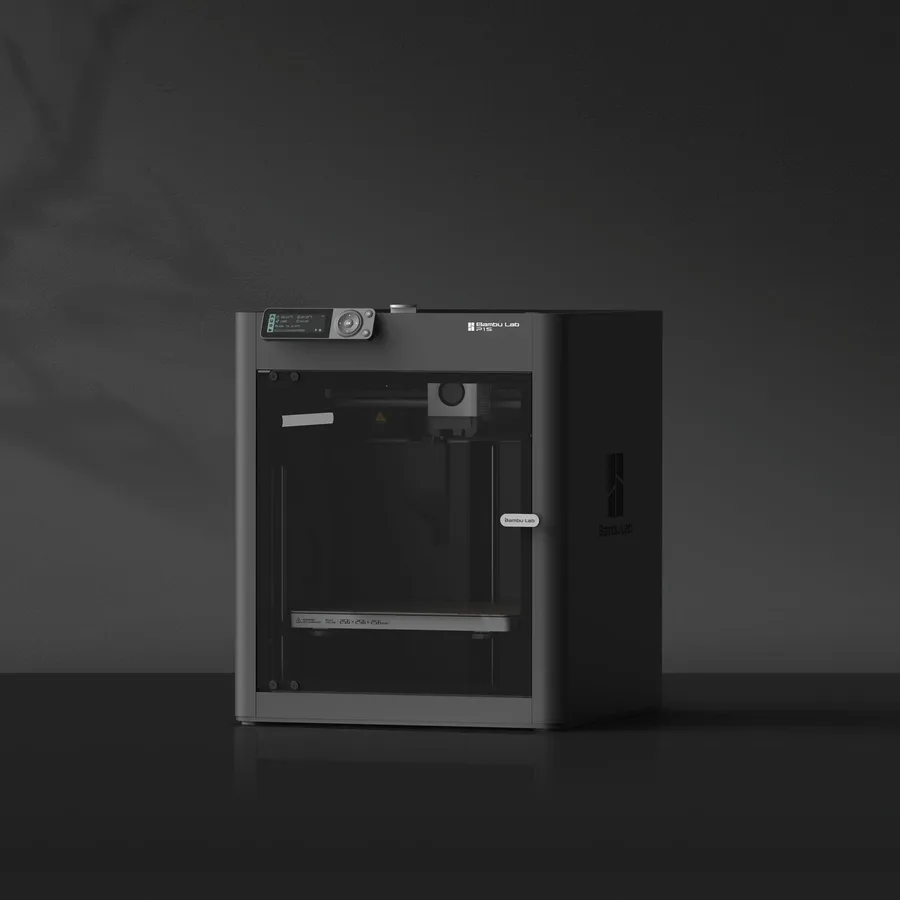
Bambu Lab P1S
256 × 256 × 256 mm
The same nominal volume as the A1, with an enclosure and a different motion system.
Check the precise AMS version, adapters and accessories included. Enclosure alone does not establish material suitability.
Specifications and sellerCreality K1C 2025
220 × 220 × 250 mm
An enclosed format with different dimensions from 256 mm printers; manufacturer-specified hotend up to 300°C.
Distinguish the original K1C from K1C 2025. Check accessories and regional delivery before ordering; check the exact bundle in the manufacturer’s US listing.
Specifications and sellerSources and limits
- Prusa Knowledge Base — PETG
- Bambu Lab Wiki — PETG Usage Guide
- Polymaker Wiki — PolyLite PETG
We organize manufacturer and community documentation; we have not measured these products ourselves. The manual for your exact model takes precedence over general guidance.
A clearer shortlist starts with your projects.
Use the free buying checklist and budget worksheet before comparing offers.