
Creality vs Bambu Lab: K2 Plus and K2 Pro Against the P2S and X2D, How to Decide
At a similar budget, Creality and Bambu Lab are not selling the same thing. Bambu Lab offers a tightly integrated ecosystem around the P2S and X2D, while Creality's K2 line leans on generous hardware. This page helps you choose based on your parts, your materials, and how much you like to tinker.
Find My 3D Printer editorial team·Published September 30, 2026·Manufacturer documentation, no hands-on tests claimed

The short answer
Choosing between Creality and Bambu Lab mostly comes down to the build volume and materials you need. According to Creality's official K2 Series page, the K2 Plus offers a 350 × 350 × 350 mm build volume and the K2 Pro 300 × 300 × 300 mm, and both have active chamber heating up to 60 °C. Creality also lists up to 16 colors with four CFS units and root access in Creality OS. Bambu Lab, with the P2S and X2D, focuses on a coordinated package of printer, slicer, and app built for printing with little setup. Pick Creality if part size or engineering filaments drive your decision, and Bambu Lab if ease of use comes first.
Two different ideas of what a printer should be
Bambu Lab sells an ecosystem first. The printer, the AMS multi-filament system, the Bambu Studio slicer, and the mobile app are designed together, with the goal that you print without fussing over settings. The Bambu Lab P2S brings that approach to an enclosed, mid-range machine. The X2D is aimed at buyers who want to step up within the same family, and the dedicated comparison on this site covers what separates the two.
Creality comes at it from the other direction. According to the official K2 Series page, the line leans on hardware: die-cast aluminum frame parts on the K2 Pro and K2 Plus, step-servo motors, and active chamber heating. The company also states that Creality OS provides root access, which matters to makers who like to get under the hood. At a similar budget, you are not just comparing two spec sheets. You are comparing two ways of printing: tight integration on one side, generous hardware and openness on the other.
Build volume: the easiest tiebreaker
Start with the size of your parts. Creality's K2 Series page lists three build volumes: 260 × 260 × 260 mm for the K2, 300 × 300 × 300 mm for the K2 Pro, and 350 × 350 × 350 mm for the Creality K2 Plus. Creality describes that last figure as the largest in its price range. A one-piece cosplay helmet, a wide enclosure, or a full plate of small parts all benefit directly.
That volume comes with a cost: footprint. The spec sheet lists 495 × 515 × 640 mm for the K2 Plus and 445 × 477 × 573 mm for the K2 Pro, before you add the CFS and spools. Measure your bench before you order. On the Bambu Lab side, check the usable volume on the P2S spec sheet. If your typical parts fit, Creality's big bed will not change much day to day. If you keep running out of room and end up splitting and gluing models, the question is nearly settled in favor of the K2 line.
Multicolor printing: Creality CFS versus Bambu Lab AMS
Both brands handle multicolor printing with an external unit that feeds filament to the toolhead. Creality calls its version the CFS. According to the K2 Series page, all three K2 models can be paired with it, the combo version ships with one unit, and four units deliver up to 16 colors, with additional units sold separately. The K2 Plus product page also describes moisture-proof filament storage and intelligent management of multiple filaments.
RFID detection recognizes the brand's own spools. Creality notes that automatic filament identification requires Creality RFID filaments, and that the built-in reader on the printer itself is limited to the K2 Pro and K2 Plus. Bambu Lab relies on its AMS, which is closely tied into the slicer and the app. Here the contest is less about the number of colors than about your habits: which filament brand you prefer, how much room you have around the machine, and how much purge waste you can live with, since every color change costs time and material.
Engineering filaments: what a heated chamber changes
For PLA and PETG, both ecosystems get the job done. The gap opens up with engineering materials. Creality says active chamber heating on the K2 Pro and K2 Plus maintains a stable chamber temperature, up to 60 °C, which helps prevent corner warping on filaments like ASA and PPA. The company specifies that ABS, ASA, and PPS call for a 60 °C chamber, and PAHT-CF for 50 °C. A hardened steel nozzle is listed to go with those materials.
The page also cites a 40 mm³/s high-flow hotend, a figure Creality measured using ABS at 280 °C, plus an air purifier for VOCs. That filter does not replace a ventilated room, so plan to print ABS and ASA in a space with good airflow. For Bambu Lab, check the P2S or X2D spec sheet for chamber temperature handling and supported materials before you buy for engineering work. If your projects are mostly decorative PLA, this section should not weigh on your decision at all.
Speed, sensors, and connectivity: reading the spec sheets
Speed numbers deserve a careful read. Creality advertises a peak of 600 mm/s, but a footnote states that the typical printing speed for all K2 models is 300 mm/s. Maximum acceleration is 30,000 mm/s² on the K2 Plus and 20,000 mm/s² on the K2 and K2 Pro. The K2 Plus gets five step-servo motors across the X, Y, and Z axes and the extruder, while the K2 Pro has three, covering the X and Y axes and the extruder.
For monitoring, the chamber camera detects failures such as spaghetti and notifies you. A second camera on the nozzle adjusts flow rate in real time, on the K2 Pro and K2 Plus only. Auto leveling probes only the area where your model will print, which shortens prep time. For networking, Ethernet comes on the K2 Pro and K2 Plus, and only the K2 Plus supports dual-band Wi-Fi. Bambu Lab puts real effort into this kind of automation too, so compare the spec sheets line by line instead of trusting top-speed claims.
Which brand fits which kind of maker
Go with Bambu Lab if you want a coordinated package, from slicer to app, and your parts fit on the P2S bed. It is the most direct route for anyone getting started with multicolor or anyone who would rather spend time printing than tuning. The X2D is worth a look if your budget stretches a bit within the same family and you want to stay inside that ecosystem.
Go with Creality if build volume or engineering materials are the priority. The K2 Plus is the obvious answer for large parts, with 350 mm on each axis. The K2 Pro keeps the heated chamber, the nozzle camera, and the metal frame parts in a more manageable size, which makes it the closest match to the P2S. Root access will appeal to tinkerers. Either way, add the multicolor unit, filament, and accessories to the cost of the printer itself. The startup budget tool gives you a realistic total before you commit.
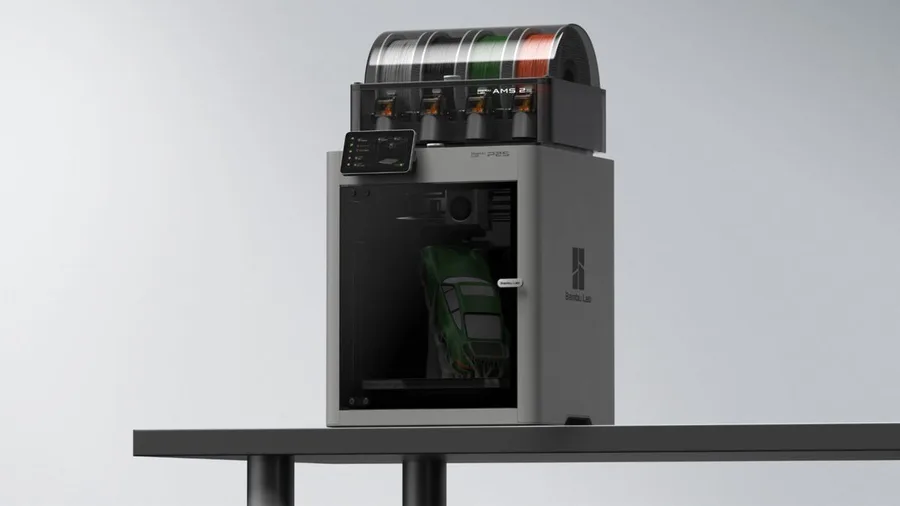
Bambu Lab P2S
256 × 256 × 256 mm
The enclosed frame, hotend up to 300°C and bed up to 110°C support a broader material discussion than an open-frame machine.
AMS 2 Pro and drying capabilities depend on the package selected. Advertised automation is not a measured reliability score.
Specifications and seller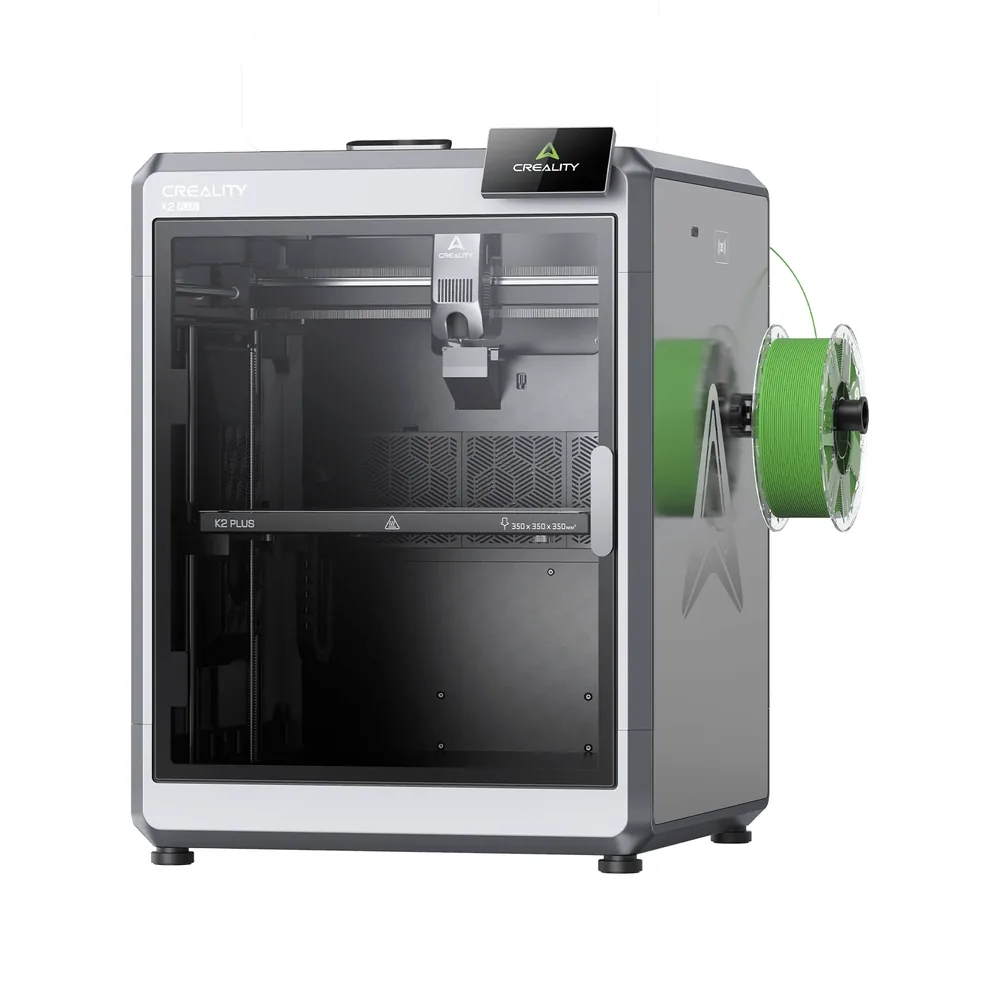
Creality K2 Plus
350 × 350 × 350 mm
FOC step-servo motors on the XYZ axes and extrusion, an 800 W heated chamber, and a top speed advertised at 600 mm/s.
The multicolor CFS system remains a separate accessory: check precisely whether your listing includes it before counting on 16-color printing out of the box.
Specifications and seller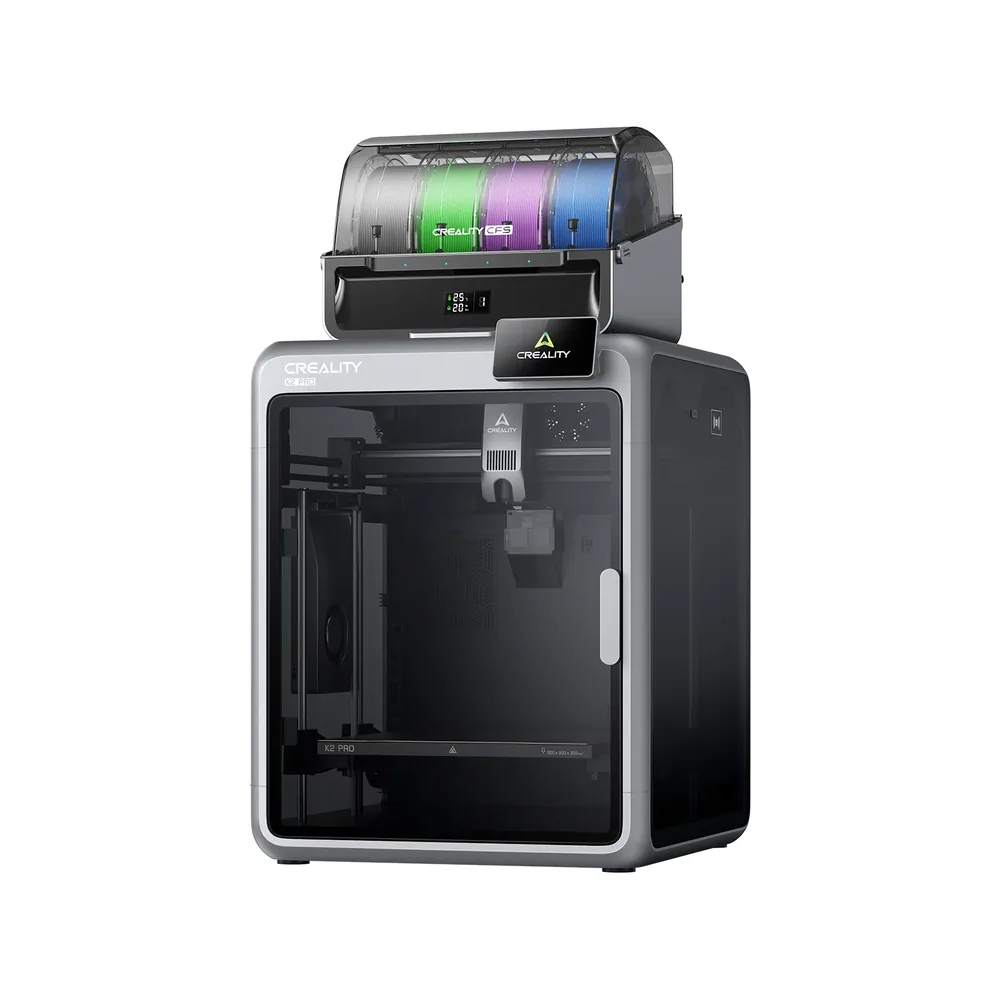
Creality K2 Pro
300 × 300 × 300 mm
Dual AI cameras (chamber and nozzle) for failure detection and flow adjustment, a chamber heated to 60°C, and a top speed advertised at 600 mm/s.
The K2 Pro is mostly sold as a Combo pack with CFS; a standalone machine version exists but availability varies by region.
Specifications and sellerSources and limits
- Creality — K2 Plus Combo
- Creality — K2 Series
We organize manufacturer and community documentation; we have not measured these products ourselves. The manual for your exact model takes precedence over general guidance.
A clearer shortlist starts with your projects.
Use the free buying checklist and budget worksheet before comparing offers.