
Creality CFS: supported printers and required upgrade kits
Creality CFS is the company's multicolor module. This guide separates the documented cases: physical hookup on K2 Plus, usage and firmware guides for K2 Pro, and a K1 upgrade kit that specifically excludes K1C 2025 and K1 Max 2025. Check your printer revision and the quoted package contents to budget a complete setup.
Find My 3D Printer editorial team·Published October 20, 2026·Manufacturer documentation, no hands-on tests claimed

The short answer
Creality documents CFS hookup on K2 Plus and publishes loading and firmware guides for K2 Pro. The K1 series uses an upgrade kit excluding K1C 2025 and K1 Max 2025; check the hotend version too. For K2 Plus, the guide specifies up to four CFS units per buffer, or sixteen spools. Those figures and wiring steps do not automatically extend to other models. Confirm the printer, revision and quoted package contents before buying.
What the CFS actually adds to a printer
The CFS is a four-spool box that feeds filament to the printer on demand. According to Creality's blog, it offers RFID material recognition, automatic spool switching, automatic replenishment when a spool runs out, and auto-feed and retract functions. The product listing quoted in that post also mentions moisture-proof storage and snap-away supports.
The feature that shapes your budget most is expansion. According to the K2 Plus guide, a single buffer can take up to four CFS modules, for a total of sixteen spools of different colors or water-soluble filament. Extra modules are linked to each other with 485 cables, and their tubes run to the buffer's pneumatic ports. That limit is documented for the K2 Plus; for another model, follow its own guide.
Before comparing kits, make sure you actually need multicolor rather than a second material for supports. The multicolor buying guide covers what these systems do and don't do, including purge waste on every color change.
K2 Plus: direct hookup, no modification kit
The Creality K2 Plus is the machine the CFS was designed around. Creality's blog states that at the time of the store pre-sale, the CFS was compatible only with this printer. The setup guide mentions no extruder or hotend swap: the K2 Plus already has two reserved holes on its back for mounting the buffer.
The hardware list is short: the CFS module, the buffer and the 485 cables. The guide uses two PTFE tubes, the longer one between the CFS and the buffer and the shorter one between the buffer and the printer, plus two 485 cables, the short one from CFS to buffer and the long one from CFS to printer. The guide does not say which items ship in the box, so check the packing list of your offer. Once everything is connected, a multicolor filament setting appears on the print home screen, which confirms detection.
To price it out, count the printer and the CFS, or a combo bundle if the brand offers one, then add modules for the number of colors you want. The blog references a K2 Plus Combo; check the store for its exact contents and current availability before you order.
K1 series: the upgrade accessory kit is mandatory
For the K1 line, Creality's wiki documents a K1 Series CFS Upgrade Accessory Kit. According to that page's description, the kit supports modification of K1 series products, excluding the K1C 2025 and K1 Max 2025, and after the upgrade the printer supports the CFS for multicolor printing. The section includes a user manual, a multi-language collection and two separate operation videos: one for the K1 Max and one shared by the K1, K1C and K1 SE. Check the quote to see whether a CFS module is included with the kit or must be purchased separately; assembly steps do not establish commercial package contents.
The kit's user manual on the wiki describes, for all K1 models concerned, replacing the extruder, connecting the cutter detection and filament break detection wires, then installing the cutter block, a drag chain mounting plate, Y-connectors, a new PTFE tube and a hopper assembly, with steps specific to the K1 Max. The parts replacement videos list the cutter block, the cutter, the extruder kit and the waste chute. In other words, the printer gets an extruder that can cut filament plus an outlet for purges, steps the K2 Plus guide does not mention. The wiki also publishes a page on how to tell whether a K1 or K1 Max hotend kit is compatible with the multicolor upgrade kit. Read it before buying, since compatibility depends on your hotend version. The exact packing list is in the kit's manual.
Budget-wise, an existing Creality K1, K1C, K1 SE or Creality K1 Max therefore costs you the kit, the CFS module or modules and possibly a compatible hotend. The K1C 2025 and K1 Max 2025 are excluded from this kit by the wiki page: for those revisions, look for the documentation specific to your machine. A separate wiki page describes a kit modification for printing ABS, worth factoring in if that's your main material.
Real cost comparison: new machine or upgrade
The decision comes down to two scenarios. First, you're starting from scratch. The K2 Plus with its CFS is described as a system to connect with nothing to disassemble, and the only variable is how many modules you add. Second, you already own a K1, K1C, K1 SE or K1 Max outside the 2025 revisions. The upgrade kit adds a mechanical job and a hotend compatibility check; compare its price, plus the modules, with the price of a K2 Plus with CFS at the time of purchase.
No prices appear here because they shift and bundles change. Use the startup budget tool to add up the machine, modules, purge filament and consumables, then compare both scenarios at the same color count.
One thing to keep in mind: sixteen spools doesn't mean sixteen useful colors on one part, because every color change consumes purge filament, as the multicolor guide explains. If your color count is not settled yet, starting with one module and adding more later is an option documented on the K2 Plus, where extra modules connect with 485 cables and tubes to the buffer.
What the sources don't say about other Creality printers
The setup blog names only the K2 Plus, and the wiki kit covers only the K1 series. For the K2 Pro, however, Creality's wiki publishes two CFS-specific guides: one on loading, unloading and replacing filament through the CFS, and a K2 Pro and CFS firmware upgrade guide. The latter states that the CFS firmware, in .bin format, is upgraded by connecting the CFS to the printer, and that for an online upgrade only one CFS unit should be connected if there are several. These guides document CFS use with the Creality K2 Pro, but neither describes the physical wiring: the buffer, PTFE tube and 485 cable steps on this page remain specific to the K2 Plus. For the K2, the Ender line or the Hi, no source consulted documents compatibility either way: look up the manual for your exact generation before buying.
The wiki maintains separate documentation for CFS and CFS-C. That distinction does not establish whether their firmware is interchangeable or incompatible: follow the version guide matching your exact printer and system. The hotend constraints and ABS modification documented for the K1 kit are not modification instructions for K2 Plus. The Creality K2 vs K2 Plus comparison adds context when choosing the printer.
Finally, the K2 Plus guide describes a 485 cable plugged into a port on the lower part of the machine's back panel. The sources do not describe that connection for the K2 Pro, nor for a K1 outside the kit manual: follow the manual for your own model rather than transposing this layout.
Checklist before ordering your setup
Start by identifying your exact model and revision: K1, K1C, K1 SE, K1 Max, K2 Plus or K2 Pro, noting that the K1 kit excludes the K1C 2025 and K1 Max 2025. For a K1, open the wiki page on hotend compatibility with the multicolor kit and check your version. For a K2 Plus, confirm the two buffer mounting holes and the 485 port on the back. For a K2 Pro, follow the CFS guides on its wiki.
Next, decide how many modules you need. On the K2 Plus, one buffer takes four CFS units at most; the source doesn't cover anything beyond that. If you plan on soluble supports, account for that filament and read the PVA soluble supports page for storage constraints.
If you're weighing other brands, the AMS 2 Pro page covers Bambu Lab's competing system. The two are not presented as interchangeable: the Creality sources document the CFS only with the Creality printers named here.
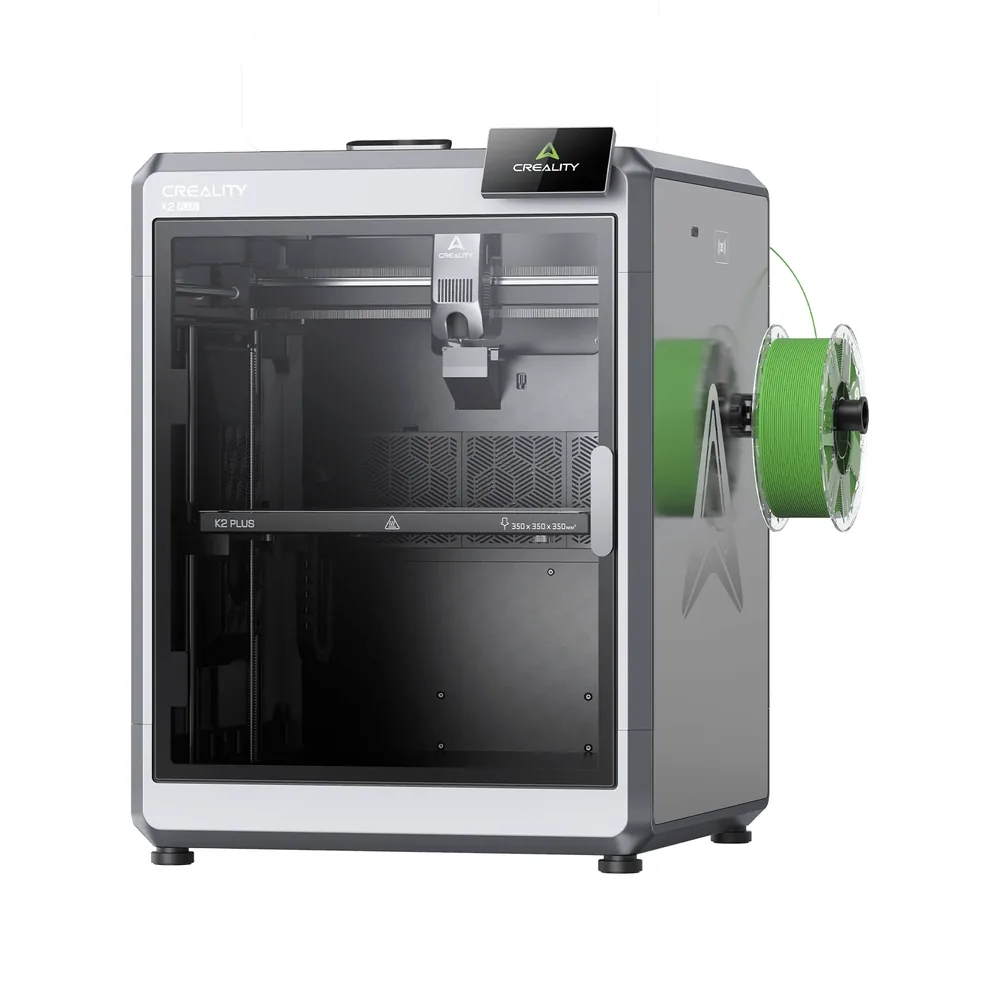
Creality K2 Plus
350 × 350 × 350 mm
FOC step-servo motors on the XYZ axes and extrusion, an 800 W heated chamber, and a top speed advertised at 600 mm/s.
The multicolor CFS system remains a separate accessory: check precisely whether your listing includes it before counting on 16-color printing out of the box.
Specifications and sellerSources and limits
- K1 Series CFS Upgrade Accessory Kit | Creality Wiki
- How Does CFS Configure Creality K2 Plus
- How does CFS connect K2 Plus? | Creality Wiki
- K2 Pro Use CFS to load/unload/replace filament | Creality Wiki
- K2 Pro & CFS Firmware Upgrade Guide | Creality Wiki
- How to Distinguish Between K1 Series CFS and CFS-C Firmware | Creality Wiki
- K1 Series CFS upgrade accessory kit User Manual | Creality Wiki
We organize manufacturer and community documentation; we have not measured these products ourselves. The manual for your exact model takes precedence over general guidance.
A clearer shortlist starts with your projects.
Use the free buying checklist and budget worksheet before comparing offers.