
Head-to-head comparison
Prusa CORE One+ vs MK4S: is the enclosed chamber worth it?
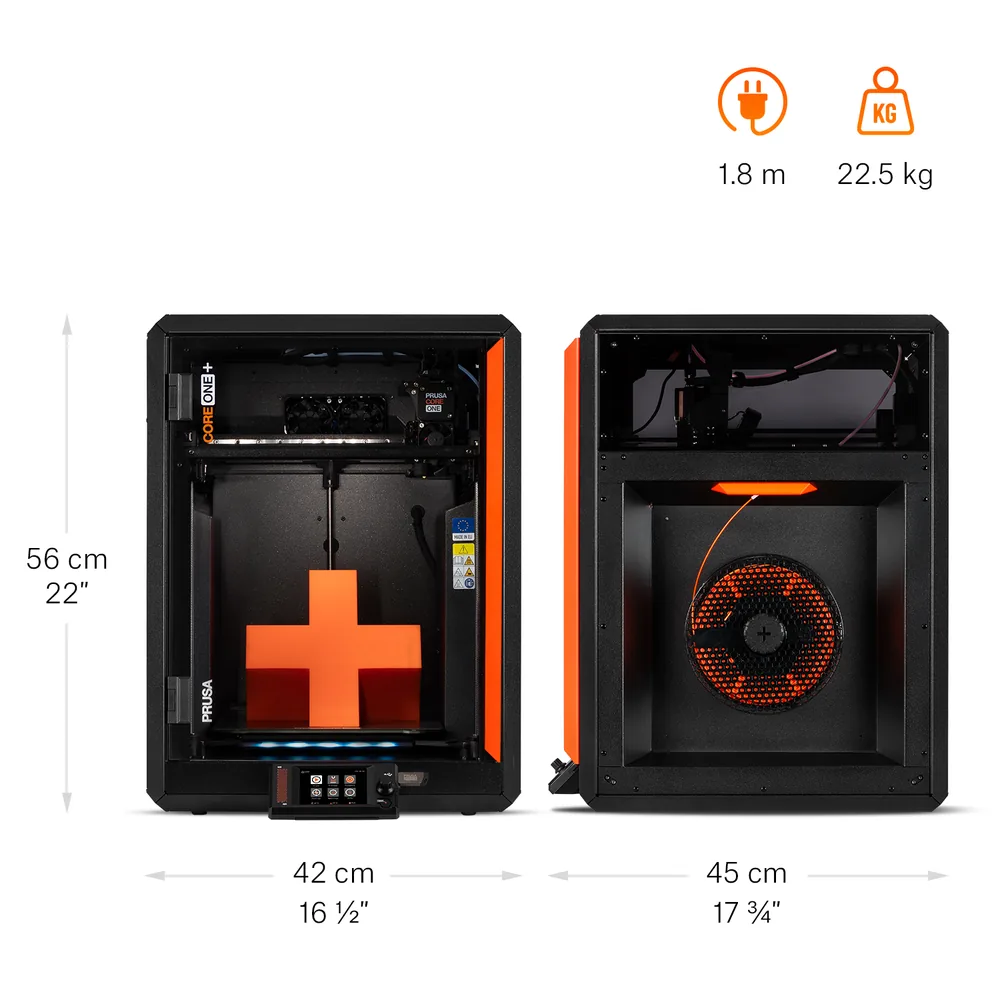
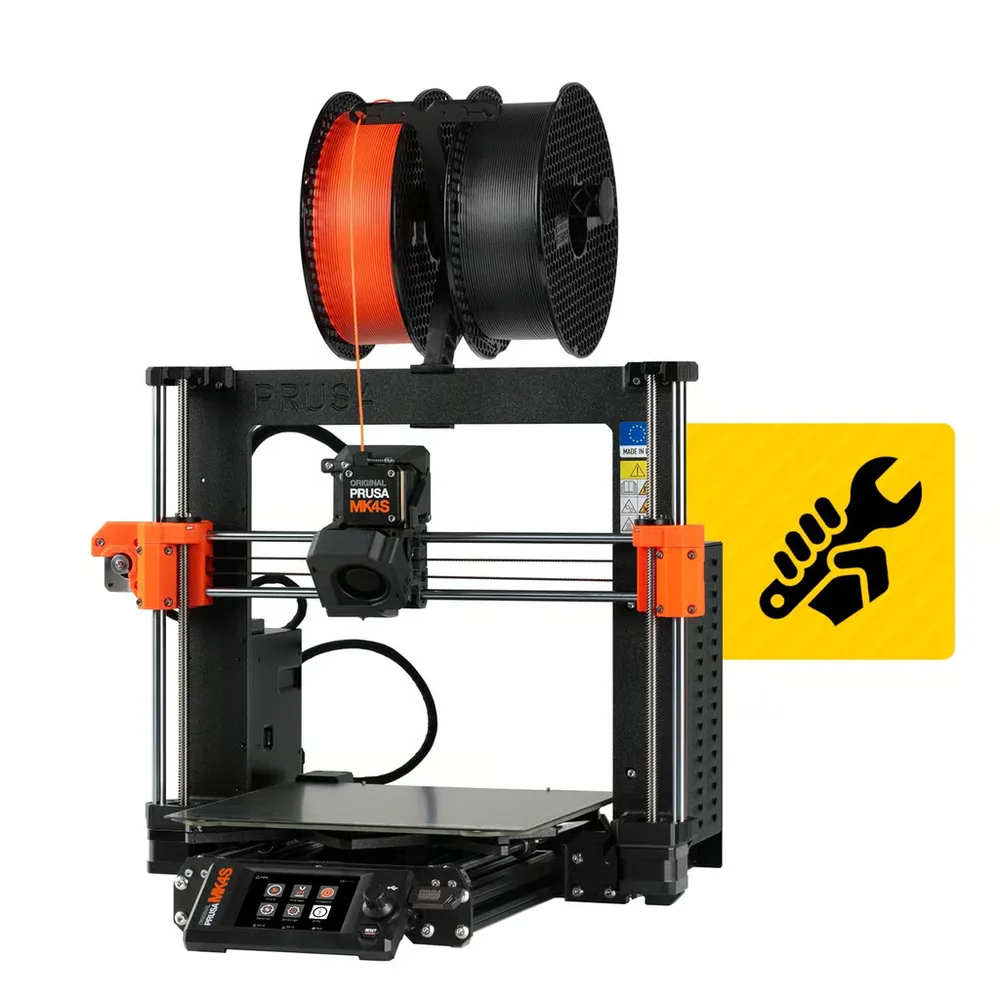
The short answer
Pick the CORE One+ (Gen 2) for an enclosed chamber actively heated up to 55°C right out of the box, fully automatic load-cell leveling, and INDX compatibility alongside MMU3 per Prusa Research. Pick the MK4S for an open frame, an advertised weight of 7 kg versus 22.5 kg for the CORE One+, and the same 120°C bed with the same 290°C nozzle.
Documentary comparison of manufacturer specifications. Not personally tested.
Choose the Prusa CORE One+ if…
- An enclosed chamber actively heated up to 55°C right on the base machine, no separate accessory needed to stabilize ambient temperature, per Prusa Research.
- Fully automatic first-layer leveling and calibration via a load-cell sensor, a Quick-Swap nozzle, and a built-in nozzle wiper on this Gen 2 revision.
- INDX compatibility (up to 8 materials) alongside MMU3, an extra multicolor system specific to this model per Prusa Research.
- A hotend extendable to 400°C with the optional HT hotend per Prusa Research, for even more demanding materials.
Choose the Prusa MK4S if…
- An open frame with the same 120°C bed and the same 290°C nozzle as the CORE One+ per Prusa Research, for direct access to the print area.
- An advertised weight of 7 kg for the bare printer versus 22.5 kg for the CORE One+, easier to move or store on a shelf.
- The Nextruder extruder with 360° cooling and an open-source design thoroughly documented by Prusa Research.
Specifications side by side
| Specification | Prusa CORE One+ | Prusa MK4S |
|---|---|---|
| Technology | Filament (FDM) | Filament (FDM) |
| Build volume | 250 × 220 × 270 mm (9.8 × 8.7 × 10.6 in) | 250 × 210 × 220 mm (9.8 × 8.3 × 8.7 in) |
| Printer dimensions | 415 × 444 × 555 mm (16.3 × 17.5 × 21.9 in) | 500 × 550 × 400 mm (19.7 × 21.7 × 15.7 in) |
| Weight | 22.5 kg (49.6 lb) | 7 kg (15.4 lb) |
| Enclosure | Enclosed, active heating up to 55 °C (131 °F) | Open frame |
| Max nozzle temperature | 290 °C (554 °F) | 290 °C (554 °F) |
| Max bed temperature | 120 °C (248 °F) | 120 °C (248 °F) |
| Multicolor | Optional MMU3 (5 materials) or INDX (up to 8 materials), both sold separately; no stock multicolor system on the base machine. | Optional MMU3, up to 5 materials, sold separately from the printer. |
| Materials | PLA, PETG, Flex, PVA, PC, PP, CPE, and PVB in standard configuration; ABS, ASA, HIPS, and PA with the optional HEPA filtration module per Prusa Research. | PLA, PETG, Flex, PVA, PC, PP, CPE, and PVB per the spec sheet; ABS, ASA, HIPS, and PA with the optional Prusa enclosure and filter. |
| Screen | 3.5-inch touchscreen | 3.5-inch touchscreen |
| Connectivity | Wi-Fi, Ethernet, USB | Ethernet, Wi-Fi |
| Listed features | Auto bed leveling, filament runout sensor | Auto bed leveling, filament runout sensor |
| Built-in camera | — | No |
— : not listed by the manufacturer on the pages we reviewed.
Build volume and footprint
The CORE One+ (Gen 2) advertises a 250 × 220 × 270 mm build volume versus 250 × 210 × 220 mm for the MK4S per Prusa Research: printable height jumps noticeably, 270 mm versus 220 mm, which matters for tall parts like vases or brackets.
Floor footprint flips the other way: 415 × 444 × 555 mm for the CORE One+ versus 500 × 550 × 400 mm for the MK4S, whose moving bed arm extends further in width and depth despite the open frame. Weight follows the same reversed pattern: 22.5 kg for the CORE One+ versus just 7 kg for the bare MK4S, with the enclosure panels clearly adding to the scale.
Enclosure, temperatures and materials
The core difference is the enclosure: the CORE One+ actively heats its chamber up to 55°C right on the base machine per Prusa Research, while the MK4S stays an open frame by default. Both hotends still reach the same 290°C, with an identical 120°C heatbed on both machines.
Both sheets list the same standard materials: PLA, PETG, Flex, PVA, PC, PP, CPE, and PVB. For ABS, ASA, HIPS, and PA, each machine needs a separate accessory per Prusa Research: a HEPA filtration module for the CORE One+, which already has the enclosure and heating; a full enclosure with filtration for the MK4S, which has neither as standard.
Multicolor
Both printers share MMU3 compatibility, Prusa Research's accessory for printing up to 5 materials or colors on the same part, sold separately in both cases. The CORE One+ adds compatibility with the INDX system, advertised for up to 8 materials, an extra accessory specific to this model per Prusa Research.
Neither machine prints multiple colors out of the box: adding an MMU3 or an INDX is its own budget and its own setup. The multicolor buying guide helps you decide whether that investment is worth it before picking the base machine.
Everyday features
Both machines share a 3.5-inch touchscreen, a filament sensor, and automatic first-layer leveling per Prusa Research. Neither ships with a built-in camera: on both sheets, video monitoring stays a separate add-on, not standard equipment.
Both machines connect over a local network or remotely per Prusa Research, with Wi-Fi and Ethernet standard on the CORE One+ as well as the MK4S. The CORE One+'s Gen 2 revision also adds new GT1.5 belts and a built-in nozzle wiper, two maintenance details highlighted on its own sheet.
What to check before buying
The MK4S comes as a kit or pre-assembled, with both versions sharing the same mechanics and the same advertised performance per Prusa Research. The CORE One+ is listed only in a ready-to-run configuration, bundled with a filament sample, a PEI sheet, and maintenance consumables per the manufacturer.
On both machines, the internal camera and the multicolor accessory (MMU3 or INDX) remain separate options from the base machine: check exactly what a given listing includes before comparing two configurations. For a notably larger volume on the same platform, the CORE One L+ nearly doubles print depth per Prusa Research; for an even more compact open frame, the MINI+ stays an alternative from the same manufacturer.
Sources
- Prusa Research — CORE One+ tech specs (prusa3d.com)
- Prusa Research — MK4S tech specs (prusa3d.com)
- How we compare printers
Published 2026-09-28, updated 2026-09-28.