
Qidi vs Bambu Lab: Qidi Q2 or Bambu Lab P2S for Technical Printing?
The Qidi vs Bambu Lab question usually narrows to two enclosed printers: the Qidi Q2 and the Bambu Lab P2S. For engineering materials, chamber temperature management matters far more than speed or screen size. This page draws on Qidi's published documentation and tells you which lines to check on the P2S spec sheet.
Find My 3D Printer editorial team·Published October 5, 2026·Manufacturer documentation, no hands-on tests claimed

The short answer
For technical printing, the Qidi Q2 stands out for active chamber heating that Qidi lists at up to 65°C, paired with a 370°C hotend and a 120°C bed. According to Qidi, that chamber heat helps keep large flat parts in ABS, ASA, PC, or nylon from lifting at the corners. The Bambu Lab P2S leans on a tightly integrated ecosystem, from slicer to multicolor hardware, so check its spec sheet to see whether the chamber is actively heated or simply enclosed. If your engineering parts are wide and flat, the Q2's documented chamber heater is the deciding factor. If you mostly print PLA and PETG, chamber heat adds nothing and ease of use should drive the choice.
Where these two enclosed printers actually differ
The Qidi Q2 and the Bambu Lab P2S look like direct rivals. Both are enclosed machines aimed at people who want to move past PLA. For engineering filaments, though, the spec that matters most is not speed or screen size. It is how each printer manages the air temperature around the part.
Qidi leads with that feature. Its Q2 page lists second-generation active chamber heating that reaches up to 65°C, paired with an air circulation design meant for high-temperature filaments. Qidi names ABS, PC, and ABS-GF among the materials that bond better with chamber heat.
Bambu Lab sells a different idea: an enclosed printer that slots into a tightly integrated ecosystem, from slicer to multicolor hardware. So the question to ask of the P2S is narrow and practical. Does its chamber have a dedicated heating element, or is it an enclosure that simply holds in bed heat? Its spec sheet answers that, and the answer shapes everything else in this comparison.
Heated chamber vs. plain enclosure: why the distinction matters
Qidi's own lineup comparison gives a clean definition. A heated chamber is an enclosure with its own heating element that raises and holds the air temperature around the part, independent of the bed. An unheated enclosure blocks drafts and keeps dust out, but it only gets as warm as the bed makes it.
That gap shows up on big parts. According to Qidi, ABS, ASA, PC, nylon, and carbon-fiber composites shrink as they cool, and a 65°C chamber is what keeps large flat parts from lifting at the corners. The same document is blunt about the other side: PLA, PETG, and TPU do not benefit from a hot chamber at all.
On the Q2, the chamber heater is rated at 280 W per Qidi's comparison chart. On the P2S, find the matching line before you decide. If your ABS and ASA parts are small brackets and clips, a closed enclosure may be all you need. If you print wide, flat housings or panels, active heating moves from a nice extra to a real buying criterion.
Hotend, bed, and extruder: what Qidi documents for the Q2
A warm chamber only helps if the toolhead can melt the material in the first place. Qidi lists a 370°C hotend and a 120°C heated bed for the Q2. The hotend uses a ceramic throat and a new heat dissipation module, which Qidi says reduces clogging.
The stock nozzle is bimetal hardened steel. That matters for fiber-filled filaments, which wear through brass quickly. The extruder is direct drive with hardened steel gears, per the lineup comparison. Leveling runs through the nozzle itself, which acts as the sensor, so Qidi says there is no probe offset to dial in.
The rest of the platform is familiar: CoreXY motion, Klipper-based firmware, and a 270×270×256 mm build volume. For the P2S, pull the same lines from its spec sheet: maximum nozzle temperature, maximum bed temperature, and what the stock nozzle is made of. Those three items tell you which spools the printer can run out of the box and which would need an upgrade first. Compare them side by side rather than relying on marketing labels.
Multi-material printing: QIDI Box vs. the Bambu Lab ecosystem
Both brands offer a multi-spool feeder, but they pitch it differently. Qidi positions the QIDI Box as a tool for technical materials. It has built-in heating up to 65°C and a hardened steel feed path that Qidi says handles challenging filaments such as carbon fiber, fiberglass, and other composites. It also detects Qidi-brand spools automatically and applies their settings.
The Q2 is QIDI Box compatible, and the box is sold as an add-on or in a combo bundle. It is not standard equipment, so factor it into your plan if multi-material printing is part of the reason you are shopping.
Bambu Lab's appeal is integration. Printer, in-house slicer, and multicolor system are designed as one package, which suits people who would rather print than tune. For technical work, check one specific thing in Bambu Lab's documentation: which filled or abrasive materials the multicolor unit actually accepts, and which ones have to feed from an external spool holder. That detail affects daily workflow more than any headline feature once you start pairing filled nylon with a separate support material.
Filtration, camera, and firmware in a shared space
Printing ABS or ASA in a home office or garage raises an air quality question. Qidi fits the Q2 with a three-stage filter: a G3 pre-filter, an H12 HEPA stage, and activated carbon. That filter stack, along with the chamber heater and camera, is what separates the Q2 from the Q2C below it in Qidi's range. A filter is not a substitute for ventilating the room, so keep that habit regardless of which printer you buy.
The Q2's camera runs at up to 1080P and uses AI detection to flag failures such as spaghetti, according to the product page. Its Klipper-based firmware tends to appeal to owners who like having direct control over their machine.
Bambu Lab leans toward a guided experience, with Bambu Studio as the single front door for slicing and sending jobs. Neither approach is better in the abstract. Ask yourself whether you want to tune a printer or just queue parts. That answer deserves as much weight as the spec sheet, especially if the machine will run most days of the week.
Which printer fits which workload, and how to plan the spend
The Q2 has a clear target buyer. Your parts fit within a 270 mm bed, your material list goes beyond PETG, and you want documented chamber heating without stepping up to a larger machine. Qidi describes it as the most affordable model in its lineup that combines a 370°C hotend with active chamber heating. For large ABS, ASA, PC, or nylon parts, that is the core of its case.
The P2S makes more sense if an integrated ecosystem is your first priority and your technical parts stay modest in size, or if its spec sheet confirms chamber management that suits your materials. If you mostly print PLA and PETG, chamber heat buys you nothing, so choose on ease of use instead.
When you plan the purchase, do not compare bare printers only. Add the multi-spool unit if you want one, engineering filament, which costs more than PLA, and a dryer if nylon is on your list. The site's startup budget tool lets you lay out those line items before you order.
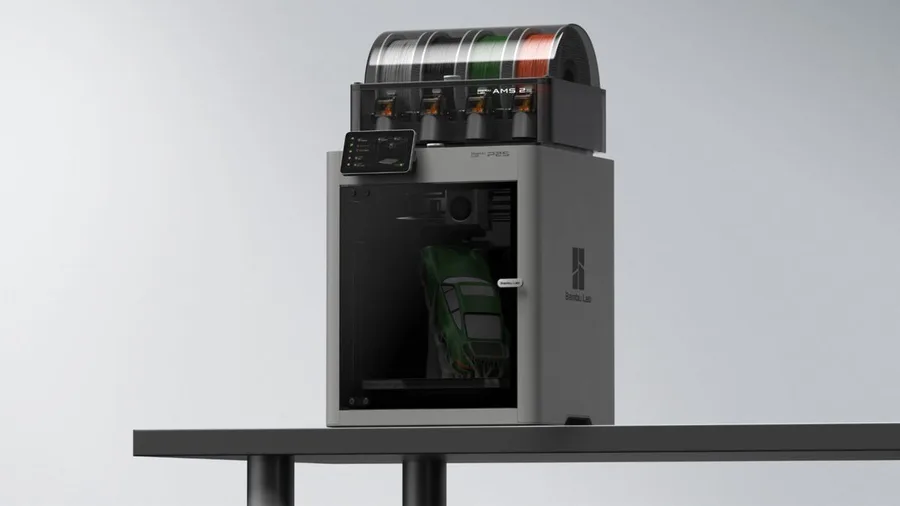
Bambu Lab P2S
256 × 256 × 256 mm
The enclosed frame, hotend up to 300°C and bed up to 110°C support a broader material discussion than an open-frame machine.
AMS 2 Pro and drying capabilities depend on the package selected. Advertised automation is not a measured reliability score.
Specifications and seller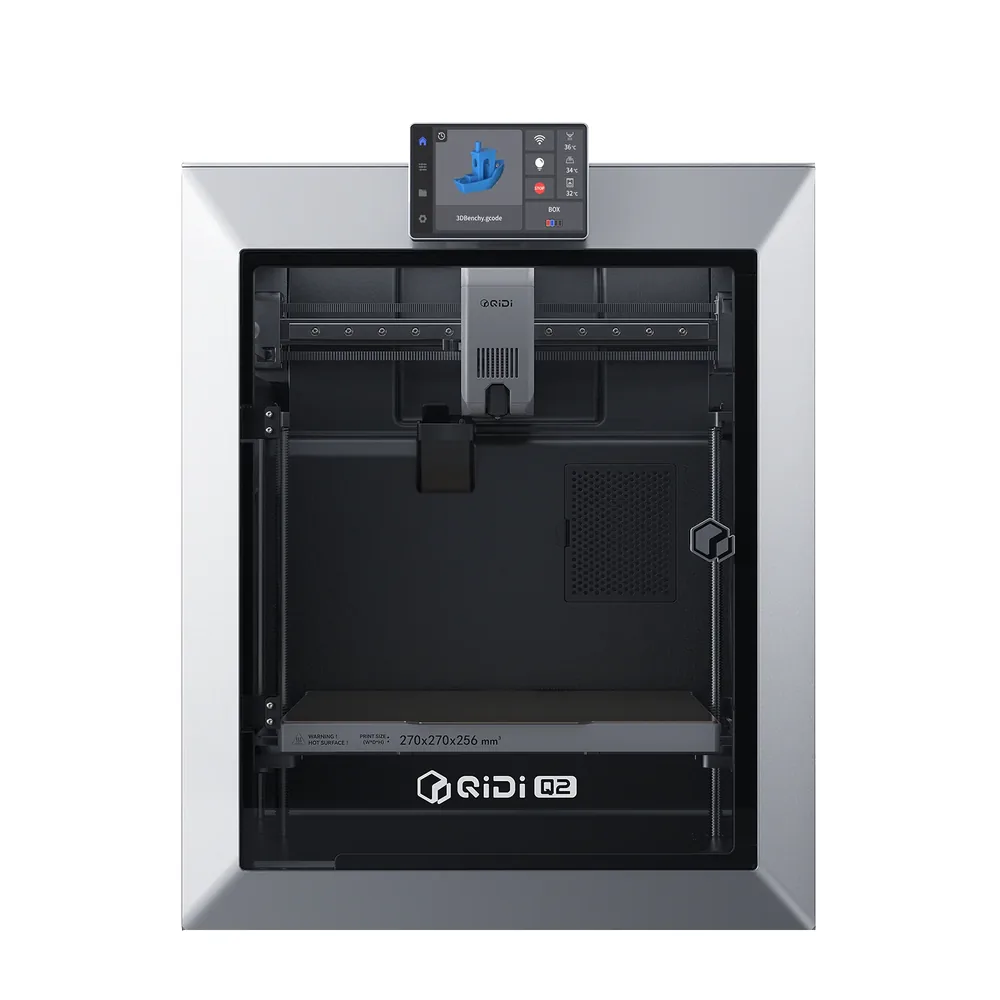
QIDI Tech Q2
270 × 270 × 256 mm
A nozzle-as-sensor leveling system advertised as offset-free by QIDI, an actively heated chamber up to 65°C, a nozzle up to 370°C, a bed up to 120°C, plus built-in 3-in-1 filtration and an AI camera.
The multicolor QIDI Box is sold separately or as a combo; the exact box contents aren't detailed on the manufacturer's listing, check before buying.
Specifications and sellerSources and limits
- QIDI — Q2 (enclosed 3D printer)
- QIDI — 3D Printer Comparison (Q2C, Q2, Plus 5, Max4)
We organize manufacturer and community documentation; we have not measured these products ourselves. The manual for your exact model takes precedence over general guidance.
A clearer shortlist starts with your projects.
Use the free buying checklist and budget worksheet before comparing offers.