
Bambu Lab X1C alternatives: X2D, P2S, or keep what you have?
You own a Bambu Lab X1C and you're wondering whether it's time to move on. Bambu Lab's official blog posts point to two natural candidates, the X2D and the P2S, without announcing the end of the X1C. This guide helps you decide based on real needs, whether your printer still runs fine or you're buying for the first time.
Find My 3D Printer editorial team·Published October 7, 2026·Manufacturer documentation, no hands-on tests claimed

The short answer
Replacing a Bambu Lab X1C only makes sense when a specific need justifies it, because none of the official sources used here announces the X1C's discontinuation or a support deadline. According to the Bambu Lab blog, the X2D is the second generation of the X Series: same build volume, a mechanically switched dual-nozzle system for supports that peel away cleanly, and a heated-chamber mode for ABS, ASA, and nylon. The P2S, a reengineered P Series, brings the PMSM servo extruder, adaptive airflow, AI error detection, and a quick-swap hotend in the compact footprint print farms rely on. If your X1C works, keep it for everyday PLA and PETG and reserve the X2D for projects with complex supports or engineering filaments; for a first purchase, the P2S covers most needs at a more accessible budget.
Should you replace an X1C that still works?
Start with the fact that matters most: the three official Bambu Lab blog posts behind this guide never mention discontinuing the X1C, and none of them sets a support deadline. The blog still describes the X1 family as the machine that redefined desktop printing and notes that competitors keep copying it. A working X1C remains an enclosed, fast, AMS-compatible printer that handles PLA, PETG, and ASA day in and day out.
So the real question isn't 'is my printer outdated?' but 'what specific job can't my X1C do?' If you spend evenings prying supports off parts, if nylon warps despite the enclosure, or if you want to add capacity to a small farm, an alternative earns its place. If your work is mostly PLA parts with simple supports, a new printer changes very little.
This guide separates two situations. In the first, you own a usable X1C and want either a companion machine or an upgrade path. In the second, you're starting from scratch, drawn by the X1C's reputation, and want to know what the current Bambu Lab lineup offers instead.
X2D: what the second-generation X Series actually changes
According to the Bambu Lab blog, the X2D is the second generation of the X Series. It keeps the standard 256 × 256 × 260 mm build volume and the same outer dimensions as the X and P Series, so an X2D can sit next to an X1 or P1 in a farm without integration headaches. The headline feature is a dual-nozzle system with purely mechanical switching, using gears and triggers rather than an extra motor on the toolhead.
The main nozzle prints the part through a direct drive extruder. The auxiliary nozzle prints supports in a different material chosen to release cleanly, fed by a Bowden-style extruder mounted at the rear. Bambu Lab says the lighter toolhead reduces inertia and vibration. The blog also spells out the auxiliary head's limits: a top speed of 200 mm/s, acceleration capped at 1000 mm/s², and 4 mm less print height when it's active.
On materials, Heat Mode actively warms the chamber to 65°C with the nozzle at 300°C, which Bambu Lab positions for ABS, ASA, and nylon with minimal warping. Cool Mode pulls in outside air for PLA. Dynamic Flow Calibration runs before every print to compensate for nozzle wear and moist filament. For multicolor PLA or PETG, nozzle switching cuts down on purge waste.
P2S: the reengineered P Series for farms and tighter budgets
Bambu Lab presents the P2S as a ground-up reengineering of the P1 Series, the printers that became the backbone of print farms worldwide. It keeps the compact P1P and P1S footprint and folds in technology from the H2D and H2S: a PMSM servo extruder, automatic flow dynamics calibration using an eddy current sensor, and an adaptive airflow system.
Per the launch post, the extruder delivers up to 8.5 kg of extrusion force, 70% more than its predecessor, and samples resistance and position at 20 kHz to catch filament grinding and clogs in real time. Adaptive Airflow draws cool air from outside the chamber so you can print PLA with the doors closed, then switches to a heat-preserving mode with a carbon filter for warp-prone filaments.
A 5-inch touchscreen running the second-generation UI, a 1080P camera, AI error detection, and a one-clip quick-swap hotend round out the package. The default nozzle is 0.4 mm, with 0.2, 0.6, and 0.8 mm supported. The Combo bundle adds the AMS 2 Pro with active filament drying. One more detail: Bambu Lab states that the P2S does not discontinue the P1S, which stays available and supported. That statement covers the P1S only. The supplied sources say nothing equivalent about the X1C, in either direction.
Matching each printer to a documented need
Complex supports, steep overhangs, nested assemblies: the X2D is the only one of the two with a dedicated support nozzle running a different material. If post-processing is what frustrates you most about the X1C, that's the deciding factor. Engineering filaments: the X2D lists an actively heated chamber, the P2S a heat-preserving mode. Both target ABS and ASA, but demanding nylon tilts toward the X2D.
Print farm or batch production of PLA and PETG parts: the P2S carries forward exactly the P1 philosophy that built that market, at an entry-level budget for an enclosed machine. Multicolor: both work with an AMS, but the X2D uses its second nozzle to reduce purging in PLA and PETG. Tight budget: the P2S, which sits below the X Series in the lineup.
For a criterion-by-criterion matchup, the X2D vs P2S comparison covers each point in detail. The short version: the P2S is the modern, affordable everyday X1C, and the X2D is the X1C that finally solves the support problem.
Keep the X1C and add a second printer
Plenty of makers end up replacing nothing. The X1C keeps handling PLA, PETG, and simple parts while the new machine takes the specialized jobs. Bambu Lab emphasizes that the X2D preserves the X and P Series build volume and footprint precisely so it coexists without friction. Your slicer profiles, build plates, and workflow habits stay useful.
Before you spend anything, a thorough tune-up of the X1C can settle the question. A worn nozzle, a gunked-up extruder, or damp filament explains many defects people blame on an aging printer. Bambu Lab itself notes, in the X2D post, that nozzle wear and moisture absorption quietly degrade print quality over months. A replacement nozzle costs far less than a replacement printer.
If the X1C has a serious failure, the decision becomes financial: repair or replace. Weigh the estimated repair cost against a mid-range budget for a P2S, then an X2D, using the site's startup budget tool. Your parts matter too: if your projects demand clean supports, a breakdown becomes the moment to step up to the X2D.
Buying for the first time: X2D, P2S, or a used X1C?
If you don't own a printer yet and the X1C appeals because of its reputation, flip the question around. According to the official posts, both current models include building blocks the X1C didn't have: a servo extruder with jam detection, automatic flow calibration, adaptive airflow for closed-door PLA, and AI error detection.
For a beginner or a family setup focused on PLA and PETG, the P2S is the logical entry point: guided second-generation interface, quick-swap hotend, and a Combo bundle with AMS for multicolor. For a maker designing functional parts with overhangs, assemblies, and engineering filaments, the X2D justifies the budget gap with its dual nozzle and heated chamber.
A used X1C is still a reasonable option when the deal is right and the history is known, but inspect the nozzle, extruder, and AMS before you commit. Either way, budget for filament, build plates, and a filament dryer in your starting envelope, because accessories add up fast.
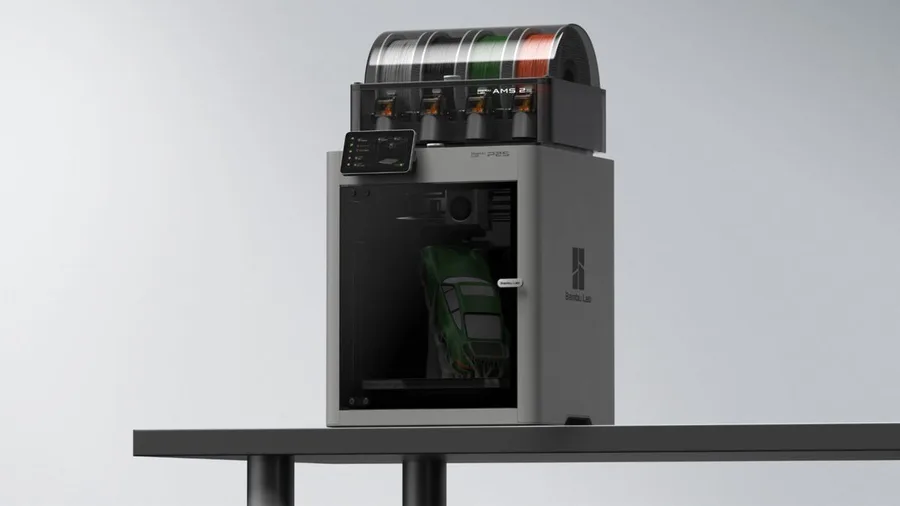
Bambu Lab P2S
256 × 256 × 256 mm
The enclosed frame, hotend up to 300°C and bed up to 110°C support a broader material discussion than an open-frame machine.
AMS 2 Pro and drying capabilities depend on the package selected. Advertised automation is not a measured reliability score.
Specifications and seller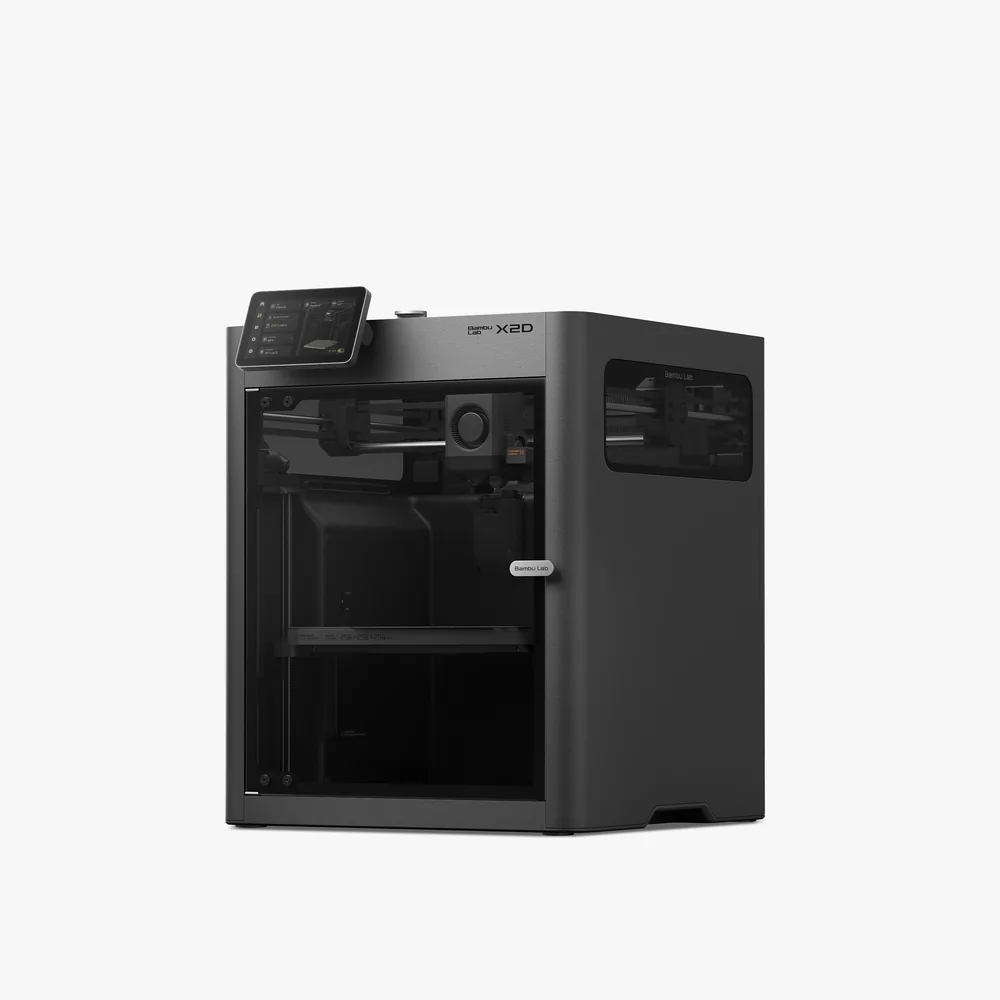
Bambu Lab X2D
256 × 256 × 260 mm
A second nozzle promoted for support material that peels away cleanly, a 65°C heated chamber, a 300°C nozzle, and a 256 × 256 × 260 mm nominal volume per Bambu Lab.
Beyond two materials, an AMS is still needed for full multicolor, and dual-nozzle printing reduces the volume to 235.5 × 256 × 256 mm. Check the exact bundle contents (Combo vs. standalone) on the retailer's listing.
Specifications and sellerSources and limits
- Bambu Lab Blog — Xcellence made simple: X2D
- Bambu Lab Blog — X2D direct drive and auxiliary extrusion
- Bambu Lab Blog — The Icon Redefined: meet the P2S
We organize manufacturer and community documentation; we have not measured these products ourselves. The manual for your exact model takes precedence over general guidance.
A clearer shortlist starts with your projects.
Use the free buying checklist and budget worksheet before comparing offers.