
Bambu Lab: Understanding the Lineup and Choosing a Machine
Bambu Lab has become one of the most visible brands in consumer 3D printing over the past few years, with a lineup that runs from a small open-frame machine to a high-end enclosed chassis. This page explains what each series is for, how the software and AMS ecosystem works, and how to choose between the models in the catalog.
Find My 3D Printer editorial team·Published September 10, 2026·Manufacturer documentation, no hands-on tests claimed

The short answer
Bambu Lab organizes its FDM lineup into four families: the open, accessible A series (A1 mini, A1), the enclosed, productivity-focused P series (P1S, P2S), the enclosed, higher-end X series (X1 Carbon, X1E), and the H2D, which adds an optional laser module. Its software ecosystem (Bambu Studio, MakerWorld, Bambu Handy) runs on the cloud by default, with a local LAN mode and a Developer Mode reserved for advanced users per the manufacturer's documentation. Choosing between these machines mainly comes down to the build volume you need, whether you need an enclosure, and which multicolor system you're targeting (AMS lite, AMS, AMS 2 Pro), since these parts are not all interchangeable across series.
Bambu Lab's lineup at a glance
Bambu Lab builds its FDM lineup around four families: the A series, open-frame and accessible machines, the P series, an enclosed chassis built for productivity, the X series, enclosed and higher-end with LiDAR-assisted calibration, and the H2D, which steps outside classic FDM with an optional laser module. Each series targets a different use case rather than a simple low-to-high ranking.
The catalog currently details four of these machines: the A1 mini, the A1, the P1S, and the P2S. The X series and the H2D are not yet in this site's detailed catalog; the specs cited here come from Bambu Lab's own pages and are worth confirming, whether you're buying from Bambu Lab's US store, Amazon.com, or a retailer like Micro Center.
The A series: the accessible, open-frame entry point
The A series covers open-frame printers. The A1 mini offers a 180 × 180 × 180 mm build volume aimed at small objects and accessories, with an optional AMS lite for multicolor printing. The A1 keeps the same open-frame approach with a larger 256 × 256 × 256 mm build volume, for bigger parts without leaving the family.
An open frame does not offer the same thermal conditions as an enclosed machine: the A series works well for PLA and PETG, but it is not the documented choice for regular ABS or ASA printing. The A1 vs A1 mini comparison breaks down the volume and equipment gap between the two.
The P and X series: enclosed frames built for output
The P1S and P2S share a 256 mm enclosed CoreXY chassis. Compared with an open-frame machine, Bambu Lab's own documentation lists an auxiliary part cooling fan and a chamber regulator fan on the P1S, aimed at stabilizing internal temperature. The P2S goes further with a nozzle listed up to 300°C and a bed up to 110°C, plus AMS 2 Pro compatibility.
The X series, with the X1 Carbon and X1E, sits higher in the lineup per Bambu Lab's official pages: a 256 mm enclosed chassis, Micro Lidar-based calibration (nozzle height, flow, and first-layer scanning) and AI camera-based failure detection. The X1E adds a chamber heated up to 60°C and a nozzle up to 320°C, aimed at engineering use per the manufacturer, with up to four AMS units connected in parallel for sixteen spools, a setup aimed more at small-batch production than a single hobbyist desk.
The H2D: dual nozzles and a laser, a category of its own
The H2D breaks from the A, P, and X series: it combines dual-nozzle FDM printing, a listed 350 × 320 × 325 mm build volume, and print temperatures up to 350°C per Bambu Lab's product page. The dual-nozzle setup lets you print a model material alongside a soluble support, or two materials at different temperatures, according to the manufacturer.
An optional laser module handles cutting and engraving, with a dedicated camera system Bambu Lab lists at up to 0.3 mm alignment accuracy. The H2D targets a more versatile workflow, printing and laser work, rather than a straight P-series replacement, with its own budget and accessories to factor in.
Software and connectivity: Bambu Studio, MakerWorld, Handy, cloud and LAN mode
Bambu Studio is the brand's official slicer, used to prepare print files and control the machine from a computer. MakerWorld is Bambu Lab's community platform for sharing models and print profiles, and Bambu Handy is the mobile app for monitoring a print and starting a job remotely. The three work together but remain usable on their own depending on what you need.
Per Bambu Lab's documentation, LAN-only mode keeps the printer talking to your local network without going through the manufacturer's cloud, which limits cloud-dependent features like remote access away from your home network. A separate Developer Mode opens the MQTT channel, a live video feed, and FTP for advanced control by users or third-party software; per the documentation, it only works in LAN mode and does not allow a connection to Bambu's cloud.
AMS, AMS 2 Pro, AMS lite: which multicolor system fits which machine
The AMS (Automatic Material System) is Bambu Lab's multi-spool feeder, letting the printer switch filaments mid-print for multicolor parts or mixed-material jobs. Per the A series AMS connection guide, AMS lite is the version built for the A1 and A1 mini, while the newer AMS 2 Pro adds drying functions and can be combined with several other units.
One compatibility point worth knowing before you buy: per the AMS lite FAQ, AMS lite cannot be combined with AMS, AMS 2 Pro, or AMS HT on the same hub, while up to four AMS, AMS 2 Pro, or AMS HT units can themselves be combined together. Before adding a multicolor system to a machine you already own, check this specific point in the documentation rather than assuming it will work.
Which Bambu Lab machine fits your use case
For a first purchase focused on small objects and an entry-level budget, the A1 mini stays the most compact machine in the lineup, with usable space limited to parts under about 18 cm on any axis. If your projects regularly outgrow that without needing an enclosure, the A1 offers more room while staying open-frame; the A1 vs P1S comparison covers that exact gap. For ABS, ASA, or heavier regular use, the P1S brings an enclosed chassis at the same volume as the A1, and the P2S adds higher maximum temperatures plus AMS 2 Pro compatibility; the P1S vs P2S comparison helps decide between the two based on budget and features.
Bambu Lab's ecosystem is built largely around its own software, its AMS units, and, on several machines, a proprietary quick-swap nozzle module: a documented point worth knowing before buying, especially if you want to minimize how much you depend on the brand's own accessories and parts. That consistency makes onboarding and fleet updates easier, but it narrows the room to maneuver for anyone who prefers an open ecosystem from day one, and it is worth weighing against a brand that leans more heavily on third-party parts and slicers. The printer finder and the compare tool let you weigh these criteria against other catalog brands, like Creality for an enclosed-frame alternative.
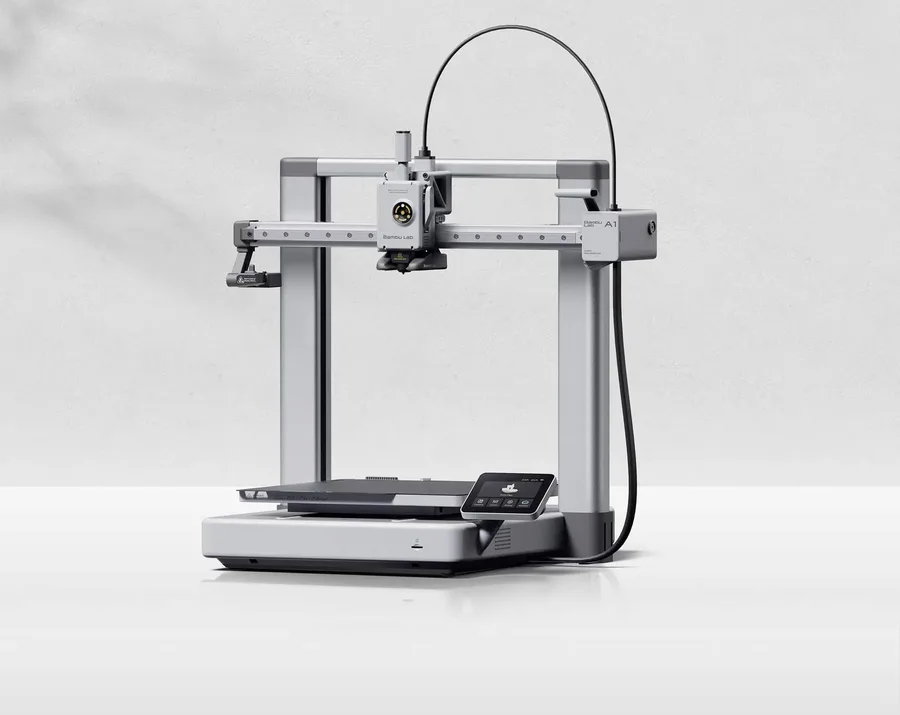
Bambu Lab A1
256 × 256 × 256 mm
More space on every axis than the A1 mini, while keeping the A1 family workflow.
An open frame does not provide the same thermal conditions as an enclosed printer. Choose materials accordingly.
Specifications and seller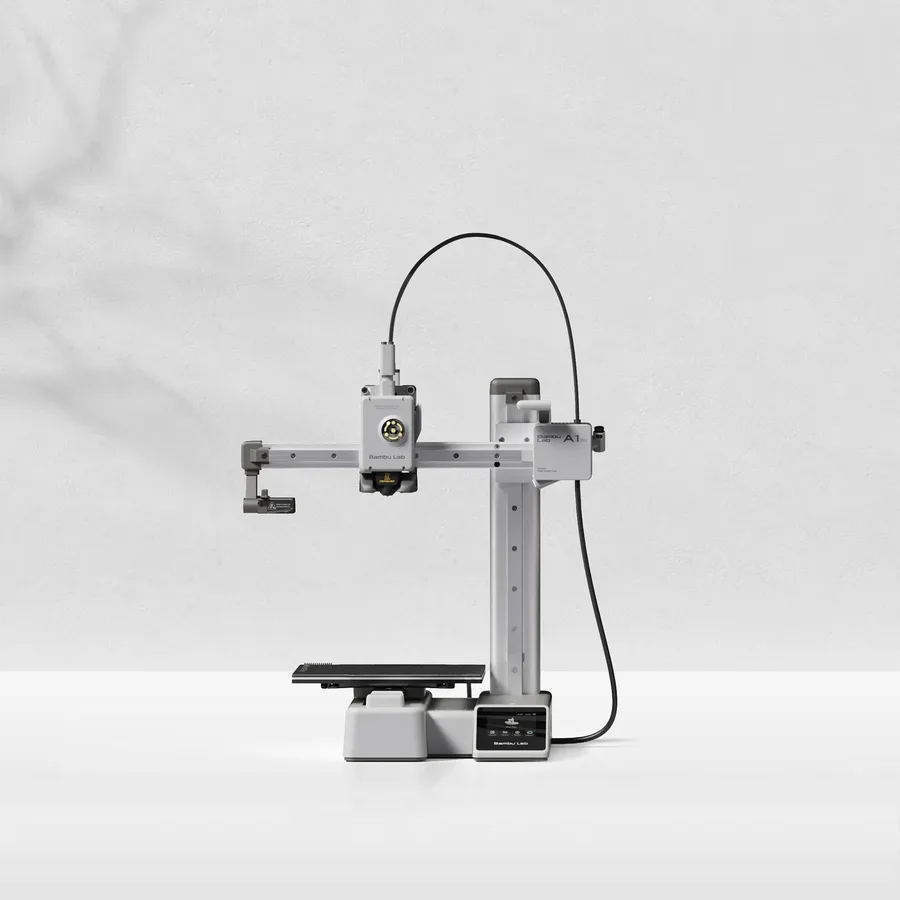
Bambu Lab A1 mini
180 × 180 × 180 mm
A candidate when your models fit within an 18 cm cube, allowing room for supports and the selected orientation.
Larger objects may need splitting and assembly. Check moving-bed clearance as well as the printer footprint.
Specifications and seller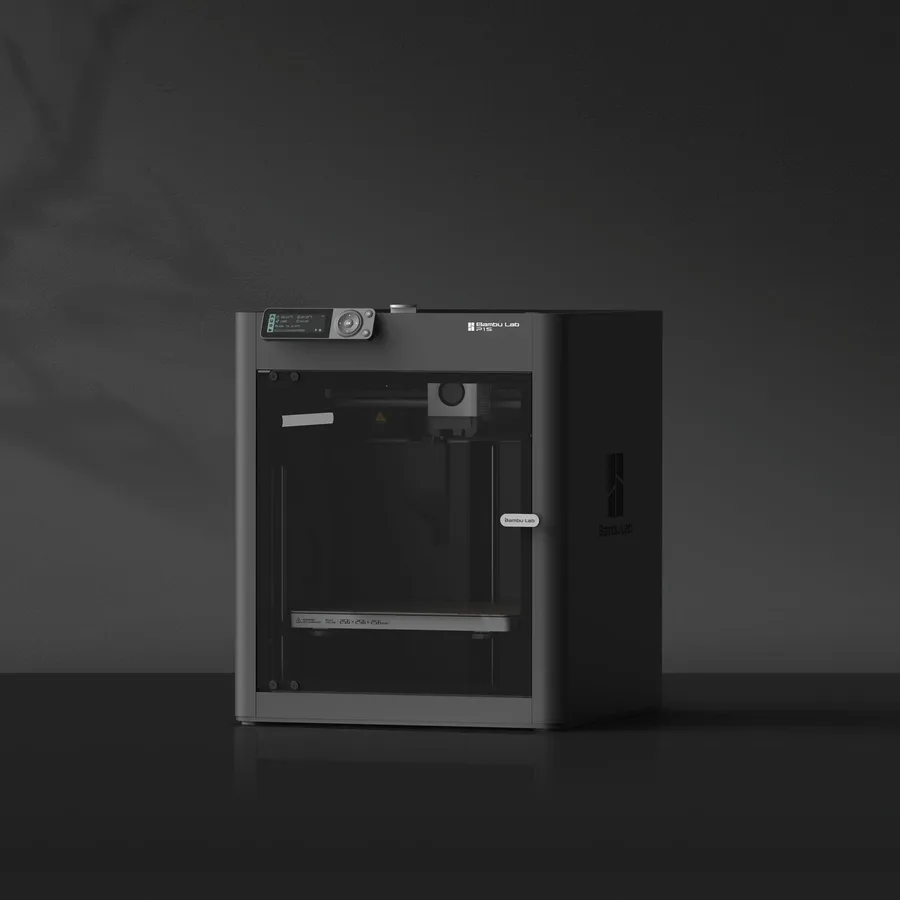
Bambu Lab P1S
256 × 256 × 256 mm
The same nominal volume as the A1, with an enclosure and a different motion system.
Check the precise AMS version, adapters and accessories included. Enclosure alone does not establish material suitability.
Specifications and seller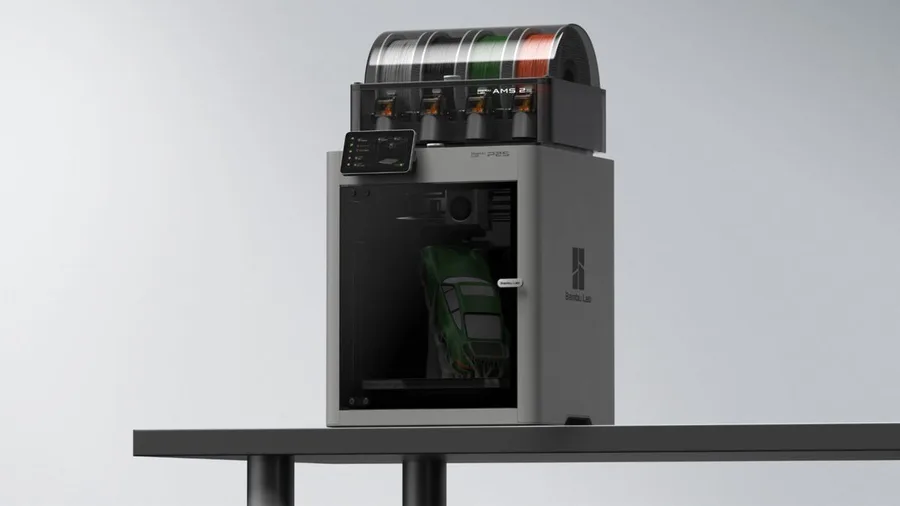
Bambu Lab P2S
256 × 256 × 256 mm
The enclosed frame, hotend up to 300°C and bed up to 110°C support a broader material discussion than an open-frame machine.
AMS 2 Pro and drying capabilities depend on the package selected. Advertised automation is not a measured reliability score.
Specifications and sellerSources and limits
- Bambu Lab Wiki — AMS lite FAQ
- Bambu Lab Wiki — AMS 2 Pro
- Bambu Lab Wiki — Enable LAN Mode
- Bambu Lab Wiki — Enable Developer Mode
- Bambu Lab US Store — H2D
We organize manufacturer and community documentation; we have not measured these products ourselves. The manual for your exact model takes precedence over general guidance.
A clearer shortlist starts with your projects.
Use the free buying checklist and budget worksheet before comparing offers.