How we chose
- Only printers documented in our catalog, with a manufacturer spec sheet reviewed in September 2026 (advertised repeatability, material compatibility, nozzle and chamber temperature).
- Business criteria rather than hobbyist ones: documented repeatability, engineering materials, service support and spare-parts availability, workplace safety.
- No scores and no claimed testing: we have not tested these printers, and every reason relies on each manufacturer's own published specifications.
- Printers chosen for different professional use cases rather than one single leaderboard: automatic calibration, material compatibility, a tool changer, an actively heated chamber.
- Some spec sheets show paid partner offers, labeled "Ad".
What separates professional use from hobbyist printing
At home, a failed print just gets queued again the next day. In a workshop or engineering department, a machine that fails on a batch of tooling parts pushes back an entire project. The difference isn't raw machine power, it's what you're asking of it: the same result print after print, for weeks, with minimal supervision.
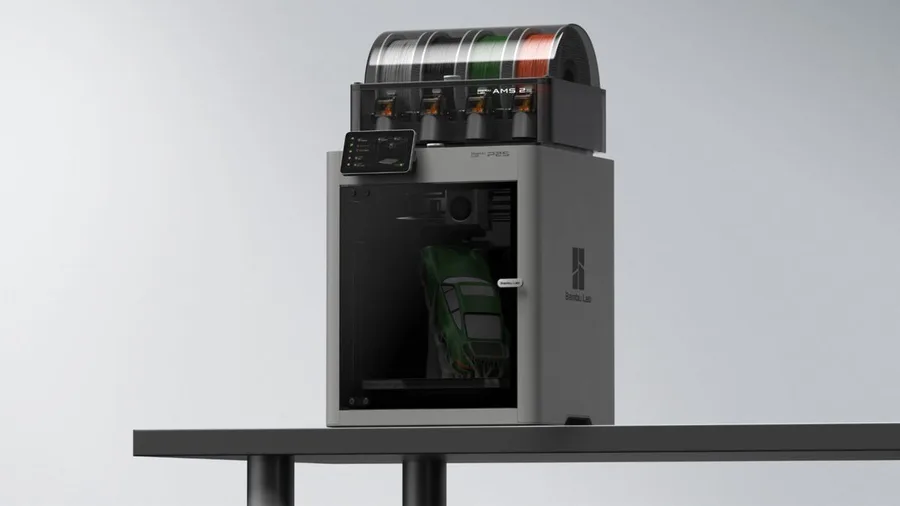
That repeatability rests on features manufacturers document unevenly: automatic calibration, camera-based error detection, extrusion flow compensation. Bambu Lab, for instance, describes an Auto Flow Dynamics Calibration system on the P2S along with a high-frequency sensor designed to adjust extrusion continuously, a feature aimed at cutting down manual reprints across a batch of parts.
Professional use also means thinking beyond the printer itself: who operates it, with what training, and what happens if it goes down mid-order. Those questions matter as much as which model you pick.
Engineering materials: what they demand from the printer
Nylon, polycarbonate, and fiber-filled filaments (carbon or glass) require conditions PLA doesn't: a hotter nozzle, in some cases a bed heated past 100°C, and above all a stable thermal environment for the whole print. Without an enclosure, these materials warp or lose mechanical strength.
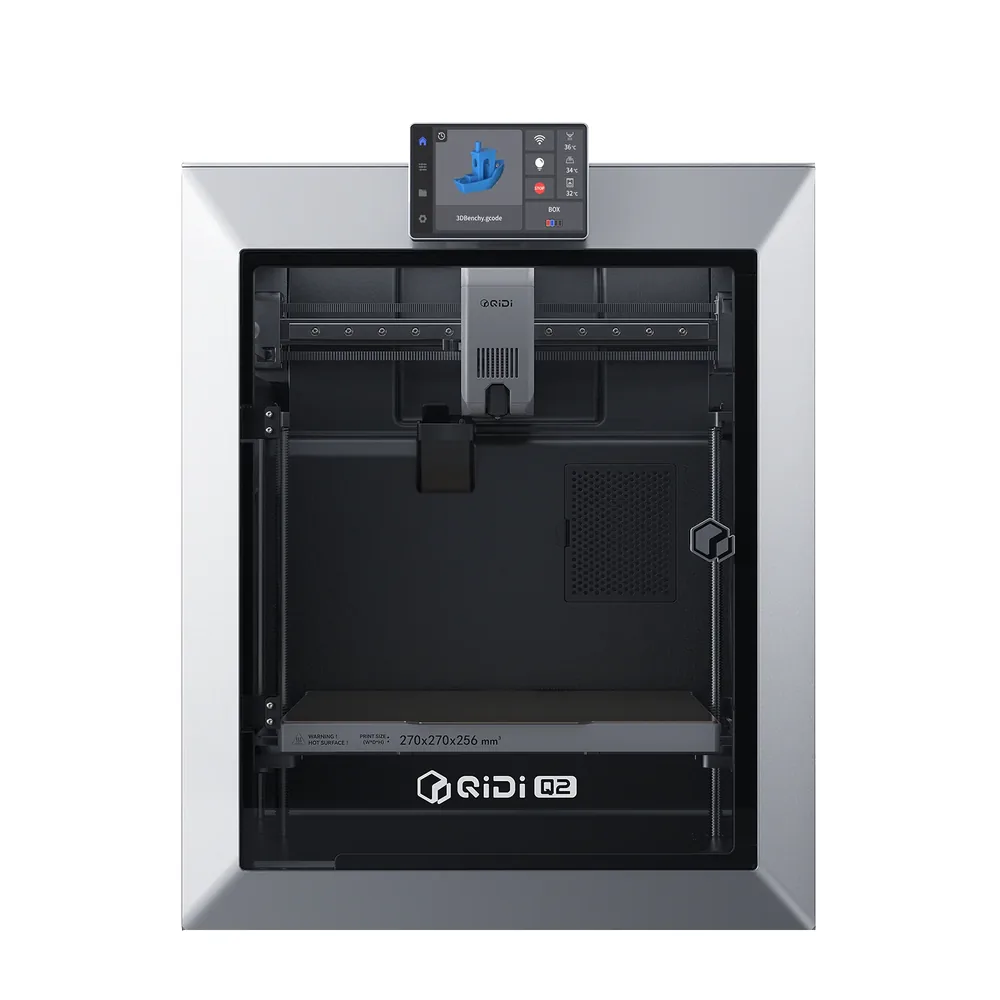
Creality's 2025 manual for the K1C 2025 lists a nozzle rated up to 300°C and compatibility with PLA-CF and PA-CF, two fiber-filled materials that specifically call for a hardened nozzle like that. Bambu Lab's P2S is rated for a nozzle up to 300°C and a bed up to 110°C inside a closed chamber, a combination built to widen the range of usable filaments beyond an open-frame printer. The QIDI Q2 goes further with a chamber actively heated up to 65°C, an advantage for PA and PC that passive enclosures don't offer.
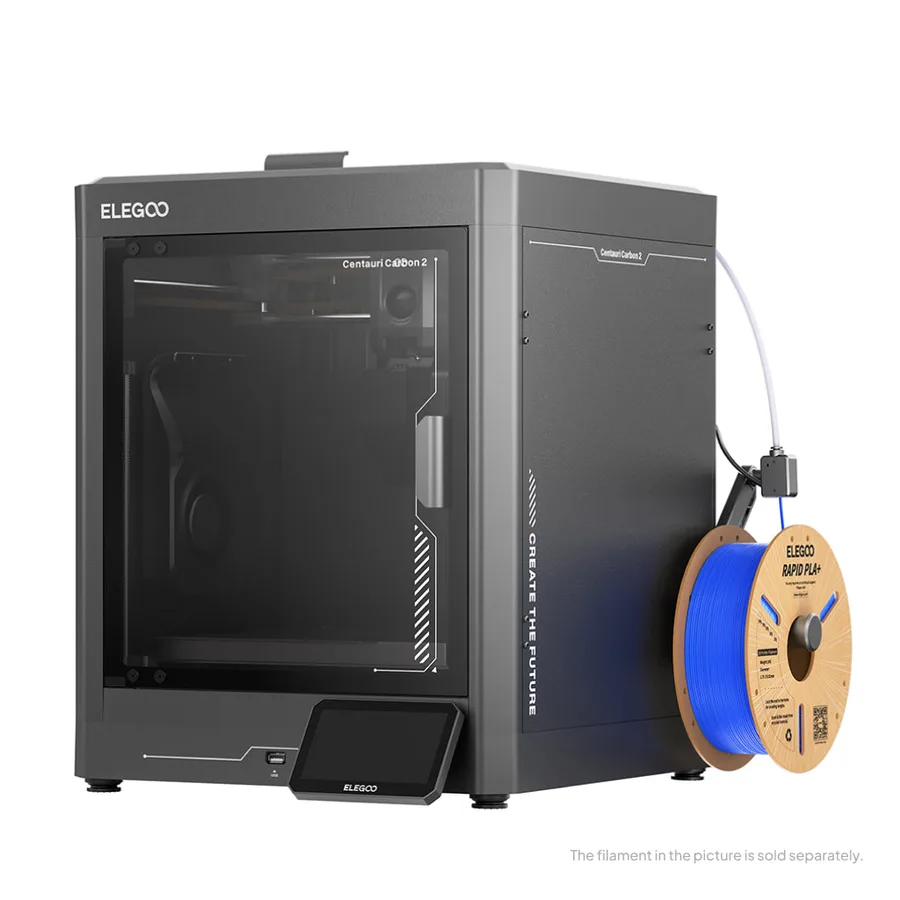
Elegoo's Centauri Carbon 2 lists a nozzle rated at 350°C paired with an enclosed chamber, which puts it in the same engineering-material territory rather than PLA-only hobbyist use. In every case, exact material compatibility depends on the manufacturer's own profile: worth checking before buying a spool of nylon or composite on the assumption it will run on any enclosed machine.
Soluble supports, dual extrusion, and multi-material printers
Some tooling parts or complex prototypes need supports that dissolve in water rather than being snapped off by hand, especially on internal geometry you can't reach. That calls for a printer that can handle two or more materials at once, typically a rigid filament alongside a soluble one like PVA.
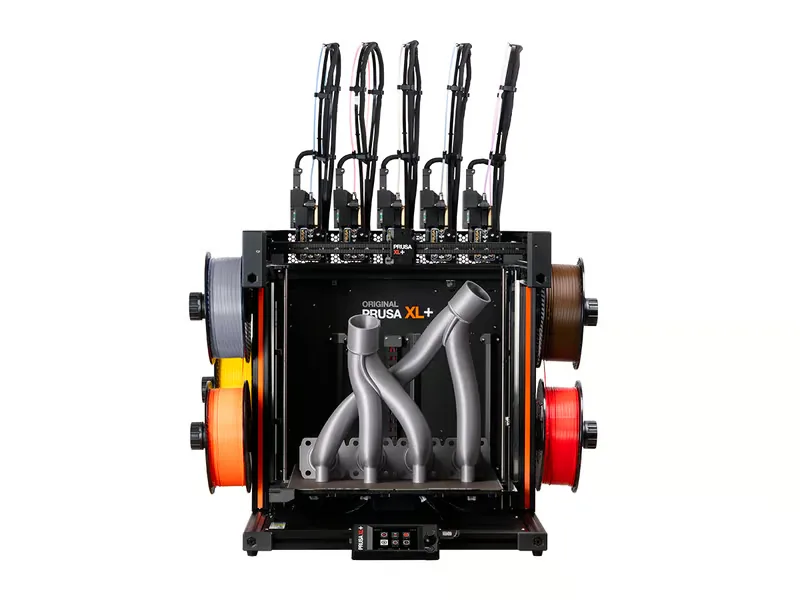
Prusa Research documents this on the XL+, a printer with multiple swappable tool heads that lets you combine rigid, flexible, and soluble materials in a single job with minimal cross-contamination, according to the manufacturer. That's a different category from a single-nozzle desktop printer like the models above, built for parts that can't tolerate manual support removal.
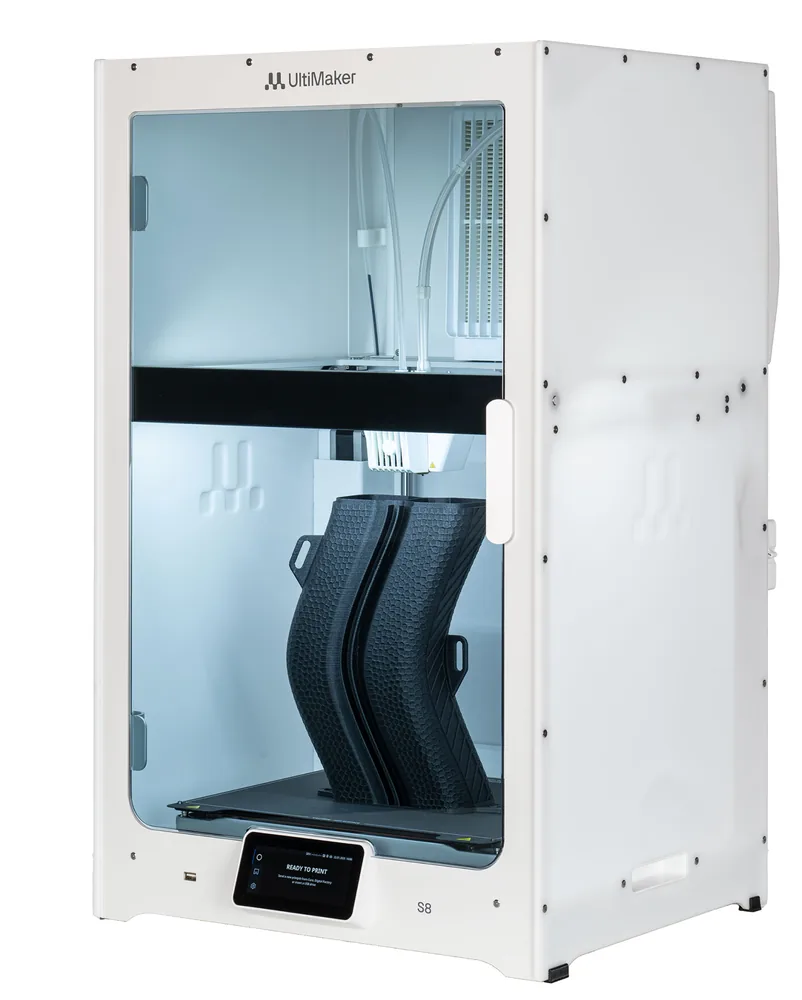
UltiMaker takes a similar approach with its S8, offering swappable print cores to combine a model with a support rather than multiply colors, and, per the manufacturer, compatibility with 280-plus materials across the S series lineup through accessories like the Material Station. That level of equipment is worth it mainly when the part itself demands it, not as a default.
Fleet management, service, and spare parts
A single machine you can watch by eye. Several machines running in a shop need remote tracking: job status, failure alerts, print queues. Most manufacturers offer some kind of monitoring app or software, but the feature set varies widely between models and is worth checking before you buy, not after.
Service and spare-parts availability often matter more than the spec sheet once a machine is in daily production: replacement nozzles, beds, belts. A model that's widely used among hobbyists has the advantage of an active community and easy-to-find parts, which isn't always true of more niche or strictly imported hardware.
Documentation matters just as much as the tracking software: a manufacturer that publishes clear maintenance guides and calibration walkthroughs cuts down the learning curve for a new operator far more than a marginally higher speed figure on the spec sheet. It's worth checking what a manufacturer actually publishes before a machine becomes central to a production workflow.
Workplace safety: emissions and ventilation
Certain engineering materials, notably ABS, ASA, or some filled filaments, release particulates and volatile organic compounds while printing. In occasional home use, a ventilated room is often enough; in a shop running several machines continuously, ventilation and, where needed, dedicated filtration become a different kind of question.
There's no single standard that covers every machine: the manufacturer's documentation and a workplace-specific risk assessment remain the only reliable references, ideally alongside local occupational health guidance on air quality. Check the safety data sheet for the filament in use rather than judging by smell or visible fumes.
A basic precaution that applies regardless of material is keeping the printer away from where people work for extended stretches, and running it during hours when the space is otherwise ventilated. None of that replaces reading the actual safety documentation for the specific filament in use, since emissions vary noticeably between formulations even within the same material family.
The total cost, and when a machine doesn't make sense
A professional printer's cost doesn't stop at the purchase: engineering-grade consumables usually cost more than standard PLA, regular maintenance (nozzles, beds, belts), training for the people running it, and sometimes separate accessories like an enclosure or a material-switching system. Our startup budget tool helps list these line items before deciding, without a universal number since every setup differs.
Comparing several enclosed printers like the K1C 2025 shows that the same machine category (CoreXY, enclosure, hardened nozzle) can cover very different needs depending on which accessories the job actually requires.
Not every business benefits from owning a 3D printer. For a one-off need, a single prototype, or a rare material you'll only use once, an outside print service avoids the cost of a machine, its upkeep, and the training that goes with it. That option stays relevant even for shops that already own equipment, as a complement for parts outside their own fleet's capabilities.
On the other hand, a regular and predictable need, several parts a week or a prototyping turnaround to shorten, more easily justifies buying. The printer finder helps compare catalog machines against these criteria before deciding between buying and outsourcing.
Machine categories for professional use
| Category | What it brings | What to check |
|---|
| Enclosed desktop "prosumer" (P2S, K1C 2025, Centauri Carbon 2) | Hardened nozzle, enclosure, basic engineering materials (nylon, light composites) | Exact material compatibility per the manufacturer's profile |
|---|
| Actively heated desktop pro (QIDI Q2) | Regulated air temperature rather than a passive enclosure | A 270 × 270 × 256 mm build volume to check against your parts |
|---|
| Multi-material desktop pro (Prusa XL+) | Multiple tool heads, soluble supports, low cross-contamination | How many tool heads your parts actually require |
|---|
| Compact pro (UltiMaker S series) | Wide advertised material range, soluble supports | Accessories sold separately (Material Station, kits) |
|---|
| Industrial resin/powder (Formlabs and similar) | Precision and engineering materials for engineering, dental, prototyping | Dedicated post-processing and training |
|---|
| Outside print service | No machine investment, occasional access to rare materials | Turnaround time and file confidentiality to negotiate |
|---|
Frequently asked questions
What actually separates a professional 3D printer from a consumer one?
It isn't a single successful print that makes the difference, it's documented repeatability over time, compatibility with engineering materials like nylon or polycarbonate, and service support built for intensive use. A consumer machine can absolutely produce a professional-grade part once in a while without holding that standard across dozens of runs.
Do I always need a heated enclosure for professional use?
It mainly depends on the materials: PLA or PETG print fine on an open-frame machine, while ABS, ASA, nylon, or composites clearly benefit from an enclosure that stabilizes ambient temperature. Several enclosed desktop machines like the P2S, K1C 2025, or Centauri Carbon 2 cover that need without requiring a full industrial system; the QIDI Q2 goes further with an actively heated chamber.
Are dual extrusion and soluble supports actually useful for a business?
They pay off mainly on complex internal geometry where removing a support by hand would damage the part, a common case in tooling or functional prototyping. According to Prusa Research, a printer like the XL+ lets you combine rigid and soluble material in a single job for exactly that kind of need.
What budget should I plan for a professional 3D printer?
There's no universal figure: cost depends on the machine, engineering-grade consumables, maintenance, and training for the people running it. It's worth listing these line items one by one with a dedicated budget tool rather than trusting a single sticker price.
When does an outside print service make more sense than buying a machine?
For a one-off need, a rare material, or a volume too low to justify maintaining a fleet, an outside print service is usually more cost-effective than a purchase. Buying a machine pays off mainly once the need becomes regular and predictable over several weeks.
Sources
- Bambu Lab — P2S official announcement (blog.bambulab.com)
- Creality — K1C 2025 user manual (wiki.creality.com)
- Elegoo — Centauri Carbon 2 (fr.elegoo.com)
- Prusa Research — XL+ specifications (prusa3d.com)
- UltiMaker — S series (ultimaker.com)
- UltiMaker — S8 specifications (ultimaker.com)
- QIDI Tech — Q2 specifications (us.qidi3d.com)
- Our methodology