
3D Printer Nozzles: Which Diameter and Material Should You Use?
Picking a nozzle isn't just about diameter: material, hotend compatibility, and the matching slicer profile all matter just as much. This page walks through how those factors fit together, whether you're buying your first nozzle or replacing a worn one.
Find My 3D Printer editorial team·Published September 10, 2026·Manufacturer documentation, no hands-on tests claimed

The short answer
Nozzle diameter (0.2 to 0.8 mm) sets the tradeoff between detail and print speed, with maximum layer height generally capped around 80% of the diameter under the rule most slicers repeat. Nozzle material matters just as much: brass suits standard filaments, while hardened steel, coated nozzles, or ruby tips become necessary for carbon-fiber or glass-fiber filled filaments, per manufacturer documentation. Every machine has its own nozzle format, which needs checking before any replacement, and swapping a nozzle almost always means redoing Z-offset and the slicer profile.
Nozzle diameter: detail, flow, and print time
Most consumer FDM printers ship with a 0.4 mm nozzle, a middle-ground choice between fine detail and print speed. Dropping to a 0.2 mm nozzle sharpens small details, engraved text, and miniatures, but it forces thinner layers and noticeably longer print times for the same volume. A wider nozzle pushes out more material per pass and needs fewer perimeter walls for the same wall thickness, which speeds things up at the cost of a rougher finish.
The maximum usable layer height is tied directly to nozzle diameter. According to Prusa's technical blog, the rule most slicers repeat is to keep layer height at roughly 80% of the nozzle diameter or less: a 0.4 mm nozzle tops out around 0.32 mm, a 0.6 mm nozzle around 0.48 mm. Prusa's own write-up found that moving to a 0.6 mm nozzle can print up to twice as fast on parts with multiple walls, a gain that shrinks sharply on single-wall models where nozzle size barely changes total print time.
A 0.8 mm nozzle or larger targets large, simple parts where fine detail doesn't matter much: storage bins, jigs, assembly parts. Layer lines are visible to the naked eye and small features get lost, which rules it out for miniatures or precision mechanical parts. Picking a diameter is really a question of what you're printing, not a universal upgrade: no single size wins across every project.
Which nozzle material fits which filament
Brass is still the most common nozzle material: good thermal conductivity, low cost, easy to machine. It handles standard filaments like PLA or PETG well, but it wears down fast against abrasive fillers. Per Bambu Lab's documentation, carbon-fiber and glass-fiber reinforced filaments (PLA-CF, PETG-CF, and similar) require a hardened steel nozzle; the manufacturer's compatibility table marks this as required for those materials, unlike standard PLA, PETG, or TPU, where a hardened steel nozzle is listed as not required.
Hardened steel and stainless steel resist abrasion much better than brass but heat and cool more slowly, which can slightly hurt precision on fast, highly detailed prints. Coated nozzles (nickel, tungsten carbide) and ruby-tipped nozzles aim to combine hard-material wear resistance with better material flow than raw steel; they cost noticeably more and mainly make sense for heavy, ongoing use of filled filaments.
For food-contact use, no consumer nozzle or filament can be treated as a certified safe solution on its own: part porosity, manufacturing residue, and repeated food contact raise questions that go well beyond the nozzle choice. If food contact matters for a project, check the filament manufacturer's data sheet and, for repeated use, get a professional opinion rather than assuming it from the nozzle alone.
Proprietary hotends: what changes machine to machine
Not every printer accepts any nozzle. Proprietary hotends often require a specific thread, length, or shaft diameter, and installing a nozzle that wasn't designed for the model can damage the heater block or cause a leak. Per Bambu Lab's documentation, the Bambu Lab A1 and the Bambu Lab P1S use nozzles interchangeable within the manufacturer's own format, sold in several materials and official diameters; always check the exact part number on the manufacturer's documentation before buying.
On the Creality K1C, the Creality wiki walks through a replacement procedure specific to that machine, including removing a nozzle cover and disconnecting a cooling fan connector before reaching the nozzle assembly. Generic nozzle kits that match a given thread format exist, but their real compatibility with a machine's firmware and sensors (clog detection, auto-calibration) isn't guaranteed the same way an OEM part is.
Before switching nozzle diameter or material, check the manual or manufacturer's site to confirm mechanical compatibility and the hotend's maximum rated temperature. A hardened steel or carbide nozzle sometimes needs a slightly higher set temperature, on the order of a few degrees per Prusa's knowledge base, to make up for its lower thermal conductivity compared with brass.
Changing a nozzle: the general procedure
The general approach is the same on most V6-style hotends and their derivatives: heat the hotend to the printing temperature of the filament in use, unscrew the nozzle while it's still hot using the right wrench, then screw the new nozzle in firmly before it cools. Per E3D's documentation, a nozzle retightened cold leaves a gap between the nozzle and the heatbreak that filament can leak through during a print.
Every manufacturer documents its own procedure, with its own precautions: some machines require removing a cover or body panel to reach the nozzle, others offer a tool-free quick-swap system. Following the exact model's manual is still the best way to avoid damaging the heater block, thermistor, or fan connector during the swap.
After a nozzle change, a new Z-offset is almost always needed, since the exact length of the new nozzle can differ slightly from the old one. The 3D printer calibration guide covers this step and the order in which to redo the settings that depend on it.
When to replace a nozzle: wear and recurring clogs
A nozzle wears gradually: the orifice widens as abrasive filament passes through, which shows up as over-extrusion, slightly bulging walls, or a loss of precision on fine details. This mostly affects brass nozzles used with carbon-fiber or glass-fiber filled filaments, a combination most manufacturers explicitly advise against for that nozzle material.
A recurring clog, different from wear, shows up as gradually worsening under-extrusion or a full stop in flow despite a correct temperature. The clogged nozzle guide covers diagnosis and the cold pull method for clearing a clog without fully disassembling the hotend; if the problem keeps coming back after several cold pulls, the nozzle itself, rather than the filament or temperature, is often the actual cause.
There's no universal lifespan: a brass nozzle used only with PLA can last a very long time, while a brass nozzle run with abrasive filaments can wear out within a few hundred grams. Noticing a gradual quality decline despite correct calibration is often the most reliable sign it's time to replace the nozzle rather than tweak another setting.
Matching your slicer profile to each nozzle
Switching nozzle diameter without updating the slicer profile almost always produces disappointing results: extrusion width, maximum layer height, and sometimes print speed all need recalculating for the new diameter. Most modern slicers, including OrcaSlicer and PrusaSlicer, offer a dedicated nozzle profile in the printer settings, meant to be selected before slicing a file rather than fixed after the fact.
Keeping a separate profile per nozzle-and-material combination saves you from starting over every time you switch: diameter, temperature, flow rate, and retraction calibrated for a brass 0.4 mm nozzle don't necessarily carry over to the same machine fitted with a 0.6 mm hardened steel nozzle. The 3D printer calibration guide notes that a nozzle or hotend swap is a good reason to recheck at least flow rate and Z-offset before printing normally again.
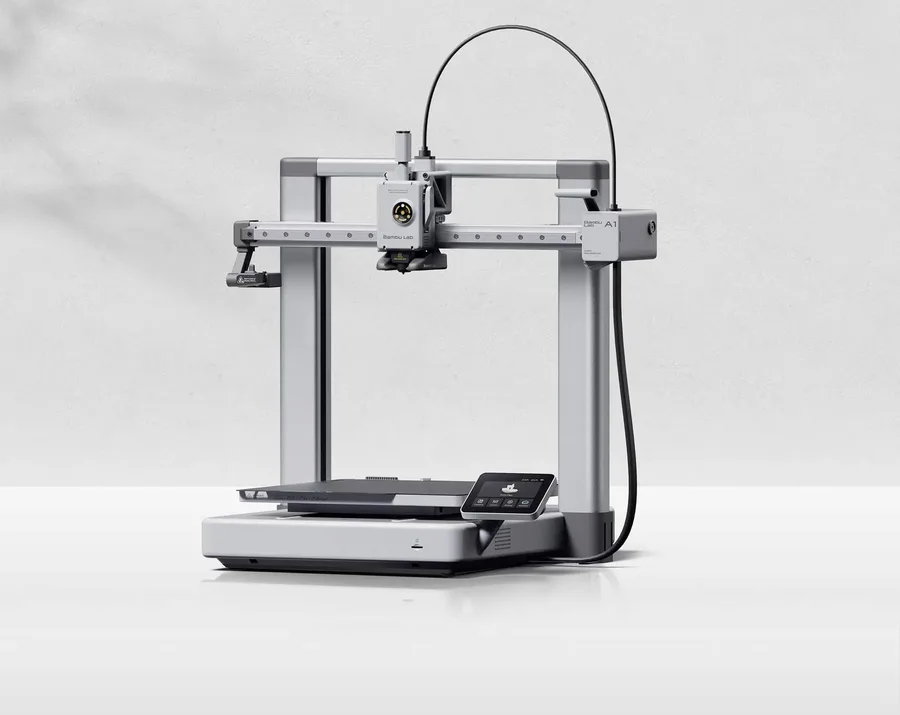
Bambu Lab A1
256 × 256 × 256 mm
More space on every axis than the A1 mini, while keeping the A1 family workflow.
An open frame does not provide the same thermal conditions as an enclosed printer. Choose materials accordingly.
Specifications and seller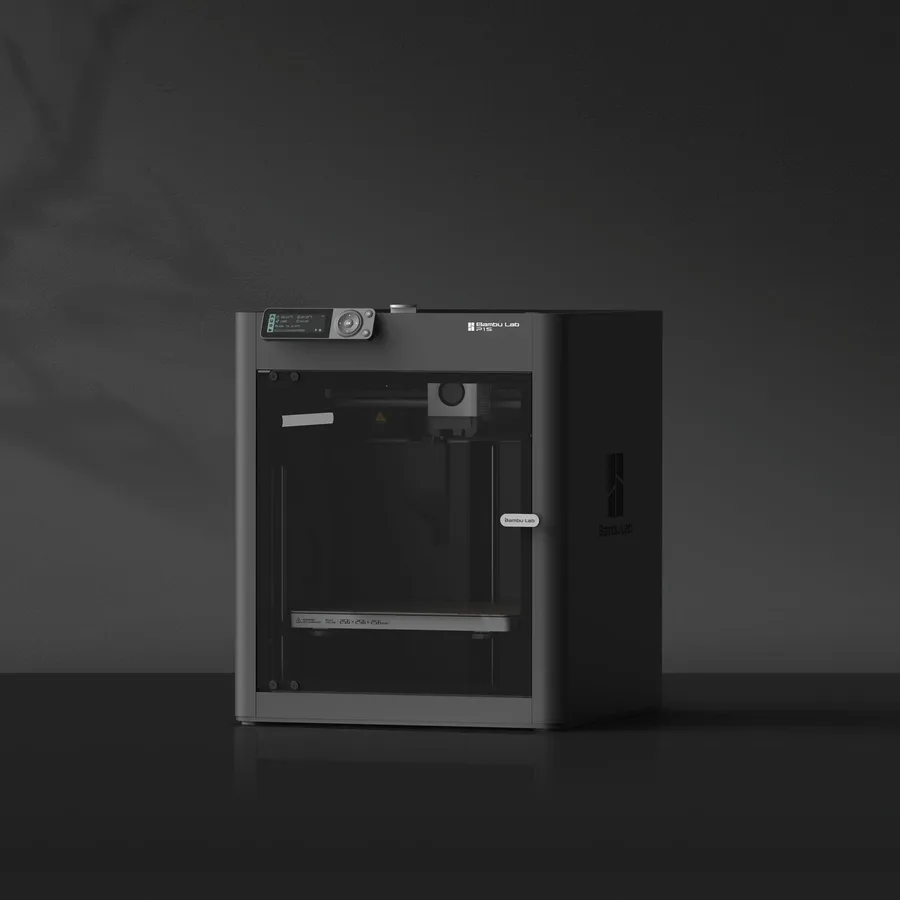
Bambu Lab P1S
256 × 256 × 256 mm
The same nominal volume as the A1, with an enclosure and a different motion system.
Check the precise AMS version, adapters and accessories included. Enclosure alone does not establish material suitability.
Specifications and sellerCreality K1C 2025
220 × 220 × 250 mm
An enclosed format with different dimensions from 256 mm printers; manufacturer-specified hotend up to 300°C.
Distinguish the original K1C from K1C 2025. Check accessories and regional delivery before ordering; check the exact bundle in the manufacturer’s US listing.
Specifications and sellerSources and limits
- Prusa Knowledge Base — E3D V6 Nozzles
- Prusa Blog — Everything About Nozzles With a Different Diameter
- Bambu Lab Wiki — Filament Guide (nozzle compatibility table)
- Creality Wiki — K1C Extruder Nozzle Assembly Replacement
- E3D — V6 Hardened Steel Nozzle
We organize manufacturer and community documentation; we have not measured these products ourselves. The manual for your exact model takes precedence over general guidance.
A clearer shortlist starts with your projects.
Use the free buying checklist and budget worksheet before comparing offers.