
Anycubic ACE Pro: compatibility and limitations by printer
The ACE Pro is the multi-spool feeder Anycubic sells alongside its Kobra printers, either on its own or inside a Combo bundle. Before you buy one, three questions matter: which generation of the system you are getting, which printer actually supports it, and which filaments you can load. This page answers them using the Anycubic wiki notes for the ACE Pro, the wiki's filament backup guide for the Kobra S1 Combo, and the Kobra 3 product page, without stretching those documents to printers they do not cover.
Find My 3D Printer editorial team·Published October 20, 2026·Manufacturer documentation, no hands-on tests claimed

The short answer
ACE Pro is a four-tube feeder whose material limits must be checked against the paired printer's limits. Anycubic's notes reserve HIPS and TPU 95A for drying; its Kobra 3 page describes PLA/PETG and single-color TPU outside the unit. The Kobra S1 Combo guide documents filament backup with auto refill enabled and matching material and color, entered manually when necessary. These documents do not provide a complete compatibility list for separately sold ACE Pro variants. ACE 2 Pro is a separate product.
What the module actually does, per the Anycubic wiki
The Anycubic wiki describes the ACE Pro as a four-tube feeder. Each spool gets its own tube, and the unit loads and unloads filament without you touching it. The stated goal is to avoid tangles and manual swaps between colors. The same page adds a relay feature: when a spool runs out, the module moves to the next spool if it matches both color and material. The wiki's filament backup guide for the Kobra S1 Combo spells out the conditions: the auto refill option must be checked in filament management before the print, and two spools of the same material and color must be loaded. With third-party spools or spools without an identification chip, you set material and color for both channels manually; different materials in the same color do not qualify. Anycubic also asks you to check the PTFE tube and feed path regularly, because wear or blockage can make the switch fail.
The Kobra 3 product page fills in the rest. One module gives you four colors, and two modules joined by an eight-channel feeding hub give you eight. The page also says the module has heating elements for drying spools, but it stays under printer control and cannot run on its own away from the Kobra 3. Finally, it notes that filaments with Anycubic's Intelligent Identification are recognized automatically, while third-party filament requires you to pick color and material manually before printing. If you are new to this kind of system, the guide to choosing a multicolor printer covers how purges and color changes work in general.
ACE Pro vs ACE 2 Pro: read the generation and the bundle name
The Anycubic store catalog, visible on the Kobra 3 page, lists two separate products: ACE Pro and ACE 2 Pro. It also sells distinct bundles such as Kobra 3 Combo, Kobra 3 V2 Combo, Kobra 3 Max Combo, and Kobra S1 ACE 2 Pro Combo. Some bundle names state the feeder generation, as Kobra S1 ACE 2 Pro Combo does; others, such as Kobra 3 Combo, do not say it in the name, so read the bundle page. The documentation consulted here does not spell out the technical differences between the two generations, so check each module's own page before assuming they are interchangeable.
The page for the standalone Kobra 3 is direct about this. Its spec table marks multicolor printing as sold separately, and the FAQ confirms you cannot print multiple colors without an ACE Pro. If you buy the bare printer, budget for the module as a second purchase. The accessories menu also lists an ACE Pro Upgrade Kit and an ACE Pro Return Detection Module, though the captured page does not describe what they contain. To add up printer, feeder, and spools before you commit, the startup budget tool keeps the total honest.
Allowed filaments, and what stays on the external spool holder
The Anycubic wiki lists the materials the ACE Pro supports: PLA, PETG, ABS, ASA, PET, PA, PC, PP, HIPS, and TPU 95A, followed by an open-ended "etc." Two limits apply. First, the same sentence carries a decisive condition: actual compatibility depends on what the paired printer can print. Second, the wiki states that HIPS and TPU 95A are supported for drying only, not for loading into the unit for printing. In practice, the feeder's list never overrides the printer's list, and a supported material is not always a material you can print from the feeder.
The Kobra 3 page shows how that plays out. The printer itself lists only PLA, PETG, and TPU. TPU is single-color only, fed from the printer's spool holder, not through the ACE Pro. The wiki adds that HIPS and TPU 95A can be dried in the module but not loaded for printing, so drying and loading are two different capabilities. If you were counting on flexible filament in multicolor, read the page on TPU in multi-spool systems first.
The wiki also rules out filaments that are too hard, too brittle, or fiber-reinforced: PLA-CF, PLA-GF, any carbon fiber or glass fiber blend, and non-official Silk PLA. The stated reasons are wear inside the channels, filament breakage, and clogs. Those materials remain usable on the printer's external holder, within whatever the nozzle and the printer's own spec sheet allow. The page on carbon fiber filament explains why these blends are abrasive.
Accepted spools: plastic, cardboard, and dimensions to check
The Anycubic wiki recommends plastic spools first. It defines the standard 1 kg spool the ACE Pro supports: outer diameter from 195 to 200 mm, width from 60 to 68 mm, and flange wall thickness from 3 to 6 mm. With cardboard spools, the wiki warns of slipping, friction, and debris inside the module. That is a caution rather than a ban, but it matters if your usual filament brand ships on cardboard.
The Kobra 3 page gives slightly different numbers for the printer alone: same diameter and width, but a wall thickness of 3 to 3.5 mm. Neither document says which range governs once the feeder is attached. The safe approach is to measure your spools with calipers and stay inside the narrower range. Refillable spools, covered on the page about reusable spools and refills, let you standardize on one format without changing filament suppliers. Still, confirm their published dimensions before ordering.
Compatibility by printer: what the sources establish, and nothing more
The documentation consulted establishes two cases. The Kobra 3 page covers installation, color count, and accepted materials. The Anycubic wiki's filament backup guide for the Kobra S1 Combo states that the ACE Pro shipped with that bundle supports filament backup, which documents ACE Pro use on that printer without describing a separate purchase. Asked whether the ACE Pro works with other printers, the Kobra 3 page answers that Anycubic will pursue further adaptation development and asks you to watch its announcements. That undated wording offers no list and no timeline. A Combo bundle carrying another printer's name, such as Kobra 3 Max Combo, only proves that some feeder ships with that printer. It does not prove that a separately purchased ACE Pro will work on it, and it does not prove the opposite either.
Before buying a standalone module for any Anycubic printer other than the Kobra 3, look for an official page that names your exact model and the feeder generation. If you are still choosing a machine, the Anycubic Kobra 3 page restates its key figures: a build volume of 250 x 250 x 260 mm, a hotend rated to 300°C, and a bed rated to 110°C. Those numbers matter because, even for a material the feeder accepts, Anycubic asks you to confirm the filament's printing temperature falls within the hotend's range. The Anycubic brand page helps compare the lineup.
Installation side, drying, and feed-tube maintenance
The Kobra 3 page recommends mounting the ACE Pro on the left side of the printer. The PTFE tube and hub accessories are designed for that side, and a right-side placement may interfere with filament advance and cause irregular feeding. This detail is not in the generic wiki notes. It applies to the Kobra 3 as documented, and you should confirm it for any other bundle.
Drying is built in but tied to the printer. The module heats spools only under Kobra 3 control, never on its own. If you want a standalone dryer to prepare spools before printing, the page on choosing a filament dryer covers that separate category of device. Note again that the wiki allows drying HIPS and TPU 95A in the module without allowing them to be loaded for printing.
Finally, the wiki flags a wear item: the feed tube rubs against moving filament and wears over time. Anycubic asks you to check the tube regularly and replace it promptly. That advice carries more weight given that fiber-filled materials, which are banned from the module, accelerate exactly this kind of wear. A quick visual check of the tube at each spool change is an easy habit to keep. Replacement options are discussed on the PTFE feed tubes page.
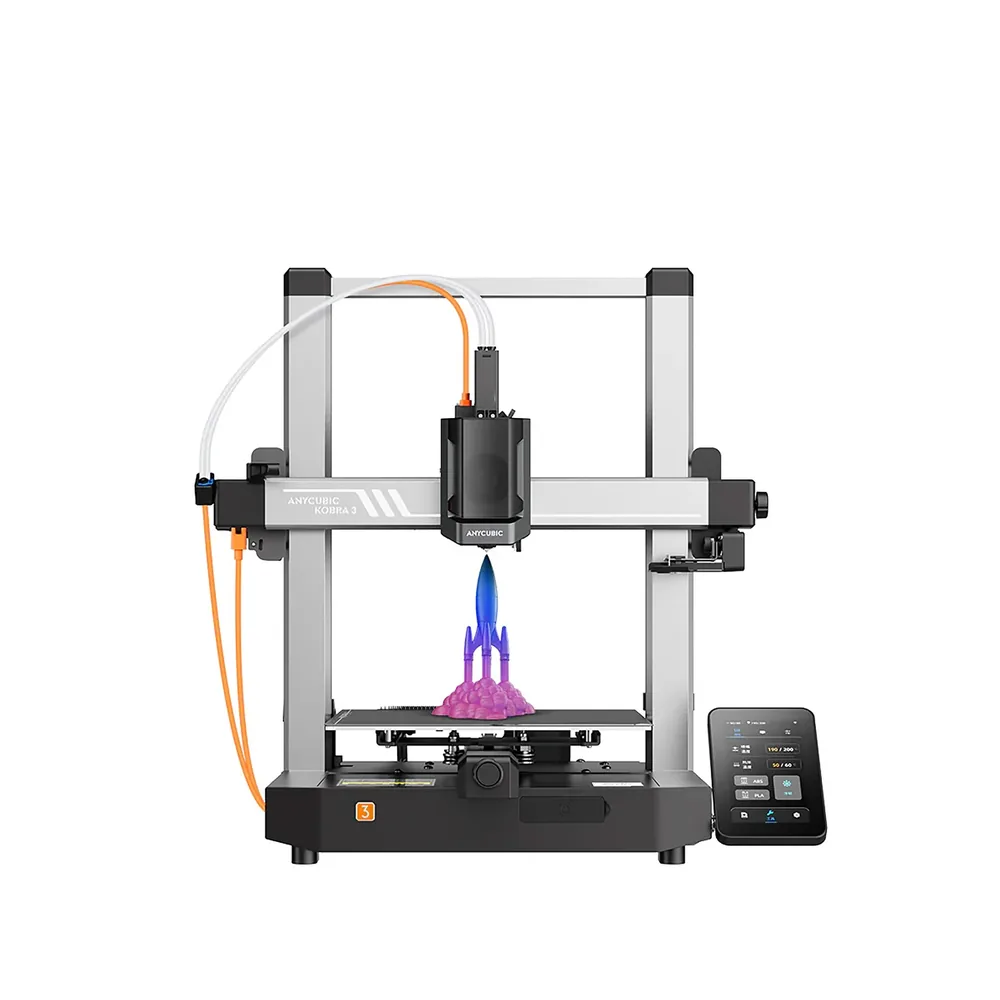
Anycubic Kobra 3
250 × 250 × 260 mm
A top speed advertised at 600 mm/s, automatic LeviQ 3.0 leveling, and a base that can grow into multicolor via the ACE Pro.
Open frame: ABS and ASA are not listed among the materials Anycubic advertises for this model.
Specifications and sellerSources and limits
- Notes for ACE Pro | Anycubic Wiki
- Anycubic Kobra 3 3D Printer | Anycubic Store
- Kobra S1 - Filament Backup Guide | Anycubic Wiki
We organize manufacturer and community documentation; we have not measured these products ourselves. The manual for your exact model takes precedence over general guidance.
A clearer shortlist starts with your projects.
Use the free buying checklist and budget worksheet before comparing offers.