
Anycubic ACE 2 Pro: meaningful differences from ACE Pro
The ACE 2 Pro is the second generation of Anycubic's multicolor and filament drying unit. If you already own an ACE Pro, or you are choosing between the two for a Kobra S1, Kobra S1 Max, Kobra X or Kobra 3, this page sticks to what Anycubic's product page and wiki actually document: new features, compatibility conditions, cables and firmware, and what stays the same.
Find My 3D Printer editorial team·Published October 20, 2026·Manufacturer documentation, no hands-on tests claimed

The short answer
Anycubic advertises ACE 2 Pro drying up to 65°C while printing and redesigned feed and buffer mechanisms. Check compatibility by printer model, cable and firmware: requirements differ on Kobra S1 and the Kobra 3 series. The brand states that ACE Pro and ACE 2 Pro cannot be used simultaneously. The Kobra S1 module limit remains unconfirmed: the same guide gives four units in a connection table and two in its maximum-count list.
What Anycubic lists as new in the ACE 2 Pro
Anycubic answers the generation question directly in its product FAQ. The ACE 2 Pro supports high-temperature drying while printing, adds temperature and humidity detection, uses sealed storage, and has an electromagnetic valve that actively removes moisture. The company also says the feeding and buffering mechanisms have been fully upgraded for more stable printing. Those are the four headline changes you should keep in mind before looking at anything else.
On the mechanical side, Anycubic describes four independent brushless motors and a next-generation feed and retract buffer, which it presents as smooth, jam-free filament feed and retraction on every channel. The filament feeding port is alumina ceramic, which the page says resists abrasion better than standard plastic. The external feeding channel and buffer use a quick-release design, so clearing a jam is meant to take seconds rather than a teardown.
The unit also carries an on-board printing assistant: remaining filament estimation, auto-refill from a preset color and material profile, and automatic identification of Anycubic filament. The page states that this identification requires an internet connection and Anycubic proprietary filament. With another brand's spool it therefore does not apply, and you enter material and color yourself.
Drying at 65 °C while printing: what it actually covers
The most visible change is active drying up to 65 °C that can run at the same time as a print. Anycubic is specific about scope. Drying is described as suitable for PLA, PETG, TPU and PVB. For ASA, ABS, PET, PA, PC, PP, BVOH, POM, HIPS and fiber-reinforced materials, the spec sheet says drying is compatible but not optimal. Anycubic therefore does not promise optimal drying for those materials; if such a spool has already absorbed moisture, a separate drying step may still be needed.
Built-in sensors report chamber temperature and humidity to the app, the slicer and the printer screen. A silicone sealing ring blocks outside humidity for long-term storage. One distinction matters here: dry air inside the box does not prove that a spool that already absorbed moisture is dry. Our explainer on how a filament dryer works covers when a standalone dryer still earns its place next to a feeder like this one.
Anycubic also warns against cardboard spools, saying their variable quality can interfere with normal operation over long-term use. If most of your stock is on cardboard, plan on reusable spools or compatible refills.
Loading speed, color changes and noise: the published numbers
Anycubic publishes a direct comparison between the two generations and labels the source as its own lab. The ACE Pro feeds at 25 mm/s with a filament change of about 84 seconds, while the ACE 2 Pro feeds at 50 mm/s for about 56 seconds. The company frames that as roughly 47 minutes saved per 100 filament changes, and notes that change times may shift with future firmware updates. Treat these as manufacturer measurements, not independent testing.
For noise, the page lists under 48 dB with the door closed and 55 dB when drying is enabled, measured one meter in front of the printer by Anycubic and subject to unit variation. The brushless motors are rated for a lifespan of at least 5,000 hours. Again, read these as manufacturer claims and confirm them in the manual for your exact variant.
On a multicolor job, change time directly drives total print time. Our guide to multicolor 3D printers explains why the number of changes, not just the number of colors, determines how long a job runs and how much purge you burn.
Supported printers and how many units you can chain
The Anycubic wiki lists the supported models: Kobra 3, Kobra 3 V2, Kobra 3 Max, Kobra S1, Kobra S1 Max and Kobra X. The store page sells two variants, one for the Kobra X, Kobra S1 Max and Kobra S1, and one for the Kobra 3 series, and the label of that second variant also names the Kobra 3 Max V2 and Kobra 4, two models missing from the compatibility list in the same page's FAQ and specifications. Regional store pages change, so confirm the manual for your exact printer and variant before ordering.
The maximum cascade count depends on the printer. The wiki section on connecting multiple units states two ACE 2 Pro units for the Kobra 3 series and the Kobra S1 series, and four for the Kobra S1 Max and the Kobra X. For the Kobra S1 the same guide contradicts itself: the connection table for that model says 4*ACE 2 Pro with firmware V2.7.0.7, while the maximum list says two units. As of 20 October 2026 Anycubic does not explain the difference, so do not treat either two or four as a safe figure for the Kobra S1 without confirmation from the manual or support. The product page advertises up to 16 colors with four units, with the caveat that the real number depends on the printer model and its manual. On an Anycubic Kobra S1 Max, the four-unit cascade is documented on factory firmware.
The product page and wiki state that ACE Pro and ACE 2 Pro cannot be used simultaneously. That wording does not separately document every cable arrangement: follow the guide for your module and printer when replacing a unit.
Cables, firmware and what ships in the box for your printer
This is where a swap gets specific. According to the wiki, the signal connection between the ACE 2 Pro and the Kobra S1 (not the Max) or the Kobra 3 series is unique, so first-generation signal cables cannot be used. A Kobra S1 needs the K3/K3M/S1 signal cable and firmware V2.7.0.7, delivered as an OTA update. The multi-color retraction module is required if your S1 is the standalone version.
For the Kobra 3 series, the wiki requires a signal adapter cable and minimum firmware: V2.4.6.4 on the Kobra 3, V1.1.2.5 on the Kobra 3 V2 and V2.5.2.5 on the Kobra 3 Max. Chaining multiple units on that series also needs a USB-to-RS485 cable. The recommended placement is to the left of the printer at 10 to 15 cm. The Kobra S1 Max and Kobra X work on factory firmware with a signal adapter cable.
Box contents differ by variant. The Kobra X, S1 Max and S1 version includes an adapter plate, a return detection module with a 4-in-1 filament hub, and M2.5 screws. The Kobra 3 series version includes a 4-in-1 hub, a purge wiper for the Kobra 3 Max and M3 screws. Four PTFE feed tubes and cable clips ship with both.
Should you replace an ACE Pro that still works?
If your ACE Pro loads reliably and you mostly print PLA stored dry, the documented gains come down mainly to faster color changes and drying during the print. A replacement makes more sense in three scenarios: you regularly print PETG or TPU and want them dried while printing, which are materials Anycubic lists as suitable for drying; you run long multicolor jobs where changes pile up; or you want to scale to four units on a Kobra S1 Max or Kobra X.
Before you order, check three concrete things: the ACE 2 Pro variant matches your printer model, your printer firmware meets the version in the table below, and you are prepared to disconnect the ACE Pro, since the two will not coexist. The unit's listed weight is 3.7 kg and its dimensions are 368 × 291.5 × 236.5 mm, which matters if it has to sit on top of the printer or on a nearby shelf.
To place this purchase in an overall startup or expansion budget, use our startup budget tool rather than a listed price, because store pages vary by region and promotion.
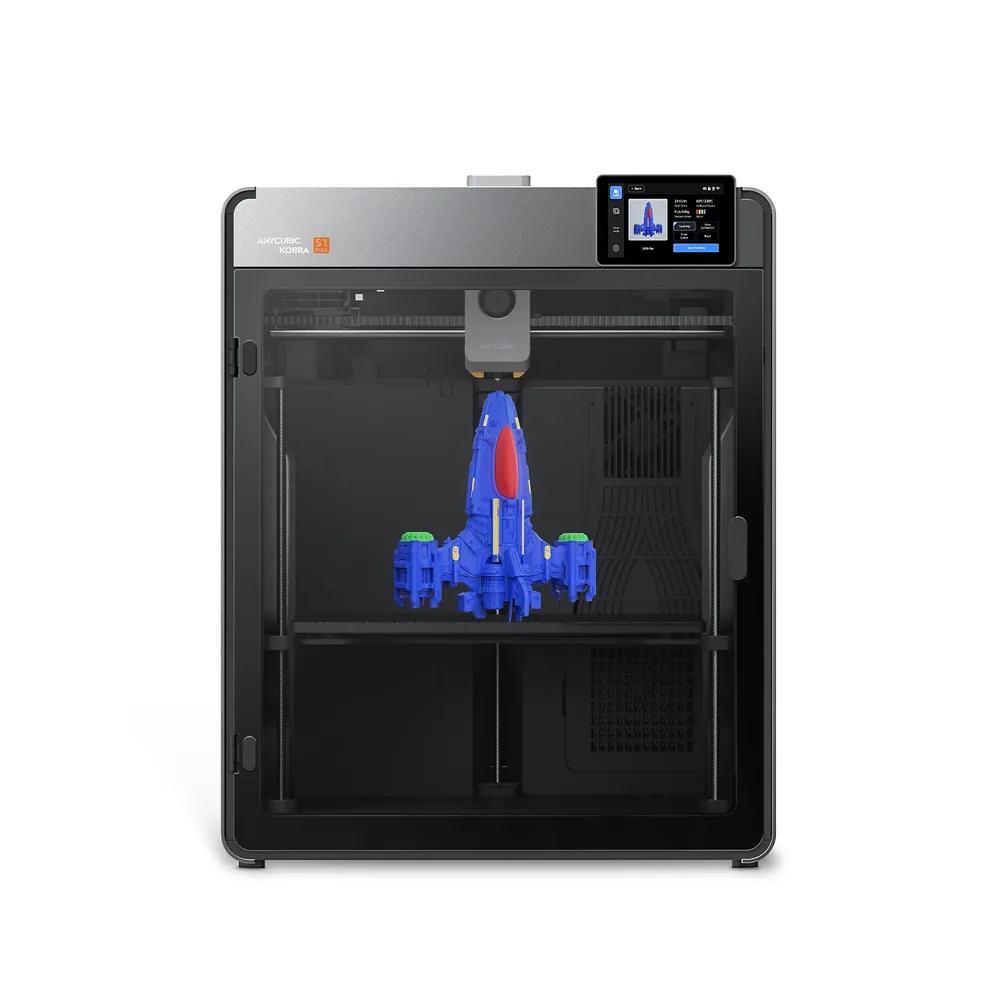
Anycubic Kobra S1 Max
350 × 350 × 350 mm
A 350 × 350 × 350 mm volume in an enclosed CoreXY chassis, an active 65°C heated chamber, a nozzle advertised up to 350°C, and dual external cooling fans per Anycubic.
Multicolor isn't included as shipped: one or more ACE 2 Pro modules remain separate accessories. Check the exact bundle contents (included nozzles, plate) on the retailer's listing.
Specifications and sellerSources and limits
- Anycubic ACE 2 Pro | Anycubic Store
- ACE 2 Pro - Multi-Model Compatibility Guide | Anycubic Wiki
We organize manufacturer and community documentation; we have not measured these products ourselves. The manual for your exact model takes precedence over general guidance.
A clearer shortlist starts with your projects.
Use the free buying checklist and budget worksheet before comparing offers.