
Dual Extruder 3D Printer: IDEX, Toolchanger, or Twin Nozzles
The label "dual extruder" covers very different mechanisms that do not serve the same purpose depending on whether you want simple two-color prints or functional multi-material parts with soluble supports. This page compares IDEX, a dedicated-tool toolchanger, and twin nozzles sharing one carriage, using machines that each represent one approach.
Find My 3D Printer editorial team·Published September 16, 2026·Manufacturer documentation, no hands-on tests claimed

The short answer
A dual extruder printer can mean three distinct architectures: IDEX, where two extruders move fully independently on the X axis, as on the Snapmaker J1s, letting you copy or mirror a part and print two materials with no cross-contamination between them; a toolchanger, where each material gets its own complete tool swapped in automatically, as on the Prusa XL and its up to five toolheads; and twin nozzles mounted on a single carriage, as on the Bambu Lab H2D or X2D, which cut purge time between colors without the independent motion of an IDEX. The right choice mostly depends on the job: occasional two-color prints, functional multi-material parts, or batches of symmetrical pieces.
Three Ways to Print Two Colors or Materials in FDM
The phrase "dual extruder" covers architectures that do not work alike mechanically. Some machines move two extruders fully independently on the same axis, others physically swap a complete tool between materials, and others still carry two nozzles on a single carriage that moves as one head. These differences decide what the machine can actually do: print two objects in parallel, guarantee zero contamination between two filaments, or simply cut down on wasted material during a color change.
Before comparing spec sheets, it is worth figuring out which family a machine marketed as "dual extruder" actually belongs to, rather than assuming it behaves like the others. The printer finder lets you filter the catalog by this exact criterion rather than by the number of nozzles alone.
IDEX: Two Genuinely Independent Extruders
On an IDEX (Independent Dual Extrusion) machine such as the Snapmaker J1s, both extruders move independently on the X axis, according to the manufacturer, which lets you print two parts in parallel without an idle extruder dripping material onto the active print. That independence enables two modes unique to IDEX: copy mode, which prints two identical parts at the same time and lets you stop one without affecting the other, and mirror mode, which automatically prints a part and its mirror image in a single job.
The manufacturer also lists a backup mode that automatically switches to the second extruder if the first runs into a problem mid-print, along with compatibility with dissolvable supports and breakaway filament for easier manual removal. These machines advertise high speeds, up to 350 mm/s according to the manufacturer for the J1s, a figure that mostly benefits parallel printing rather than two-color work on a single part.
The Toolchanger: A Complete Dedicated Tool per Material
The Prusa XL illustrates a third approach: an automatic tool changer that can hold up to five independent print heads, each with its own extruder, hotend, and nozzle, sold with one, two, or five heads installed according to the manufacturer, with the option to add more later. Since each head keeps its own nozzle parked rather than sharing one filament path, the manufacturer claims virtually no purge waste and no cross-contamination between materials, a clear edge over a system that has to empty and reload a shared path on every material change.
This architecture also lets you print soluble organic support material from a dedicated head, which the manufacturer describes as easy to remove or dissolve in water, without manual work on complex geometry. The Prusa XL lists a 360 × 360 × 360 mm build volume, leaving room to combine several materials on a reasonably large part rather than a small prototype.
Twin Nozzles on One Carriage: The Dual-Nozzle Compromise
A third family of machines, including the Bambu Lab H2D and Bambu Lab X2D, carries two nozzles on a single carriage rather than two fully independent systems. Both nozzles move together, which rules out the copy or mirror modes unique to IDEX, but lets different filaments be split between the two nozzles to cut down on how many purges a color or material change requires, compared with a machine that has only one nozzle shared between several filaments.
This compromise mainly targets users who want occasional two-color or multi-material prints without investing in a full multi-head toolchanger or two independent extruders on rails. It stays less flexible than an IDEX for printing two separate parts in parallel, and less thorough than a toolchanger at eliminating cross-contamination, which makes it a middle option rather than a direct replacement for the other two approaches.
Copy and Mirror Modes: Producing Two Parts in One Job
Copy mode and mirror mode, unique to IDEX machines like the J1s, mostly change throughput rather than the quality of a single part. Copy mode suits a small batch of identical parts, letting you stop one print without losing the other if a problem shows up partway through, a useful safeguard on a long print.
Mirror mode targets parts that exist as a symmetrical pair, left and right, such as certain brackets or mounting parts, cutting total time compared with two successive prints on a single-extruder machine. Both modes are specific to IDEX architectures: neither a toolchanger nor twin nozzles on a shared carriage offer them the same way, since their tools do not move independently of each other.
Soluble Supports and Two-Color Parts: What These Systems Actually Deliver
Soluble supports and two-color parts remain the most concrete argument for a dual extruder, whichever architecture you pick. On an IDEX like the J1s, the manufacturer lists compatibility with dissolvable filament (PVA-type) that dissolves after soaking and breakaway filament designed to snap off easily by hand. On a toolchanger like the Prusa XL, the dedicated soluble organic support material dissolves in water according to the manufacturer, which simplifies removal from complex overhangs or internal cavities that would otherwise be unreachable.
For a simple two-color object with no requirement for zero contamination between colors, the twin nozzles on an H2D or X2D are usually more than enough and avoid investing in a more complex system. Single-nozzle systems that swap filament automatically are a fourth option worth considering before reaching for a dual extruder if the need stays occasional.
Who Actually Needs a Dual Extruder?
A dual extruder becomes worthwhile once a project combines two materials with incompatible properties on the same part, say a rigid base with a soft zone, or needs supports that are impossible to remove cleanly by hand afterward. It also pays off for anyone regularly producing small batches of identical or symmetrical functional parts, where an IDEX's copy or mirror mode genuinely saves time.
For an occasional two-color print or a two-tone logo, an IDEX or a toolchanger is usually far more than the job needs: twin nozzles on a machine like the H2D, or even a single-extruder system with automatic filament switching, cover most cases. The startup budget tool helps weigh the cost of each approach before deciding.
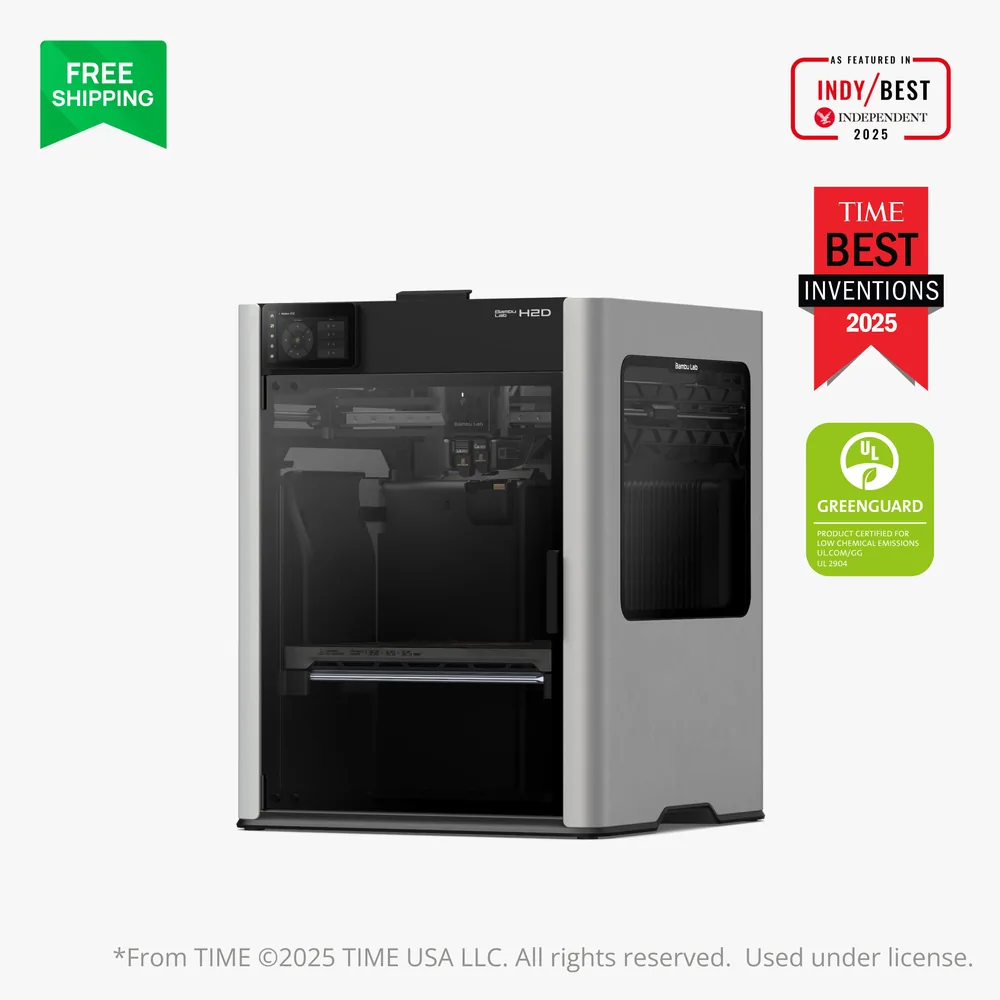
Bambu Lab H2D
350 × 320 × 320 mm
A quick-swap dual nozzle, an actively heated chamber, and an optional laser/cutting module make this a rare multi-purpose base in Bambu Lab's lineup.
The AMS 2 Pro, high-temperature nozzles, and laser module are sold separately, so actual contents depend entirely on the bundle a retailer lists.
Specifications and seller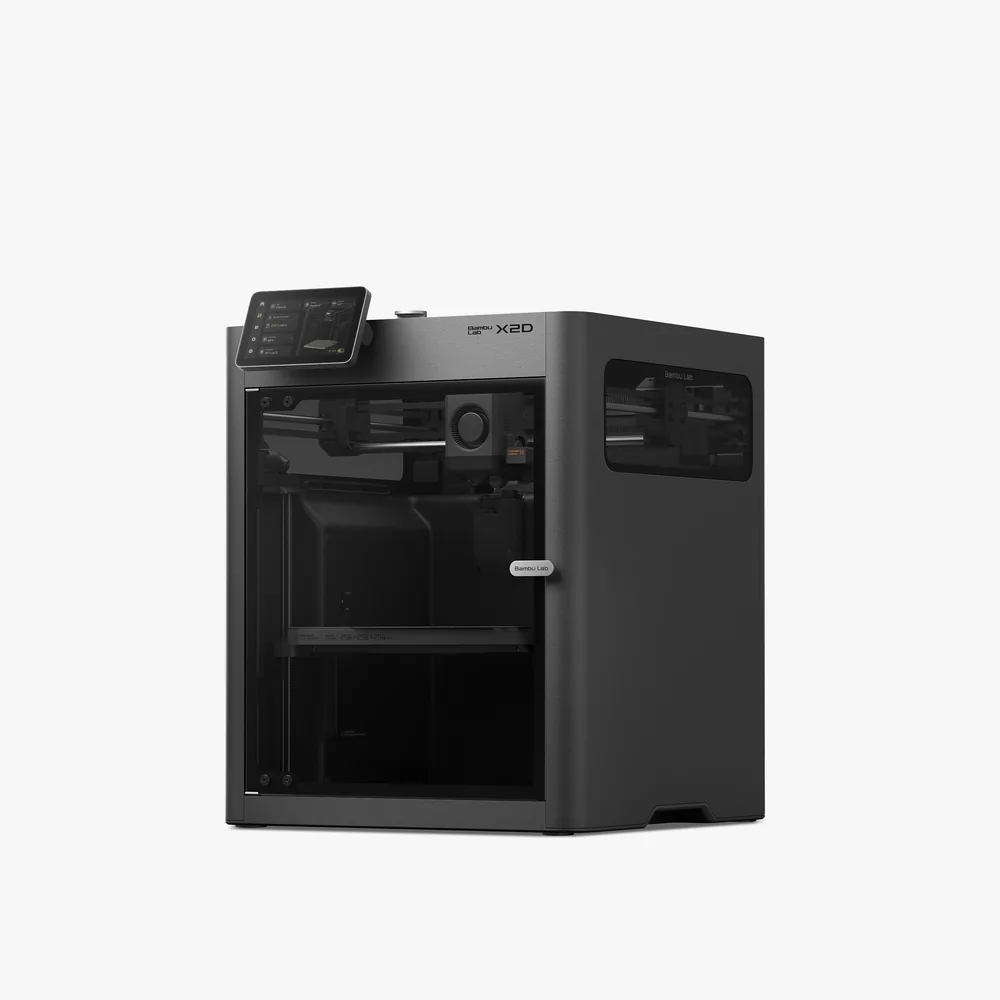
Bambu Lab X2D
256 × 256 × 260 mm
A second nozzle promoted for support material that peels away cleanly, a 65°C heated chamber, a 300°C nozzle, and a 256 × 256 × 260 mm nominal volume per Bambu Lab.
Beyond two materials, an AMS is still needed for full multicolor, and dual-nozzle printing reduces the volume to 235.5 × 256 × 256 mm. Check the exact bundle contents (Combo vs. standalone) on the retailer's listing.
Specifications and seller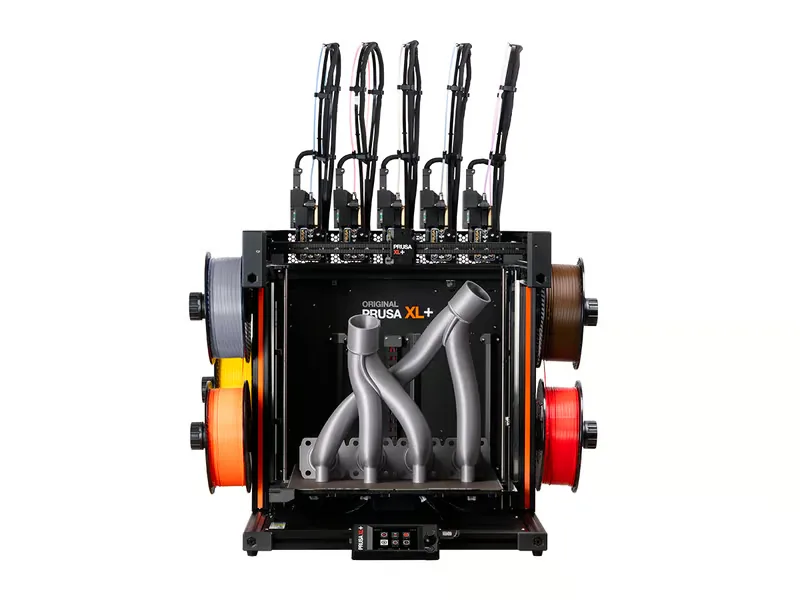
Prusa Research XL+
360 × 360 × 360 mm
A tool changer that scales from 1 to 5 toolheads, a 16-zone segmented heatbed to limit warping, and the + revision brings faster calibration and 10-15% faster printing per Prusa Research.
Open frame by default with no active chamber heating; the optional enclosure is needed to stabilize temperature for technical materials, and Prusa Research doesn't publish a maximum speed or acceleration figure.
Specifications and seller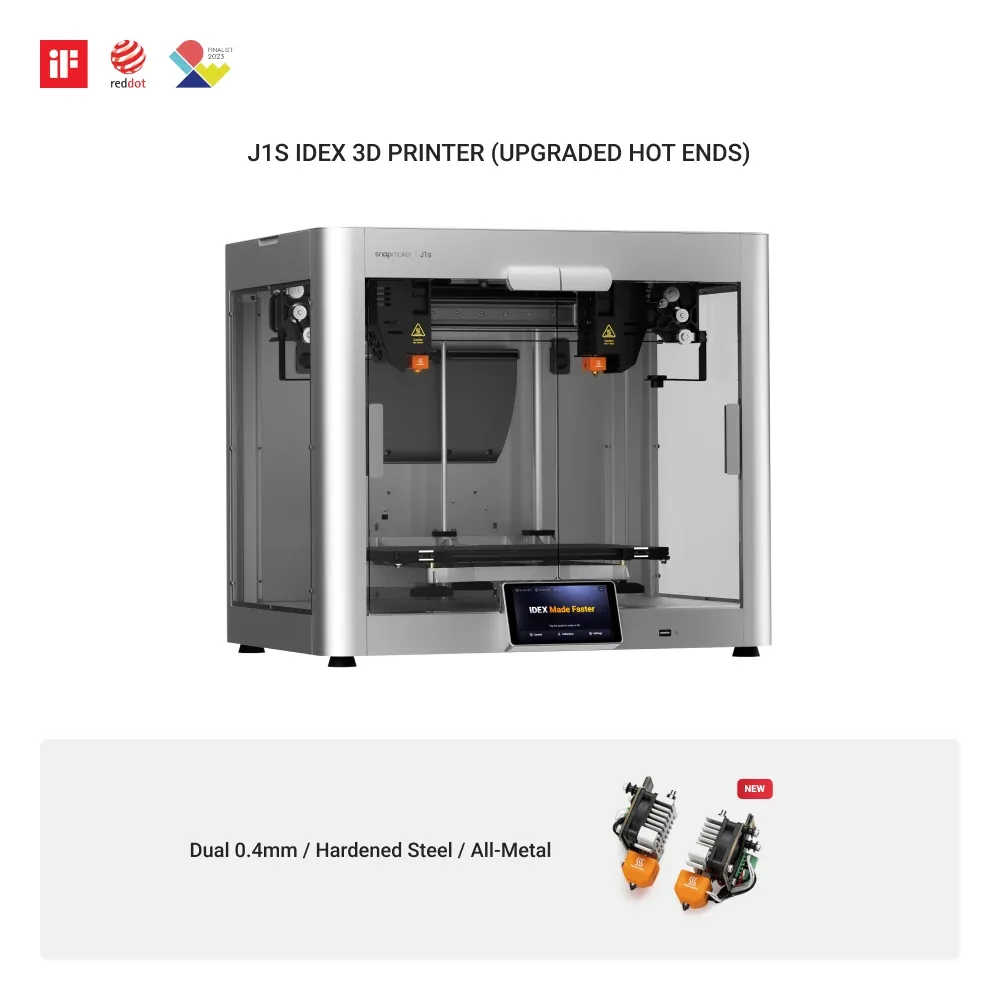
Snapmaker J1s
300 × 200 × 200 mm
Independent dual extrusion with copy and mirror modes to double output, inside an enclosure included as standard.
Usable volume changes with the mode selected: 300 × 200 × 200 mm in standard mode, reduced in copy or mirror mode.
Specifications and sellerSources and limits
- Prusa — Original Prusa XL
- Snapmaker — J1s High Speed IDEX 3D Printer
We organize manufacturer and community documentation; we have not measured these products ourselves. The manual for your exact model takes precedence over general guidance.
A clearer shortlist starts with your projects.
Use the free buying checklist and budget worksheet before comparing offers.