
QIDI Box: printer compatibility, setup and materials
The QIDI Box is QIDI's multi-spool feeding system. It connects to selected QIDI printers for multicolor printing, automatic backup spool switching and filament drying during a print. This page collects what the MAX4 connection guide and the expansion kit product page actually state: which printers are listed, how the cables and tubes connect, which spool sizes fit, and which materials QIDI supports or excludes. It does not replace the installation guide for your exact printer model.
Find My 3D Printer editorial team·Published October 20, 2026·Manufacturer documentation, no hands-on tests claimed

The short answer
The QIDI Box is a four-channel enclosure that feeds filament to a QIDI printer and dries spools at the same time. According to QIDI's documentation, one printer accepts up to four boxes, which reaches sixteen colors with the expansion kit. The expansion kit page lists one variant for the PLUS4 and another for the PLUS5, Q2 and MAX4, and states that the PLUS4 kit does not work with the Q2. The supported materials list applies only to QIDI-brand filament, and generic flexible TPU is excluded. The available connection guide covers the MAX4 only.
What ships in the box and what each part does
The MAX4 connection guide describes an enclosure with a power switch, a power inlet, a rubber vent ring on the back, one filament outlet per channel and a filament inlet with a status light. It has two different signal ports: an 8-pin output and a 4-pin input. That matters during wiring, because the main cable is an 8-to-4-pin cable.
You also get a filament selector. It mounts on the printer and receives the four tubes coming from the box. QIDI supplies four 800 mm PTFE tubes, two tube clips, four desiccant packs and four damping felt pads that slide into slots under the rollers. Three toolhead consumables complete the kit: a silicone pusher pad, a purge wiper blade and a wipe silicone, each with a replacement procedure in the same document.
On the spec sheet, QIDI lists an ABS/PC shell, dimensions of 357 by 300 by 234 mm, a net weight of 4.35 kg, four 42-series stepper motors for feeding and a gear train in reinforced nylon and hardened steel. Each channel has its own indicator light.
Compatibility by model: MAX4, PLUS4, Q2, PLUS5 and the expansion kit
The only connection guide supplied covers the QIDI MAX4. It states that the on-screen interface depends on the printer model and system version, so drying and loading screens can look different from one machine to another. The steps below should not be copied to a QIDI Plus 4, a Q2 or a PLUS5 without their own documentation.
The expansion kit page gives the broadest compatibility statement among the documents reviewed here. It lists two variants: one for the PLUS4, one for the PLUS5, Q2 and MAX4. The page says the PLUS4 kit is not compatible with the Q2, while the MAX4 variant is. If you own a Q2 or a MAX4, QIDI tells you to pick the Q2/MAX4 reference; PLUS4 owners pick the PLUS4 reference.
The same page explains that the kit expands the setup to four boxes for sixteen-color printing and points to the QIDI wiki for installation guidance. Before ordering, confirm the exact kit reference and that an installation guide exists for your printer, then compare that path with the other systems covered in our multicolor guide.
Connecting the QIDI Box to a MAX4 in the order QIDI gives
The guide says not to power anything on until assembly is complete, and never to plug or unplug a signal cable while the unit is powered. The first step is mounting the filament selector on the fixing block of the printer's extension bracket.
Next, each of the four 800 mm PTFE tubes goes from a box outlet to an inlet underneath the selector. One more tube is inserted into the selector's top outlet, which is the last tube-routing step in the guide. If you ever replace these tubes, our page on PTFE feed tubes covers what to check.
Signal wiring has a fixed direction: the 8-pin end of the 8-4 cable goes to the MAX4, the 4-pin end to the box. The selector cable connects its 8-pin end to the box and the other end to the selector. The power cord goes in last. QIDI lists 110 V or 220 to 240 V regional models with a 245 W maximum, so check your region's voltage before the first power-up.
Loading a spool and reading the indicator light
With the box powered on, you place a spool on the drive shaft of any channel, oriented as shown in the guide. You push the filament into the channel inlet, and the box detects it and preloads automatically. Once the white inlet light stays on steadily, that channel is ready to print. If loading fails, QIDI suggests checking how the spool sits or reinserting the filament.
With QIDI's smart filament, spool information is read over RFID during that preload. The spec sheet confirms RFID support plus tangle, clog and runout detection, with automatic switching to a backup spool.
Spool size is constrained: 50 to 72 mm wide, 195 to 202 mm in diameter, 1.75 mm filament. Cardboard spools are not directly compatible and need a spool adapter. Measure the spools you usually buy before committing.
Supported and unsupported materials according to QIDI
QIDI's spec sheet lists PLA, PETG, ABS, ASA, PET, PA, PC, dried PVA, dried BVOH, PP, POM, HIPS, TPU 64D, carbon or glass fiber versions of ABS, PLA, PETG and PET, and carbon fiber PPS only as supported. The same table states that this list applies to QIDI-brand filament only and that compatibility with other brands is not guaranteed.
The unsupported list is just as explicit: TPE, generic TPU, TPU 95A, damp PVA, damp BVOH, QIDI's own PAHT-CF, and anything too hard or too soft. The general usage notes also prohibit flexible materials to avoid jams. If you plan to run soft filament through any multi-spool feeder, our page on TPU for AMS covers the same tradeoffs.
Two handling notes round this out. Composite filaments must be fully preheated before loading. Conversely, you should not load a low-softening-point material like PLA or PETG while the box is hot, for example right after a drying cycle.
Built-in drying: what the spec sheet states and what it leaves open
The box dries spools and can do so while printing, with a maximum temperature of 65 °C according to the spec sheet. The drying material list covers PLA, ABS, ASA, PA, PC, PET, PETG, PPS and wood PLA. Spools sit in a sealed enclosure with desiccant storage, and the box monitors temperature and humidity, with readings shown on the printer screen or in QIDI Studio.
The guide describes starting a cycle from the drying screen: select the filament to dry, set temperature and time, then start. To expel internal moisture, QIDI asks you to open the rear vent ring and close it promptly after venting, otherwise drying performance drops.
The 65°C limit alone does not determine the required duration or a spool's final condition. QIDI's reported humidity is not a measurement of water content inside the filament: do not conclude that filament is dry from this display alone. Compare the temperature and duration specified for your exact filament with the QIDI Box limits before choosing a cycle. Our filament dryer guide explains these distinctions.
Maintenance and precautions before you mount the system
QIDI lists the wear points to watch: PTFE tubes that degrade over time and hinder loading, the feeder that collects filament debris, the drying fan and heatsink that gather dust, the drive shaft that may need reseating or replacement if it becomes unstable, and the desiccant that needs regular replacement.
The safety notes are standard but binding: keep the unit away from heat sources, in a ventilated, low-dust spot; cut mains power before maintenance; mind the fast-moving parts; supervise children; and unplug the unit during long idle periods. Do not rest anything on the lid while it is open. QIDI states that unauthorized system modifications or unofficial plug-ins invalidate its warranty; check the terms applicable to your purchase.
Budget-wise, the QIDI Box stacks on top of the printer, compatible spools and possibly the expansion kit. Our startup budget tool lets you lay those items out before choosing between a single box and a multi-box setup.
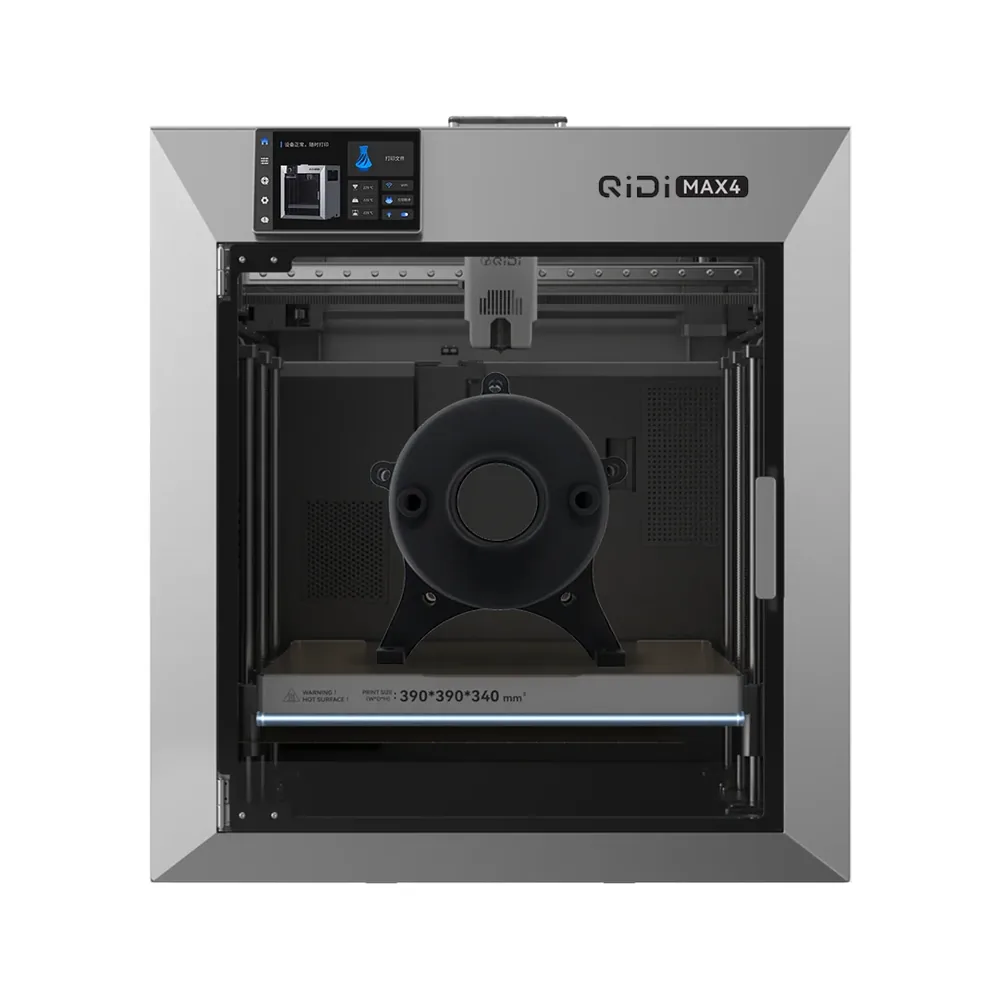
QIDI Tech Max4
390 × 390 × 340 mm
A 390 × 390 × 340 mm volume in an enclosed chassis, an active 65°C heated chamber, a nozzle advertised up to 370°C, a speed advertised up to 800 mm/s, and an AI camera per QIDI.
Multi-material or multicolor printing runs through the separately sold QIDI Box module. Some accessories like the Polar Cooler ship separately per QIDI; check the exact contents on the retailer's listing.
Specifications and sellerSources and limits
- x-max_4%E8%BF%9E%E6%8E%A5%E5%A4%9A%E8%89%B2%E7%9B%92%E5%AD%90.pdf
- QIDI BOX Expansion Kit
We organize manufacturer and community documentation; we have not measured these products ourselves. The manual for your exact model takes precedence over general guidance.
A clearer shortlist starts with your projects.
Use the free buying checklist and budget worksheet before comparing offers.