
Prusa MMU3: kit vs assembled, supported printers and the real add-on cost
The Prusa MMU3 is the official multi-material unit for current Original Prusa printers. Before adding one to your machine, you need to answer two questions: which package matches your exact printer, and what else you have to budget for around the unit itself. This page separates the printer-specific variants, the kit and assembled paths that Prusa documents, and the add-ons that make up the full cost of multi-material feeding. It does not cover prices or stock.
Find My 3D Printer editorial team·Published October 20, 2026·Manufacturer documentation, no hands-on tests claimed

The short answer
Choose the MMU3 package for your exact printer: Prusa states that the required parts are included. MK3S+, MK3.5, MK4/S and MK3.9/S packages and CORE One paths differ; moving between printers requires specific conversion parts. Prusa's support hub distinguishes kits and assembled versions without giving assembly times. Budget separately for the complete package, any conversion parts and extra consumables. Also check the paired firmware versions and re-slice projects with the profile for your exact combination.
One MMU3 package per printer model
The MMU3 is not a universal add-on you can bolt onto any Original Prusa. According to the Prusa knowledge base, there is an MMU3 package for the MK3S+, another for the MK3.5, another for the MK4/S and MK3.9/S, and a version for the CORE One. Each package includes every part required for that specific printer, because installation requires extruder modifications that differ between the Nextruder on the Prusa MK4S and the extruder on the MK3S+ or MK3.5.
Prusa's instruction is direct: always get the correct MMU3 kit for your printer. The differences go beyond printed parts. The cable differs between Einsy or Rambo boards, used on the MK3S+, and xBuddy boards, used on the CORE One, MK4/S, and MK3.5. The hotend PTFE tube shipped in the package is also specific to the target extruder.
In practice, if you are deciding between two Prusa printers and plan on multi-material from day one, pick the machine first, then the matching MMU3 package. A package bought for one model does not move to another without additional parts.
Kit or assembled: the paths Prusa documents
The Prusa support hub for the MMU3 lists several assembly guides, and their structure tells you how much work to expect. The general "MMU3 Assembly" guide covers the MK3S+, MK3.5, MK3.9/S, MK4/S, and CORE One in eighteen chapters and is rated "Difficult." That is the full kit you build yourself.
Alongside it, Prusa documents assembled paths. The guide "Original Prusa MK4S with MMU3 (assembled bundle)" has five chapters, is rated "Moderate," and covers the printer-plus-MMU3 bundle shipped assembled. For the CORE One, two guides exist: "MMU3 for CORE One (Assembled)" in six chapters and "MMU3 for CORE One (Kit)" in nine chapters, both rated "Moderate." The hub listing does not say what remains to be done on the printer for each path. Before choosing, open the guide for your machine and check its chapters for the extruder, buffer and wiring steps.
Compare the guides for your exact printer. The general kit guide is rated difficult over eighteen chapters; the two assembled paths cited are rated moderate over five and six chapters. The CORE One kit is also rated moderate, over nine chapters, so difficulty cannot be inferred from the word kit alone. These pages give no assembly times. Check the operations that remain in the exact guide before choosing. For context on other approaches, see the multicolor buying guide.
Supported printers and edge cases
According to the Prusa knowledge base, the MMU3 is compatible and verified by Prusa's testing teams with the CORE One and CORE One+, the MK3.9/S, the MK4/S, the MK3S+, and the MK3.5/S. For the Prusa CORE One, you either get the full kit or convert from the MK4S version of the MMU3.
The CORE One L is a special case. The knowledge base lists it as compatible with the MMU3 "as a Community mod," with a dedicated upgrade article, and that row carries the same tested-and-verified check mark as the other combinations in the table. The support hub states that INDX is the go-to multi-material option for most users of that machine, with the MMU3 remaining a community-supported classic alternative. Before choosing on this machine, decide whether community-supported is acceptable to you.
Older machines call for caution. On an MK3S without the plus, the combination is possible, but the package contains extruder parts designed for the MK3S+, and Prusa recommends upgrading to MK3S+ before attaching the MMU3. On the original MK3, Prusa describes the extruder hardware as outdated and the firmware as not optimized. On the MK2.5S, the MMU3 wiring harness is not compatible because of different power connectors, the firmware is not optimized because the motor voltage differs from the MK3/S/+ (12 vs. 24 V), and Prusa does not consider this setup officially compatible. On the MK2.5, the harness is likewise incompatible and the firmware not optimized.
Firmware: versions that must be paired
The MMU3 runs its own firmware, version 3.0.0 or later, which is also backward-compatible with the MMU2S. Prusa stresses one point: MMU firmware requires matching printer firmware, and you should update both to their latest compatible versions to prevent issues.
In the table checked on October 20, 2026, For MMU firmware 3.0.3, the MK3S+ expects printer firmware 3.14.1, the MK3.5/S and the MK4/S and MK3.9/S expect a version in the 6.0.0 to 6.4 range, and the CORE One/+ expects 6.3.3 to 6.4; the CORE One L is not listed on that row. For MMU firmware 3.0.4, the MK3.5/S, the MK4/S and MK3.9/S, the CORE One/+, and the CORE One L are listed with printer firmware 6.5.3, with no version listed for the MK3S+ on that row.
These versions change over time, so the practical rule is to check the table when you install rather than memorize a number. Prusa also notes that the filament sensor behaves differently on an MMU-modified extruder. If you plan to run the printer without the unit attached, Prusa recommends disabling the sensor, and on the MK3.5 or MK4 you can switch the extruder type between Regular and MMU in the menu.
Upgrading from an MMU2S or moving between printers
If you already own an MMU2S, there are two situations. On an MK3S+, the MMU2S with firmware 3.0.0 or later remains compatible, so you can keep using it. On an MK3.5, MK3.9/S, or MK4/S, the MMU2S is not compatible, but Prusa documents an upgrade to the MMU3 with a dedicated parts list. The support hub offers the guide "MMU2S to MMU3 Upgrade" in three chapters, rated "Moderate."
Moving an MMU3 from one printer to another also requires parts. Going from an MK3S+ to an MK4/S involves specific extruder components plus the latest evolution of buffer cassettes or fittings. Going from an MK4S to a CORE One requires a different-length PTFE tube and buffer fasteners, because the CORE One uses a distinct version of the buffer. Prusa provides three-chapter guides for both conversions.
For a double upgrade, such as MK3S+ with MMU2S to MK3.5 with MMU3, Prusa strongly advises uninstalling the MMU first, upgrading the printer as a single-material machine, testing it, and only then upgrading the MMU and performing a fresh installation. This sequence isolates problems instead of chasing faults across two projects at once.
The full cost: what adds up beyond the unit
Start with the contents of the MMU3 package for your printer. Prusa states that the required parts are included in the MK3S+, MK3.5 and MK4/S or MK3.9/S packages: do not automatically add the buffer, cable and PTFE tube as three extra purchases. A conversion between printers may instead require a different cable, tube length, buffer fasteners or printed parts. A spare PTFE feed tube is a separate budget item: replacement consumables you choose to keep. Check the exact package contents and conversion-specific parts list before pricing each line.
Beyond hardware, printing with several materials means several spools mounted at once, so you need suitable spool holders and, depending on the material, drying and moisture-protected storage. Prusa also recommends regular maintenance of the unit, which costs time rather than money but still belongs in the equation.
To price your setup, add the printer if you need to buy one, the matching MMU3 package, any conversion parts, then extra spools and equipment in the startup budget tool. Compare configurations using the same budget categories and the exact contents of each offer.
Slicer profiles and G-code: check compatibility before printing
Multi-material feeding does not stop at hardware. According to the Prusa knowledge base, the MMU3 on an MK3S+ or MK3.5 is reverse-compatible with the older MMU2S slicer profile and G-codes, but not with MK3 plus MMU2 profiles. By contrast, the MMU3 on a CORE One or MK4 is not compatible with any older profile or G-code, whether from the MMU2, the MMU2S, or even the MMU3 paired with an MK3S+ or MK3.5.
Prusa warns that using an incompatible G-code file on an MMU3 with a CORE One or MK4 could lead to a failed print or potentially damage the printer. In practice, re-slice older projects with the exact profile for your new combination in PrusaSlicer rather than reusing existing files.
The support hub links to multi-material slicing articles, sample G-codes, and a community forum dedicated to the MMU3. Those resources, together with the official printable parts, are the documented starting point before any custom adaptation.
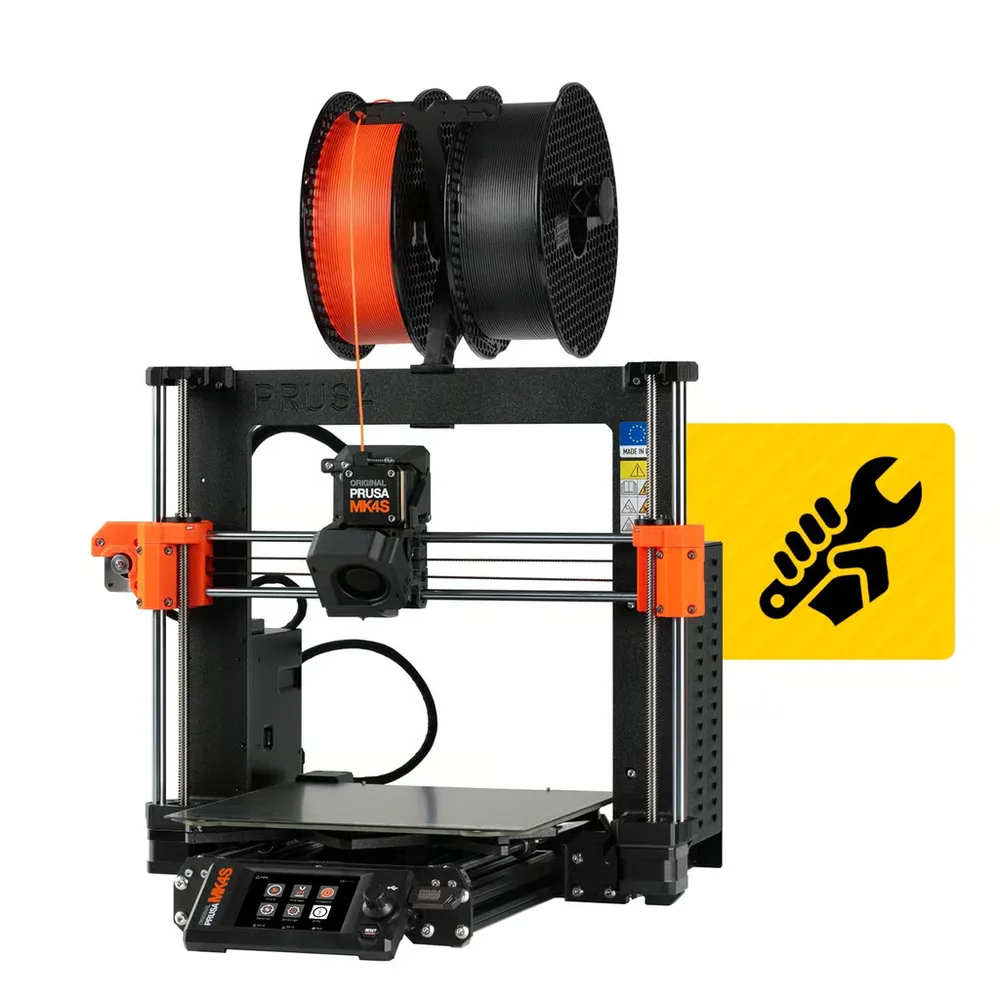
Prusa Research Original Prusa MK4S
250 × 210 × 220 mm
An open-source design with the Nextruder extruder, 360° part cooling and an ecosystem of parts and print profiles thoroughly documented by Prusa Research.
The chassis stays open by default: the enclosure and filter are separate add-ons worth planning for regular ABS or ASA use.
Specifications and sellerSources and limits
- MMU3 Compatibility | Prusa Knowledge Base Prusa Prusa Prusa
- Original Prusa MMU3 | Prusa Knowledge Base Prusa Prusa Prusa
We organize manufacturer and community documentation; we have not measured these products ourselves. The manual for your exact model takes precedence over general guidance.
A clearer shortlist starts with your projects.
Use the free buying checklist and budget worksheet before comparing offers.