
Original Bambu AMS: buying one used or keeping the unit you already own
Now that the AMS 2 Pro and AMS HT exist, the original Bambu Lab AMS may turn up on used listings. This page helps you confirm which generation you are looking at, check what should come in the box, spot the consumables worth inspecting, and read the official product pages to decide whether your current unit is worth keeping or replacing.
Find My 3D Printer editorial team·Published October 20, 2026·Manufacturer documentation, no hands-on tests claimed

The short answer
The first-generation AMS is a four-slot system that the Bambu Lab store page consulted lists under the plain name AMS; current new availability must be checked on your regional store. According to the H2D product page, this generation has full plug-and-play compatibility for multi-color printing on the H2D, but it does not support the AMS drying function. It keeps an air-tight seal with desiccant, a humidity sensor, RFID reading of Bambu filaments, and tangle detection. For a used purchase, check the box contents, the spare filament cutters, the desiccant, and the spool compatibility Bambu Lab publishes.
Telling the first generation apart from today's systems
Bambu Lab now sells several filament systems, and a used listing may use an imprecise name. The EU store page calls the original model simply AMS, while the H2D page names the AMS 2 Pro, AMS HT, and AMS lite as separate products. Your first move is to ask the seller for the exact name and reference printed on the box or on the unit, with photos, rather than trusting a listing title or a photo of a gray enclosure.
According to the H2D page, the first-generation AMS works plug-and-play for multi-color printing on that machine but does not support the AMS drying function. That is a useful reading test: a listing that advertises built-in drying is inconsistent with the original, but a listing can also be wrong. Have the seller confirm the product name and its functions before drawing a conclusion. The AMS lite, on the other hand, is a different system that the H2D page declares incompatible with that printer because of fundamental differences in feeding mechanism and buffering structure.
To place this unit within the current lineup, the page on the Bambu AMS 2 Pro covers the next generation. Keep in mind that the Bambu Lab store page is regional and can change, so the supported filament list should always be reread on the version published when you buy.
Check a used lot's contents
The "What's in the box" section of the Bambu Lab page doubles as a checklist for any used listing. A new AMS ships with a PTFE tube, a six-pin bus cable and a four-pin bus cable, two spare filament cutters, a PTFE tube connector, a filament buffer, three reusable spools, and one high-temperature reusable spool. The page states that all accessories mentioned in its description are purchased separately. For any item missing from the lot, check whether it is offered separately in your region and at what price before budgeting its replacement.
The filament buffer and the four-pin cable deserve an explicit check in the lot, because the page lists them as items distinct from the AMS enclosure in the box and as accessories required for connection. According to the page, connecting a single AMS to an X1 or P1 series printer requires a Filament Buffer coded SA003, a PTFE Tube Coupler coded FAZ006, and a four-pin cable coded CAB002-N. If you buy a bare unit for your Bambu Lab P1S, confirm you already own those three pieces or budget for them after checking their availability.
The page also lists three reusable spools and one high-temperature reusable spool in the box. Check that they are present: each missing spool is one more item to budget. Their use with refills is covered on the page about reusable spools and refills; the AMS page itself does not detail that point.
Wear parts and consumables to inspect before you pay
The page consulted contains no maintenance schedule, but the box list includes two spare filament cutters, which marks that part as replaceable. Ask the seller whether they are still in the box or already used. A dull cutter is invisible in photos; missing spares do not prove heavy use, but they add one part to budget.
Desiccant is the second consumable the page identifies. The system relies on an air-tight seal and a desiccant pack, with a humidity sensor that tells you when humidity rises or the desiccant may need replacing. At handover, look at the humidity reading reported by the system. A high value does not mean a fault, but you will need fresh desiccant, as explained on the page about silica gel versus molecular sieve.
The buffer, PTFE tube coupler, and cable are named in the page's description as accessories purchased separately; check each part's availability in your region. Inspect the PTFE tube for sharp kinks or wear at the entry and favor replacement over an improvised repair if in doubt. The page also warns that cardboard spools can leave trapped debris inside the AMS. If the interior is dusty with cardboard fibers, clean it before drawing any conclusion about the condition of the mechanism.
Spools and filaments the system accepts: the published limits
Before keeping or buying an original AMS, check your filament stock against the official list. According to the page, the system supports PLA, PETG, ABS, ASA, PET, PA, PC, dry PVA and dry BVOH, plus PP, POM, HIPS, and Bambu PLA-CF, PAHT-CF, and PETG-CF. It explicitly excludes TPE, TPU, wet PVA and wet BVOH, Bambu PET-CF, TPU 95A, and other brands' filaments containing carbon fiber or glass fiber, which it calls too soft, brittle, or abrasive.
The page publishes a single list for this product, with no distinction by age: a used AMS falls under the same published restrictions as a new one. If your workflow depends on flexible filament or third-party composites with carbon or glass fiber, the purchase makes little sense no matter how clean the hardware looks. The page on TPU and the AMS goes into that limit.
The page also gives supported spool geometry: width from 50 to 68 mm, diameter from 197 to 202 mm, and 1.75 mm filament. Bambu Lab highly recommends a spool adapter for cardboard spools to reduce slippage and trapped debris in the AMS. Measure the spools you actually use before deciding.
Which printers still work with the original AMS
The selector on the EU store page offers the AMS for the A1 series, X1 and P1 series, P2S, H2S, H2D and H2C, X2D, and A2L, each with its own accessory configuration. The page stresses this point: the system requires specific accessory configurations depending on the printer, and it refers you to the Multiple AMS Units Connection Guide. For the P2S, it states compatibility with extra accessories to be selected in the add-on section.
On X1 and P1 printers, the page lists up to four units connected through an AMS Hub coded SA002-N, mixing AMS, AMS HT, and AMS 2 Pro. An original AMS can therefore share a machine with a newer unit, which is the strongest argument for keeping it rather than selling it.
On the Bambu Lab H2D, the product page confirms plug-and-play compatibility for first-generation multi-color printing, without drying. It adds that beyond two systems, a 4-in-1 PTFE adapter coded FAZ013-N is required. These compatibility statements are cited for the H2D only. For another recent machine, check that printer's own page.
Keep it or move to the AMS 2 Pro: what the product pages say
The decision comes down to two questions. First, does your current AMS work correctly with your filaments and spools? If it loads, unloads, and detects tangles as the page describes, nothing in the supplied documentation justifies replacing it to keep printing multi-color on a P1S, an X1, or even an H2D. The H2D combo bundled with an AMS 2 Pro does not make the older unit redundant.
Second, do you need to dry filament inside the system itself? That is the difference this guide focuses on, because the H2D page explicitly states the first generation lacks it; the supplied pages do not offer a complete feature comparison between generations. If your filament is stored dry elsewhere, the air-tight seal and desiccant of the original AMS handle preservation, not active drying. The page on filament dryers explains the difference between keeping filament dry and drying it.
For a used purchase, the same reasoning applies. A complete AMS with its spares and buffer is an entry into multi-color printing; compare the listing price with the new price shown on your regional store at the time of purchase. To size the overall gap, the startup budget tool lets you compare configurations without leaning on a single listing price.
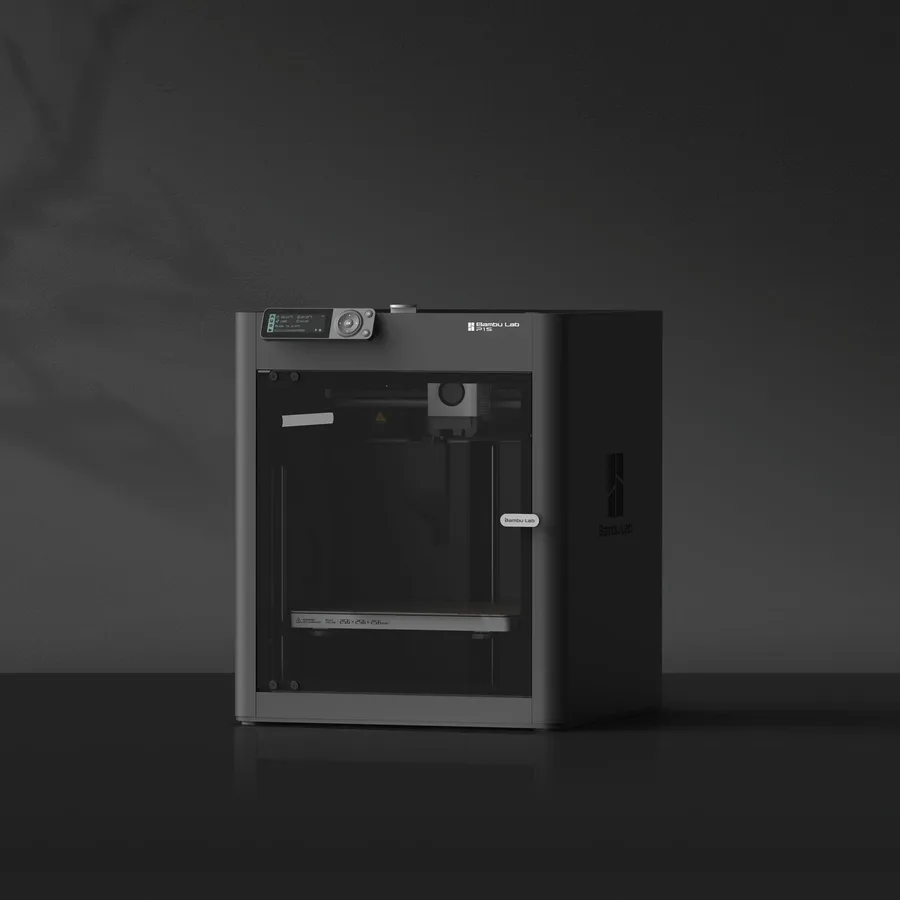
Bambu Lab P1S
256 × 256 × 256 mm
The same nominal volume as the A1, with an enclosure and a different motion system.
Check the precise AMS version, adapters and accessories included. Enclosure alone does not establish material suitability.
Specifications and sellerSources and limits
- Bambu Lab AMS - Automatic Material System | Bambu Lab EU Store
- Bambu Lab H2D | Dual Extruder 3D Printer | Bambu Lab EU Store
We organize manufacturer and community documentation; we have not measured these products ourselves. The manual for your exact model takes precedence over general guidance.
A clearer shortlist starts with your projects.
Use the free buying checklist and budget worksheet before comparing offers.